v0.7.7 · macOS 26+ · MIT

apfel

The free AI already on your Mac.

Every Mac with Apple Silicon has a built-in LLM. Apple locked it behind Siri. apfel sets it free - as a CLI tool, an OpenAI-compatible server, and a chat.

100% On-Device Zero Cost OpenAI Compatible
$ brew install Arthur-Ficial/tap/apfel

1.5k+ stars on github.com/Arthur-Ficial/apfel

Requires: Apple Silicon · macOS Tahoe · Apple Intelligence enabled

Watch it work.

Real commands. Real outputs. All running on Apple Silicon.

Terminal - apfel
$

Zero everything.

The AI is already installed on your Mac. Apple ships it with macOS. apfel just gives you a way to talk to it - from your terminal, from your code, from anywhere.

$0
Token Cost
No API keys. No subscriptions. No per-token billing. It's your hardware - use it.
100%
On-device
Every token generated locally on your Apple Silicon. Nothing leaves your machine. Ever.
4,096
Tokens
Context window for input and output combined. Enough for most single-turn tasks and short chats.

The model under the hood

Apple ML Research
~3BParameters
4,096Context window
~3.5 bpwQuantization
Mixed 2/4-bitPrecision
Neural EngineRuns on
en, de, es, fr, it, ja, ko, pt, zhLanguages

Three ways to use it.

CLI tool, HTTP server, or interactive chat. Pick the one that fits.

>_

UNIX Tool

Pipe-friendly and composable. Works with jq, xargs, and your shell scripts. stdin, stdout, JSON output, file attachments, proper exit codes.

$ apfel "What is the capital of Austria?"
The capital of Austria is Vienna.

$ apfel -o json "Translate to German: Apple" | jq .content
"Apfel"
{ }

OpenAI Server

Drop-in replacement at localhost:11434. Point any OpenAI SDK at it and go. Streaming, tool calling, CORS, response formats.

$ apfel --serve
Server running on http://127.0.0.1:11434

# any OpenAI client works
$ curl localhost:11434/v1/chat/completions ...
...

Interactive Chat

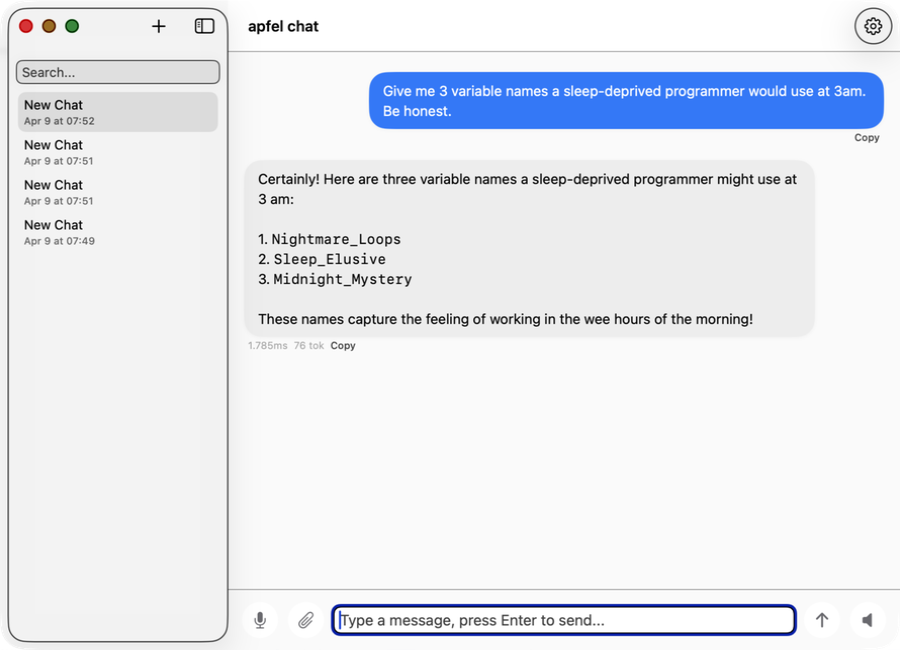
Multi-turn conversations with automatic context management. Five trimming strategies. System prompt support. All on your Mac.

$ apfel --chat -s "You are a coding assistant"
Chat started. Type /quit to exit.
> How do I reverse a list in Python?

Native MCP support.

Give Apple's on-device model tools. Any tools.

New in v0.7.1

Attach tool servers with --mcp

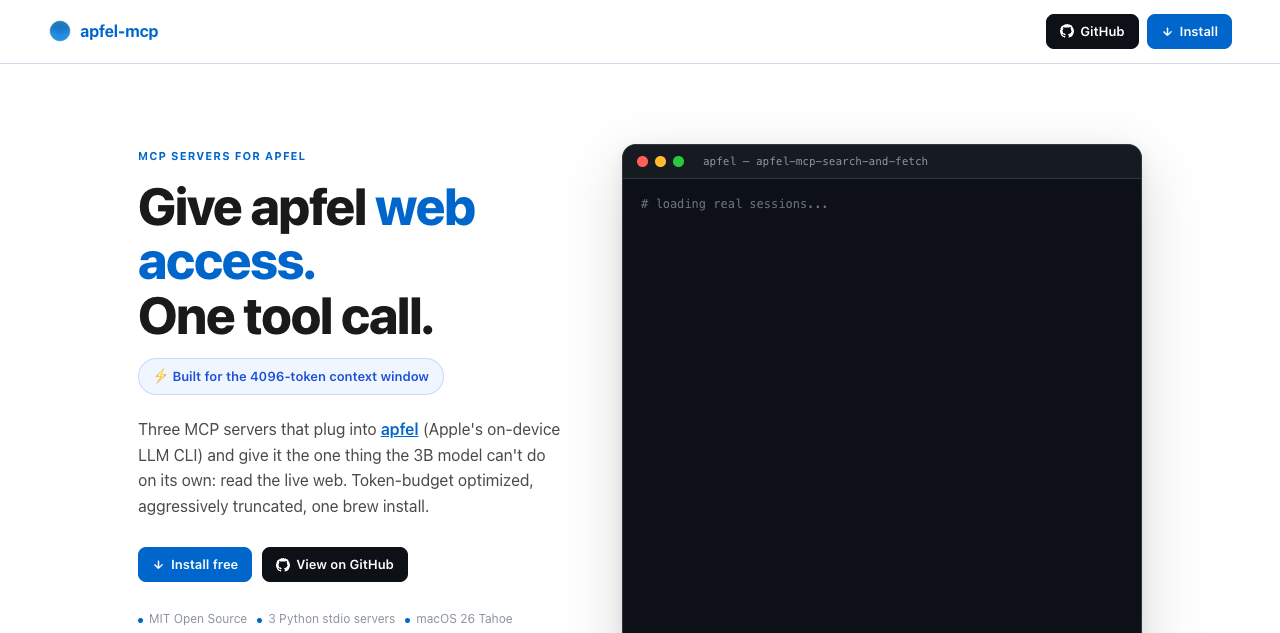
apfel speaks the Model Context Protocol. Point it at any MCP server and the on-device model gets tools - math, APIs, databases, anything you can write a server for.

  • Works in all three modes - CLI, server, and chat
  • Auto-discovers tools via MCP tools/list at startup
  • Tool calls detected, executed, and results fed back automatically
  • No --mcp flag, no overhead - zero extra tokens, zero code path changes
  • Ships with a calculator MCP server as proof-of-concept
Terminal - apfel + MCP
# give the model a calculator
$ apfel --mcp ./mcp/calculator/server.py \
  "What is 15 times 27?"

tool: multiply({"a": 15, "b": 27}) = 405
15 times 27 is 405.

# attach multiple servers
$ apfel --mcp ./calc.py --mcp ./weather.py \
  "What is sqrt(2025)?"

tool: sqrt({"n": 2025}) = 45.0
The square root of 2025 is 45.

# server mode - tools auto-available to all clients
$ apfel --serve --mcp ./calc.py

How it works.

Apple built an LLM into your Mac. apfel gives it a front door.

Apple ships an on-device LLM

Starting with macOS 26 (Tahoe), every Apple Silicon Mac includes a language model as part of Apple Intelligence. Apple exposes it through the FoundationModels framework - a Swift API that gives apps access to SystemLanguageModel. All inference runs on the Neural Engine and GPU. No network calls, no cloud, no API keys. The model is just there.

But Apple only uses it for Siri

Out of the box, the on-device model powers Siri, Writing Tools, and system features. There is no terminal command, no HTTP endpoint, no way to pipe text through it. The FoundationModels framework exists, but you need to write a Swift app to use it. That is what apfel does.

What apfel adds

apfel is a Swift 6.3 binary that wraps LanguageModelSession and exposes it three ways: as a UNIX command-line tool with stdin/stdout, as an OpenAI-compatible HTTP server (built on Hummingbird), and as an interactive chat with context management.

It handles the things Apple's raw API does not: proper exit codes, JSON output, file attachments, five context trimming strategies for the small 4096-token window, real token counting via the SDK, and conversion of OpenAI tool schemas to Apple's native Transcript.ToolDefinition format.

hardware Apple Silicon (Neural Engine + GPU)
|
model Apple's on-device LLM (shipped with macOS)
|
sdk FoundationModels.framework (Swift API)
|
apfel CLI + HTTP server + context management
|
you Terminal, shell scripts, OpenAI SDKs, curl
4,096 tokens Context window (input + output)
1 model Fixed, not configurable
Swift 6.3 Strict concurrency, no Xcode
MIT license Open source

Power tools included.

Shell scripts in the demo/ folder. Install apfel first, then grab the ones you want.

>_

cmd

Natural language to shell command. Say what you want, get the command.

$ cmd "find all .log files modified today"
|>

oneliner

Pipe chains from plain English. awk, sed, sort, uniq - generated for you.

$ oneliner "count unique IPs in access.log"
**

mac-narrator

Narrates your Mac's system activity like a nature documentary.

$ mac-narrator --watch
?

explain

Explain any command, error message, or code snippet in plain English.

$ explain "awk '{print $1}' file | sort -u"
./

wtd

What's this directory? Instant project orientation for any codebase.

$ wtd
++

gitsum

Summarize recent git commits in a few sentences.

$ gitsum

OpenAI compatible. For real.

Change one URL. Keep your code.

Drop-in replacement

apfel speaks the OpenAI API. Any client library, any framework, any tool that talks to OpenAI can talk to your Mac's AI instead. Just change the base URL.

  • POST /v1/chat/completions
  • Streaming (SSE)
  • Tool calling / function calling
  • GET /v1/models
  • response_format: json_object
  • temperature, max_tokens, seed
  • CORS for browser clients
Python
from openai import OpenAI

# Just change the base_url. That's it.
client = OpenAI(
    base_url="http://localhost:11434/v1",
    api_key="unused"  # no auth needed
)

resp = client.chat.completions.create(
    model="apple-foundationmodel",
    messages=[{
        "role": "user",
        "content": "What is 1+1?"
    }],
)
print(resp.choices[0].message.content)

Popular on GitHub.

From zero to 1,593 stars and counting.

1,593
GitHub stars
47 forks

895 stars on April 3, 486 on April 4. Starred by engineers from Apple, Google, VMware, NVIDIA, and Grafana.

Star on GitHub
0 500 1000 1500 +123 +895 1,593 Mar 24 Mar 28 Apr 1 Apr 4

Data as of April 4, 2026

Get started.

Two commands. Ten seconds. You're in.

Homebrew

recommended
$ brew install Arthur-Ficial/tap/apfel
$ apfel "Hello, Mac!"

Build from source

requires CLT + macOS 26.4 SDK
$ git clone https://github.com/Arthur-Ficial/apfel.git
$ cd apfel && make install

Frequently asked.

Questions scraped from Hacker News and Reddit.

What macOS version do I need?
macOS 26 (Tahoe) or newer. The FoundationModels framework only ships with Tahoe. Does not work on Sequoia or earlier. Requires Apple Silicon (M1 or later).
Does apfel access my personal data?
No. The FoundationModels framework has zero access to contacts, emails, calendar, photos, or Semantic Index. Those are restricted to first-party Apple features.
Does any data leave my Mac?
No. Two layers of privacy protect you.

The model: Apple's FoundationModels framework works without internet connectivity and runs entirely on the Neural Engine. Your prompts and responses never leave the device. User data is never used for training.

The tool: apfel keeps it that way. No analytics, no telemetry, no tracking, no automated update checks, no crash reporting, no calling home. Open source and auditable.
What is the context window?
4,096 tokens (~3,000 words) combined input + output. Great for shell scripts, summaries, and text transforms. Not suited for long conversations or large documents.
What is the model good at? Where does it struggle?
Good at: shell scripting, text transformation, classification, short summaries, JSON restructuring, translation.

Limited: math, factual recall, long conversations, complex code generation.

The model prefers to refuse rather than hallucinate. Deliberate Apple design choice.
Is the server mode secure?
Off by default. When enabled: Bearer token auth (--token), origin checking, debug-only log endpoints. Details in server-security.md.
Do I need to enable Apple Intelligence?
Yes. System Settings > Apple Intelligence & Siri > enable. This downloads the model. You don't need to use Siri, just enable it. Apple's setup guide.
How do I update apfel?
apfel --update (v0.7.7+). Detects install method, checks for newer version, prompts before upgrading. Manual: brew upgrade apfel or git pull && make install.
What model does it use?
Apple's own AFM (Apple Foundation Model), roughly 3 billion parameters with mixed 2-bit and 4-bit quantization. Not OpenAI. Ships with macOS Tahoe, runs entirely on-device on the Neural Engine.
How is apfel different from Ollama or LM Studio?
Zero LLM download, instant start, no setup. apfel uses the model already on your Mac. Ollama and LM Studio offer more models and larger context windows but require separate downloads.
Does apfel support MCP and tool calling?
Yes. Native MCP since v0.7.0. Pass --mcp <server> to connect tools. Tool calling guide.
Does apfel have any telemetry or calling-home functions?
None. apfel never contacts any server in the background. The only network call is when you explicitly run apfel --update, which checks Homebrew for a newer version. Open source and auditable.
Who created this?
apfel is created by Franz Enzenhofer (Systems Thinker, Author, Dev since C64 days, AI Mechanic) / franze on HN / founder of Full Stack Optimization and franzai.com.

Co-maintained by Arthur Ficial, an OpenClaw instance running on Anthropic's Claude Opus. Developed heavily with Claude Code and Codex. Always in high thinking / high effort mode.

Testing: 118 unit tests + 26 CLI integration tests (end-to-end, OpenAI client compatibility, OpenAPI spec validation, security, performance). Started March 24, 2026.
What is apfel's origin story?
apfel originally started as an attempt to run OpenClaw on Apple Intelligence in ultra token-saving mode. That did not work out because of the 4K context window. But it turned out that a local, fast, scriptable, on-device, always-available, zero-config, privacy-first LLM is incredibly awesome, powerful, fun, and interesting.

The apfel family.

Tools built on top of Apple's on-device AI.

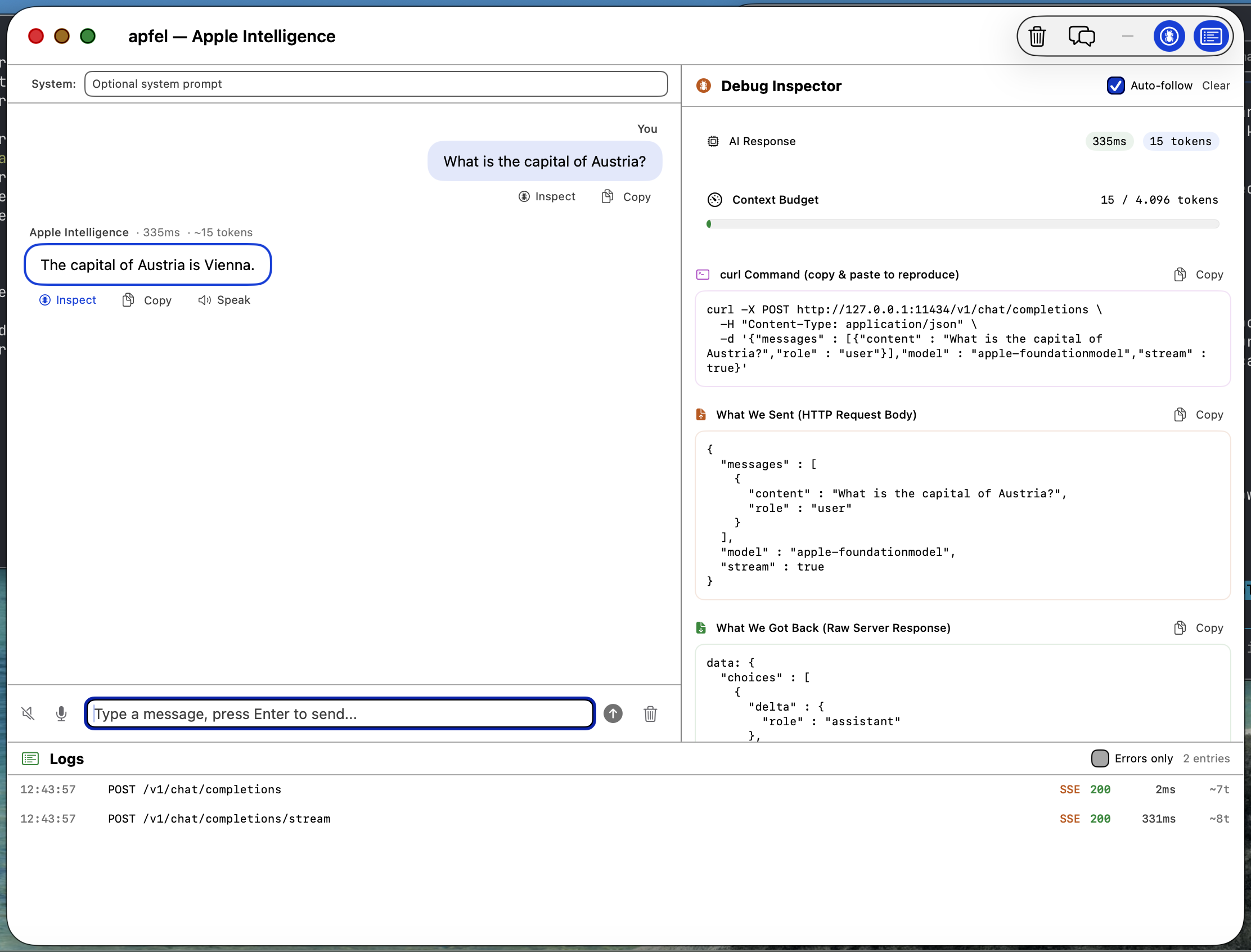
apfel-gui screenshot

apfel-gui

Native macOS SwiftUI debug GUI. Chat with Apple Intelligence, inspect requests and responses, logs, speech-to-text, text-to-speech - all on-device.

SwiftUI
coming soon

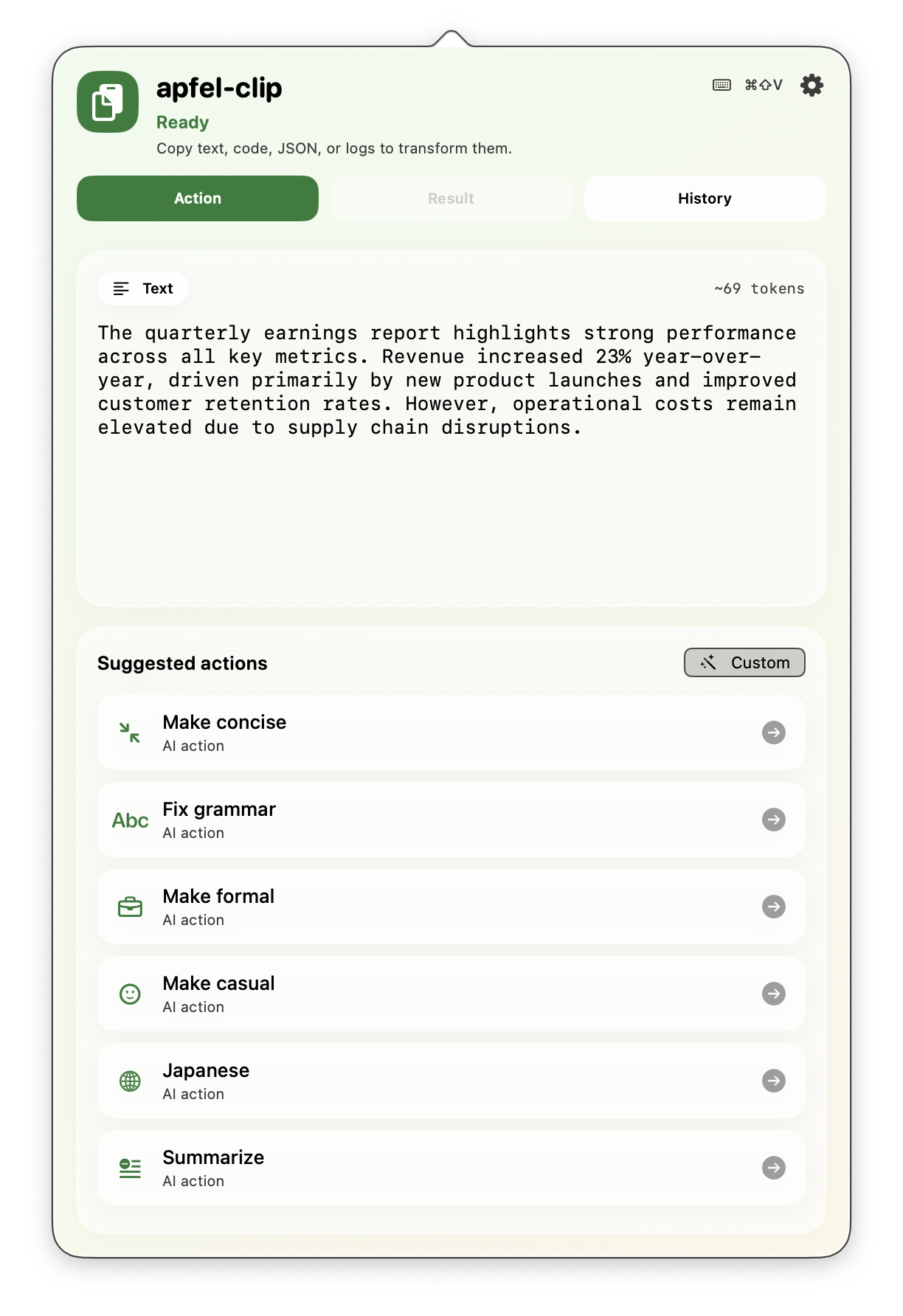
apfel-clip

AI-powered clipboard actions from the menu bar. Fix grammar, translate, explain code, summarize - one click on any selected text.

Under Heavy Development