v1.19.0 · Zero Config · MIT
apfel
The free AI already on your Mac.
macOS Tahoe ships with a 3B parameter LLM. apfel gives you CLI access with one brew install. No model downloads, no API keys, no configuration needed, just works.
$ brew install apfel
6.6k+ stars on github.com/Arthur-Ficial/apfel
Requires: Apple Silicon · macOS Tahoe · Apple Intelligence enabled
New to apfel? Start the 60-second tutorial
Everything runs on your device. No network calls. No data leaves your Mac.
Watch it work.
From brew install to AI output in 12 seconds. No configuration required.
Zero config. Zero LLM downloads. Zero token costs.
Other local AI tools are great but require model downloads and configuration. apfel needs nothing - the model is already on your Mac. One brew install. You're done.
The model under the hood
Apple ML ResearchThree tools. One install.
A CLI, an OpenAI-compatible server, and an interactive chat. All from a single brew install. No extra downloads.
UNIX Tool
Pipe-friendly and composable. Works with jq, xargs, and your shell scripts. stdin, stdout, JSON output, schema-valid JSON with --schema, multi-turn from a messages file with --messages, file attachments, proper exit codes.
OpenAI Server
Drop-in replacement at localhost:11434. Point any OpenAI SDK at it and go. Chat Completions and Responses API, streaming, tool calling, JSON Schema output, CORS.
Interactive Chat
Multi-turn conversations with automatic context management. Five trimming strategies. System prompt support. Just type apfel at a terminal to start. All on your Mac.
Native MCP support.
Give Apple's on-device model tools. Any tools.
Attach tool servers with --mcp
apfel speaks the Model Context Protocol. Point it at any MCP server and the on-device model gets tools - math, APIs, databases, anything you can write a server for.
- Works in all three modes - CLI, server, and chat
- Auto-discovers tools via MCP tools/list at startup
- Tool calls detected, executed, and results fed back automatically
- No --mcp flag, no overhead - zero extra tokens, zero code path changes
- Ships with a calculator MCP server as proof-of-concept
- Remote MCP servers via URL -
--mcp https://...with optional Bearer token auth
How it works.
Apple built an LLM into every Mac. It's just sitting there. apfel gives it a front door - with zero configuration.
Apple ships an on-device LLM
Starting with macOS 26 (Tahoe), every Apple Silicon Mac includes a language model as part of Apple Intelligence. Apple exposes it through the FoundationModels framework - a Swift API that gives apps access to SystemLanguageModel. All inference runs on the Neural Engine and GPU. No network calls, no cloud, no API keys. The model is just there.
But Apple only uses it for Siri
Out of the box, the on-device model powers Siri, Writing Tools, and system features. There is no terminal command, no HTTP endpoint, no way to pipe text through it. The FoundationModels framework exists, but you need to write a Swift app to use it. That is what apfel does.
What apfel adds
apfel is a Swift 6.3 binary that wraps LanguageModelSession and exposes it three ways: as a UNIX command-line tool with stdin/stdout, as an OpenAI-compatible HTTP server (built on Hummingbird), and as an interactive chat with context management.
It handles the things Apple's raw API does not: proper exit codes, JSON output, file attachments, five context trimming strategies for the small context window (4,096 tokens, 8,192 on M3 and newer Macs running macOS 27), real token counting via the SDK, and conversion of OpenAI tool schemas to Apple's native Transcript.ToolDefinition format.
Private by design.
Not a single HTTP call while using apfel. Every claim below links to Apple's own documentation.
On-device. Works offline.
The FoundationModels framework runs entirely on your Apple Silicon Neural Engine. No server, no cloud, no internet connection needed.
Your data stays yours.
Apple does not collect prompts, responses, or any usage data from on-device inference. Nothing is stored, nothing is sent.
Never used for training.
Apple trains their foundation models on licensed and public data only. Your interactions are never part of the training pipeline.
apfel adds zero tracking.
No analytics, no telemetry, no automated update checks, no crash reporting, no calling home. The only network call apfel ever makes is when you explicitly run apfel --update. The entire codebase is open source.
Power tools included.
Shell scripts in the demo/ folder. Install apfel first, then grab the ones you want.
cmd
Natural language to shell command. Say what you want, get the command.
oneliner
Pipe chains from plain English. awk, sed, sort, uniq - generated for you.
mac-narrator
Narrates your Mac's system activity like a nature documentary.
explain
Explain any command, error message, or code snippet in plain English.
wtd
What's this directory? Instant project orientation for any codebase.
gitsum
Summarize recent git commits in a few sentences.
30 useful and cool one-liners.
Every command tested on a real Mac. Chain apfel with ps, lsof, du, vm_stat, git, pbpaste, sleep, pgrep, curl, say - composability cloud AIs cannot match, because they cannot see your processes, your clipboard, your git diff. apfel can.
What is eating my CPU right now.
$ps aux | sort -k 3 -nr | head -5 | awk '{print $11, $3"%"}' | apfel "which app is using the most CPU"-> WindowServer is using the most CPU at 42.6%.
Which apps are listening on which ports.
$lsof -iTCP -sTCP:LISTEN -n -P | head -15 | apfel "list which apps own which ports as a table"-> 11434 fichten, 18789 node, 5000 ControlCenter ...
Which volume is closest to full.
$df -h | apfel "which volume is fullest, one sentence"-> /dev/disk3s1 is the fullest at 263Gi of 926Gi.
vm_stat decoded into plain english.
$vm_stat | apfel "explain my memory usage in plain english, one sentence"-> 349k pages active, 266k wired - significant memory in use.
Which folders here are eating the most disk.
$du -sh */ 2>/dev/null | sort -rh | head -5 | apfel "which folders are eating most disk, one sentence"-> Library at 36G and Downloads at 604M dominate.
Biggest files in this folder.
$ls -laS | head -10 | apfel "what are the biggest files here, just file names"-> apfel-quick-preview.png, og.png, translate-preview.png ...
Which apps are talking to the internet right now.
$lsof -i -nP 2>/dev/null | grep ESTABLISHED | awk '{print $1, $9}' | head -10 | apfel "which apps are talking to the internet right now, short answer"-> node → 157.240.253.60:443, claude.ex → 160.79.104.10:443, Google → 66.102.1.188:5228 ...
Battery health and ETA in one line.
$pmset -g batt | apfel "battery health and percent, one line"-> Fully charged, health 100%, currently active.
Recap your recent commits in plain English.
$git log --oneline -20 | apfel "summarize what I have been working on"-> Updates from v1.2.1 to v1.3.2, added sister projects ...
Draft a one-line release note from recent commits.
$git log --oneline -5 | apfel "write a one-line release note based on these commits"-> Released v1.3.2 with 5053 stars, 783 tests, updates.
Fix grammar of whatever is on your clipboard, then put the fix back.
$pbpaste | apfel "fix grammar" | pbcopy-> "i has went" becomes "I went" - back on clipboard.
Translate clipboard to Japanese, then put it back.
$pbpaste | apfel "translate to japanese" | pbcopy-> Clipboard now contains the Japanese translation.
Summarize a wall of text from your clipboard into 3 bullets.
$pbpaste | apfel "summarize in 3 bullets"-> 3 tight bullets in your terminal.
Pull clean action items out of meeting notes on your clipboard.
$pbpaste | apfel "extract just the action items as a clean bullet list, no other text" | pbcopy-> "Sarah drafts Q3 budget", "email design team", ... back on clipboard.
Notify yourself out loud when a long task finishes (here, in 30 minutes).
$sleep 1800 && apfel "tell me cheerfully my long task just finished, one short sentence" | say-> Mac speaks: "Your long task just finished, well done!"
Wait for a file to land in Downloads, then announce it.
$until [ -e ~/Downloads/Report.pdf ]; do sleep 5; done; apfel "tell me my download just landed, one cheerful sentence" | say-> Polls every 5s; when Report.pdf appears, Mac speaks the news.
Wait for a long-running process to exit, then announce it.
$while pgrep -q ffmpeg; do sleep 5; done; apfel "tell me cheerfully that my video encoding is done, one short sentence" | say-> Polls every 5s; when ffmpeg dies, Mac speaks the news.
Every 30 minutes, summarize what you just shipped, out loud.
$while sleep 1800; do git log --since="30 min ago" --oneline | apfel "summarize my last 30 minutes of work in one cheerful sentence" | say; done-> Half-hourly auto-standup read aloud while you keep coding.
Every 15 minutes, warn out loud if battery drops under 20 percent.
$while sleep 900; do P=$(pmset -g batt | grep -oE "[0-9]+%" | head -1 | tr -d %); [ "$P" -lt 20 ] && apfel "battery just dropped to $P percent, write one short sentence that is friendly but super urgent telling me to plug in NOW" | say; done-> Quiet until battery dips; then Mac shouts a friendly-but-urgent warning out loud.
Watch a URL until it returns 2xx, then celebrate the deploy out loud.
$until curl -sf https://staging.example.com/health >/dev/null; do sleep 30; done; apfel "tell me cheerfully that my deploy is live and the URL is responding, one short sentence" | say-> Polls every 30s until staging is up; Mac speaks "Your deploy is live, URL is responding!".
Rephrase a casual line into something polite.
$echo "hey can u send me docs asap" | apfel "rephrase politely"-> "Could you please share the documents at your earliest ..."
Hit a URL and ask what is going on, just from the headers.
$curl -sI https://github.com | apfel "explain what happens at this URL in one sentence, based on the HTTP headers"-> GitHub serves an HTML page with strict caching and security headers.
Hacker News today, summarized in one sentence and read out loud.
$curl -s https://news.ycombinator.com | grep titleline | sed "s/<[^>]*>//g" | apfel "summarize hacker news today in one cheerful sentence" | say-> Mac speaks the day's top stories in one tight summary.
Explain a JSON blob in plain English.
$echo '{"name":"alice","plan":"pro","credits":42}' | apfel "explain this JSON in one sentence"-> A user named Alice on the pro plan with 42 credits.
Math without opening a calculator.
$apfel "what is 15% tip on 87.50, just the number"-> 13.13
Generate a regex without leaving the terminal.
$apfel "regex for a valid email address, just the regex"-> ^[a-zA-Z0-9._%+-]+@[a-zA-Z0-9.-]+\.[a-zA-Z]{2,}$
Ask for the bash one-liner you forgot.
$apfel "give me one find command that lists files larger than 100MB, just the bash command"-> find / -type f -size +100M
Explain a cryptic command instead of guessing.
$apfel "explain the command tar -xzvf file.tar.gz in one sentence"-> Uncompress and extract a gzipped tarball into the cwd.
Forget the exact git command? Just ask.
$apfel "git command to uncommit but not unedit my last commit, just the command"-> git reset --soft HEAD~1
Decode someone else's regex in one sentence.
$apfel "explain this regex in one sentence: ^\d{3}-\d{4}$"-> Matches a 3-digit prefix, a hyphen, and 4 digits - a US phone format.
Convert a casual date string to ISO 8601.
$apfel "convert 'Sat Apr 27 2026 11:30' to ISO 8601 (YYYY-MM-DDTHH:MM:SS), reply only with the converted string"-> 2026-04-27T11:30:00+00:00
Summarize a whole file in 3 bullets.
$apfel -f README.md "summarize in 3 bullets"-> 3 bullets covering scope, install, usage.
OpenAI compatible.
Change one URL. Keep your code.
Drop-in replacement
apfel speaks the OpenAI API. Any client library, any framework, any tool that talks to OpenAI can talk to your Mac's AI instead. Just change the base URL.
- ✓ POST /v1/chat/completions
- ✓ POST /v1/responses (Responses API)
- ✓ Streaming (SSE)
- ✓ Tool calling / function calling
- ✓ GET /v1/models
- ✓ response_format: json_object, json_schema
- ✓ image_url parts as data URLs (macOS 27)
- ✓ temperature, max_tokens, seed
- ✓ CORS for browser clients
from openai import OpenAI

# Just change the base_url. That's it.
client = OpenAI(
    base_url="http://localhost:11434/v1",
    api_key="unused"  # no auth needed
)

resp = client.chat.completions.create(
    model="apple-foundationmodel",
    messages=[{
        "role": "user",
        "content": "What is 1+1?"
    }],
)
print(resp.choices[0].message.content)
Same model as Apple's fm. Different job.
macOS 27 ships fm, Apple's own command-line front end for the on-device model. Here is where the two part ways.
| apfel | Apple fm | |
|---|---|---|
| Runs on | macOS 26 and 27, one binary | macOS 27 only |
| Install | brew install apfel | Already there (sudo fm license once) |
| OpenAI clients work unchanged | Yes: JSON by default, usage, max_tokens honoured, errors mapped | Streams unless asked not to, ignores max_tokens, 500 on guardrails |
| Tool calling and MCP | Native tool calls, local and remote MCP servers | None (tools leaks template tokens into the reply) |
| Scripting | --code, -o json, 9 exit codes, --count-tokens --strict | Plain text, exit 0 or 1 |
| Files in | Text, PDF, images: OCR text on both OSes, plus the image itself to the model on macOS 27 | Images to the model, plus built-in OCR and barcode tools |
| Chat sessions that persist | No | Named transcripts, --resume |
| Speed | Same model on the same Mac, same context window (4,096 tokens on this M2, 8,192 on M3 and newer), token counts identical. One-shot prompt: 0.35 s vs 0.30 s. | |
A short history. apfel shipped first: first commit and v0.1.0 on 24 March 2026, first GitHub release on 31 March 2026, Hacker News front page in April. Apple announced fm at WWDC on 8 June 2026 and shipped it with macOS 27 on 14 September 2026. Both drive the same on-device model through the same FoundationModels framework; apfel is the open-source one, and the one that also runs on macOS 26.
Every row was measured on macOS 27.0.1 (Apple M2, 24 GB) on 2026-10-05 and is re-measured for each apfel release. The full page has the server probes, the token-count parity table and every command to reproduce them.
Popular on GitHub.
From zero to 6,623 stars and counting.
Starred by engineers from Apple, Google, VMware, NVIDIA, and PlayStation.
Star on GitHubData as of
Get started.
No model downloads. No sign-ups. No API keys. Just this.
Homebrew
$ brew install apfel
$ apfel "Hello, Mac"
Build from source
$ git clone https://github.com/Arthur-Ficial/apfel.git
$ cd apfel && make install
The apfel tree.
A growing family of native macOS tools built on apfel - and sister projects bringing other Apple frameworks to the terminal.
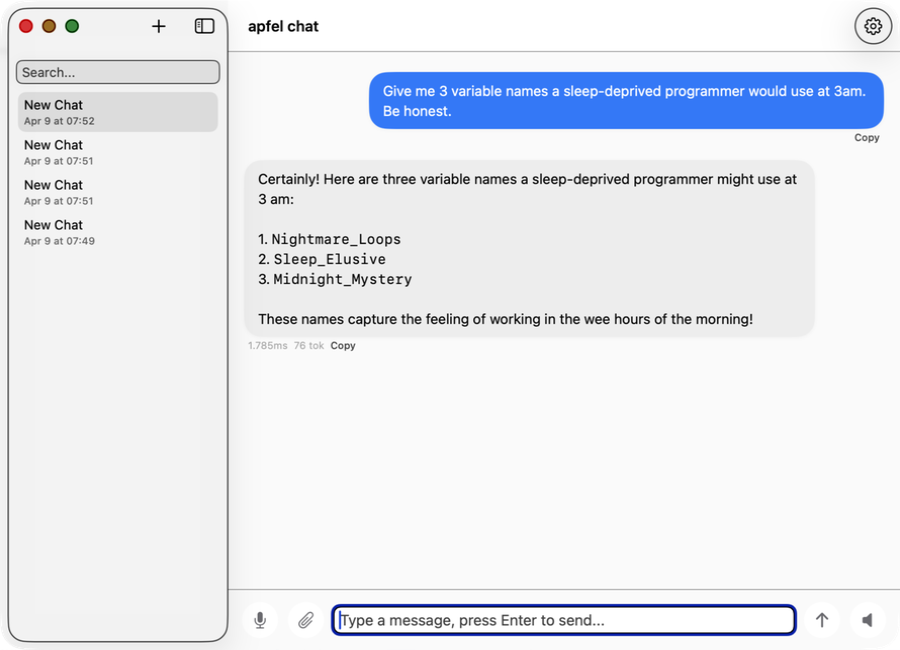
apfel-chat
Multi-conversation macOS chat client. Streaming markdown, speech in/out, image analysis - fully private, no API keys, no cloud.
SwiftUI Production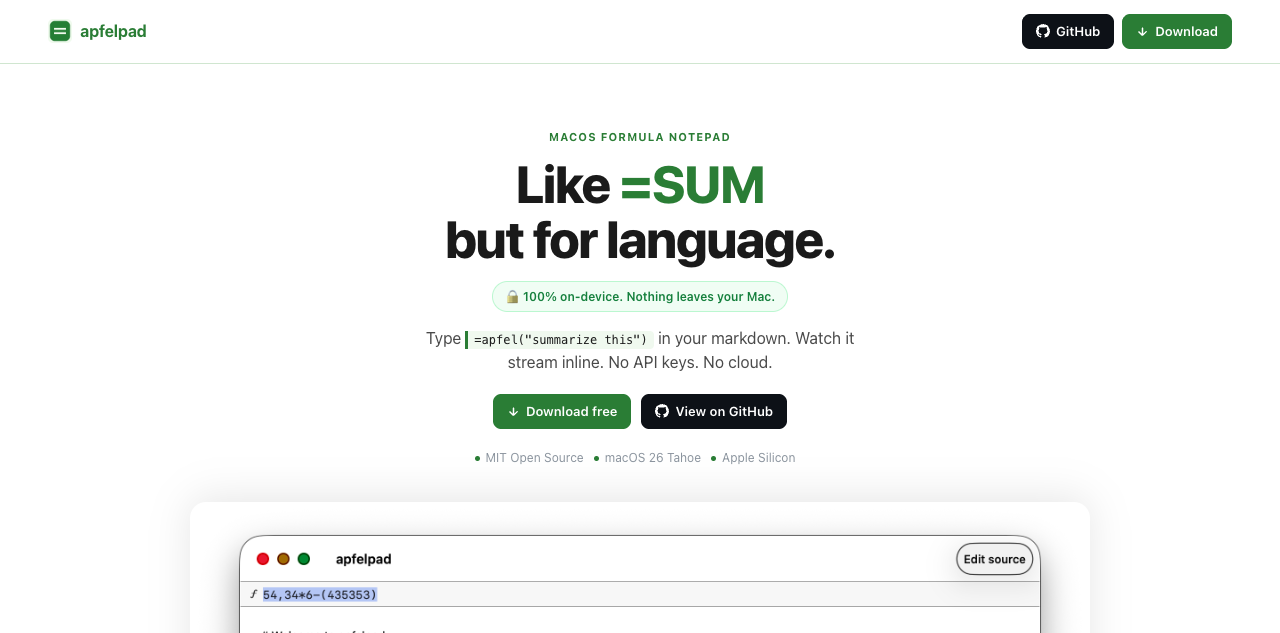
apfelpad
A formula notepad for thinking. Type =apfel("summarize this") in your markdown and watch it stream inline. Like =SUM but for language.
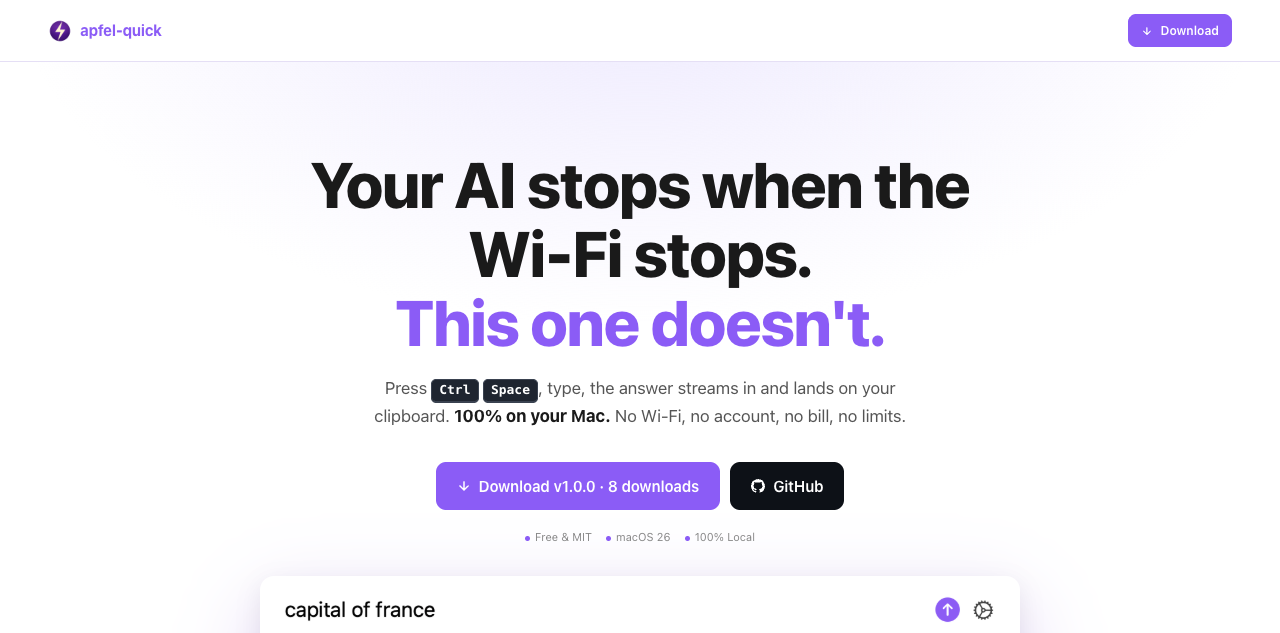
apfel-quick
Instant AI overlay. Press Ctrl+Space anywhere, type a question, and the answer streams to your clipboard. No Wi-Fi, no account, no bill.
SwiftUI New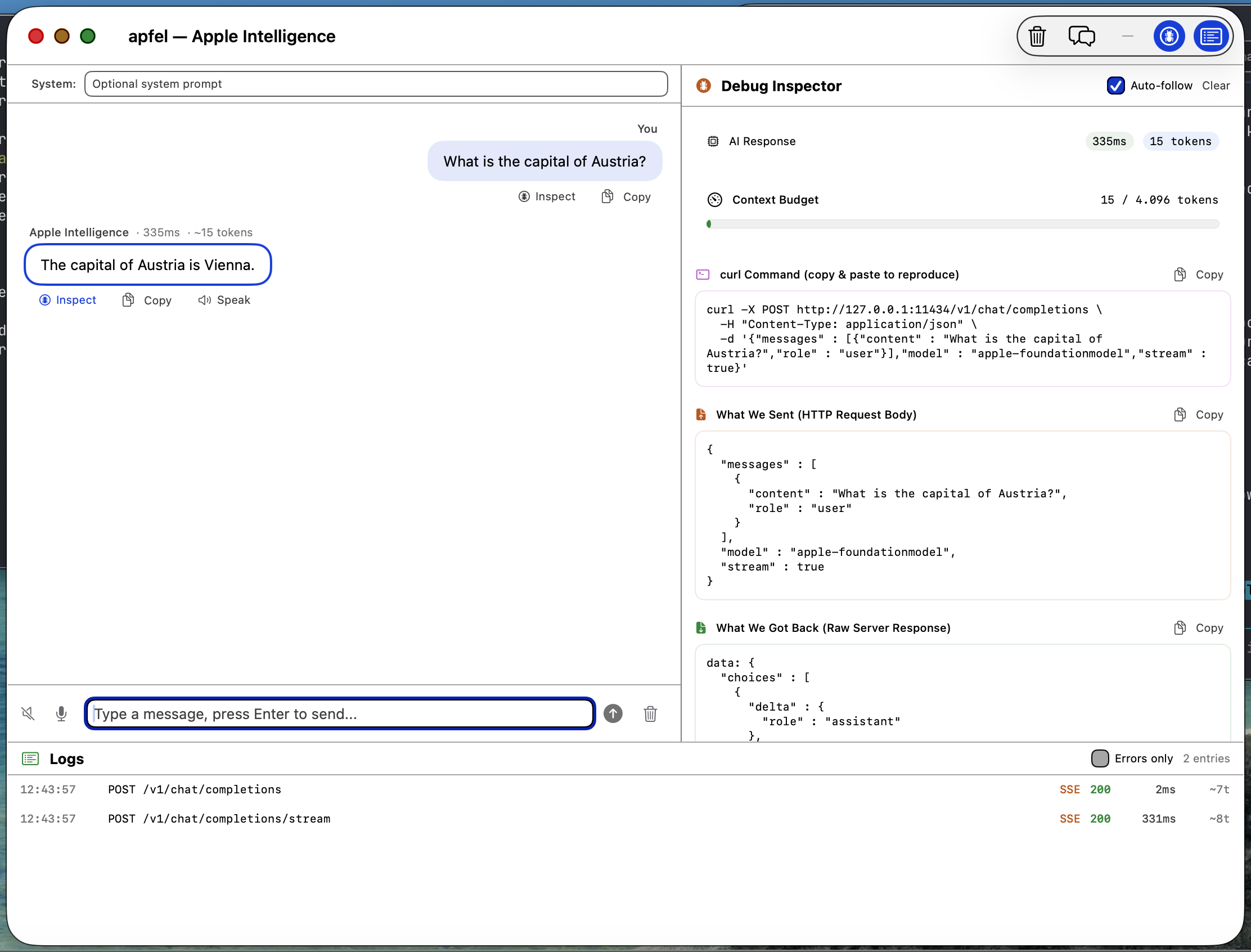
apfel-gui
Native macOS SwiftUI debug GUI. Chat with Apple Intelligence, inspect requests and responses, logs, speech-to-text, text-to-speech - all on-device.
SwiftUI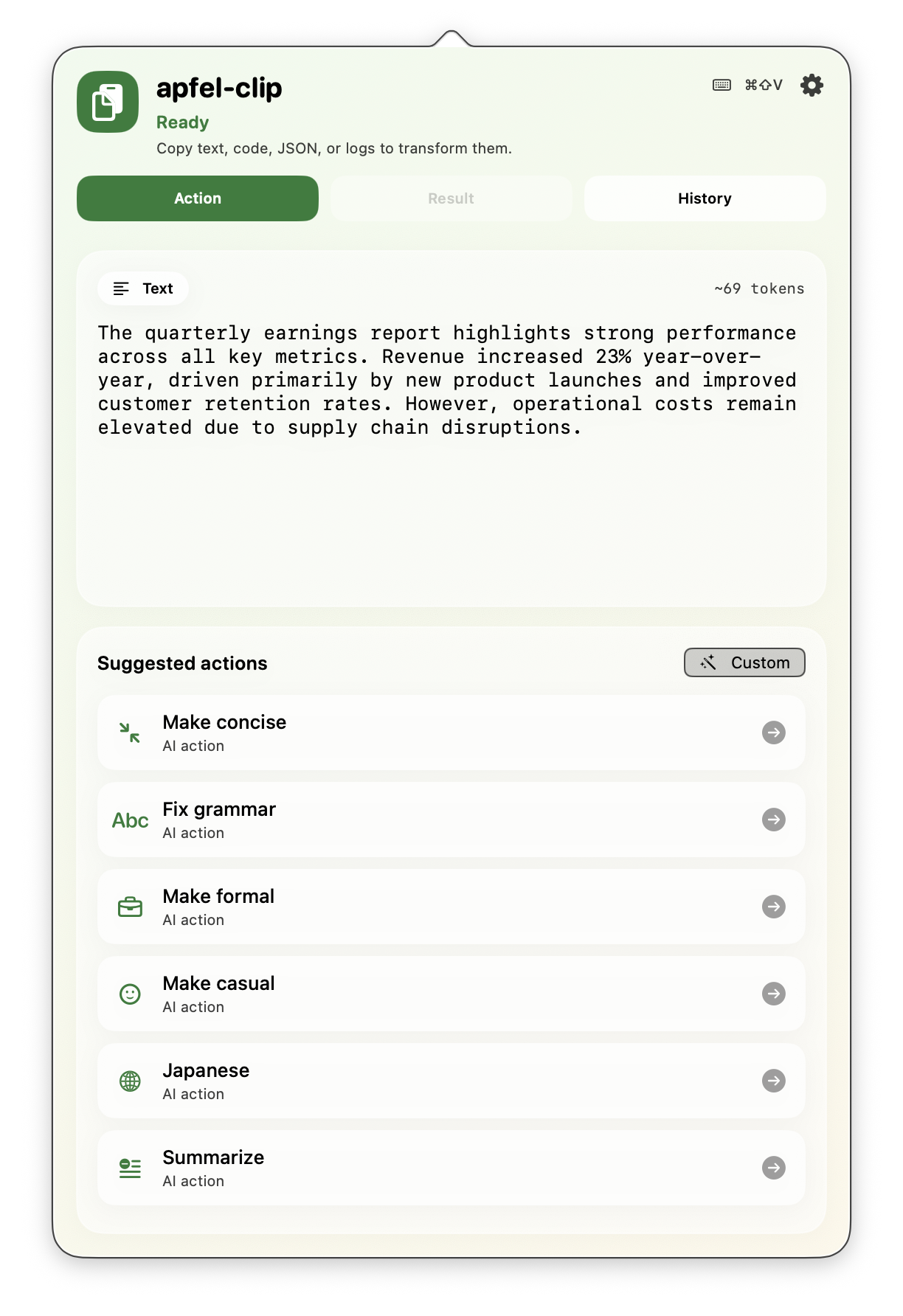
apfel-clip
AI clipboard actions from the menu bar. Hit cmd+shift+V on any text - fix grammar, translate, explain code, summarize. Fully on-device, no API keys.
SwiftUI Production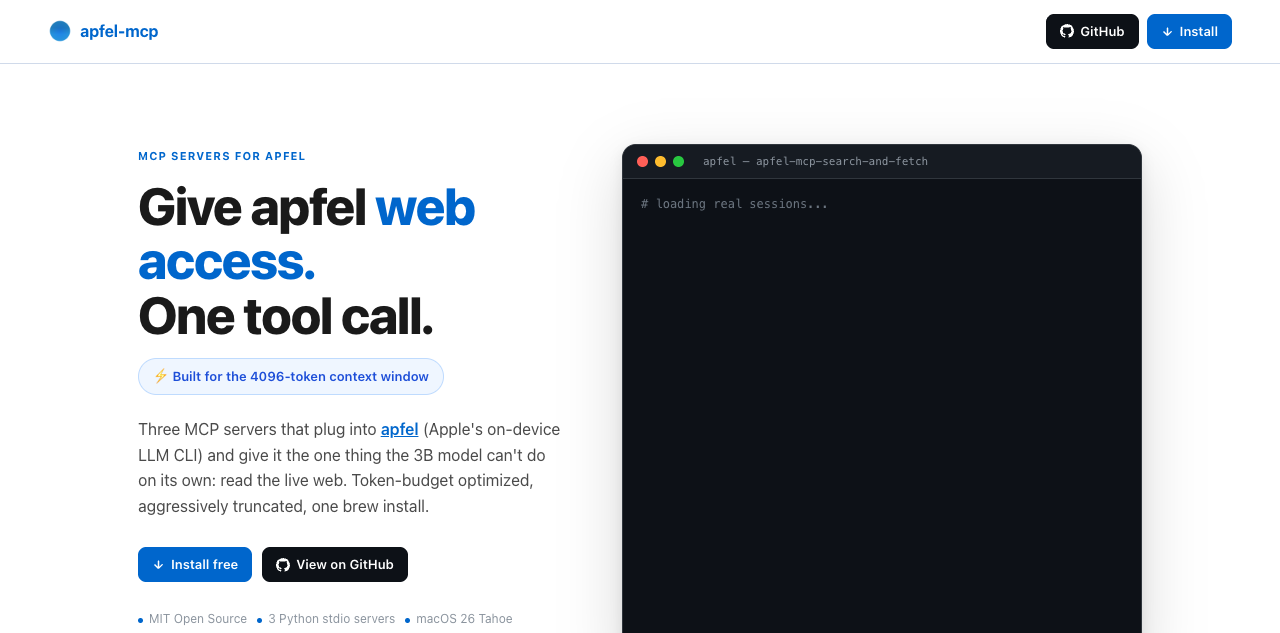
apfel-mcp
Give apfel the web and your files. Four small MCP tools - url-fetch, ddg-search, search-and-fetch, and a read-only file reader - each trimmed to fit apfel's small context window (4,096 tokens on most Macs, 8,192 on M3 and newer with macOS 27).
Python New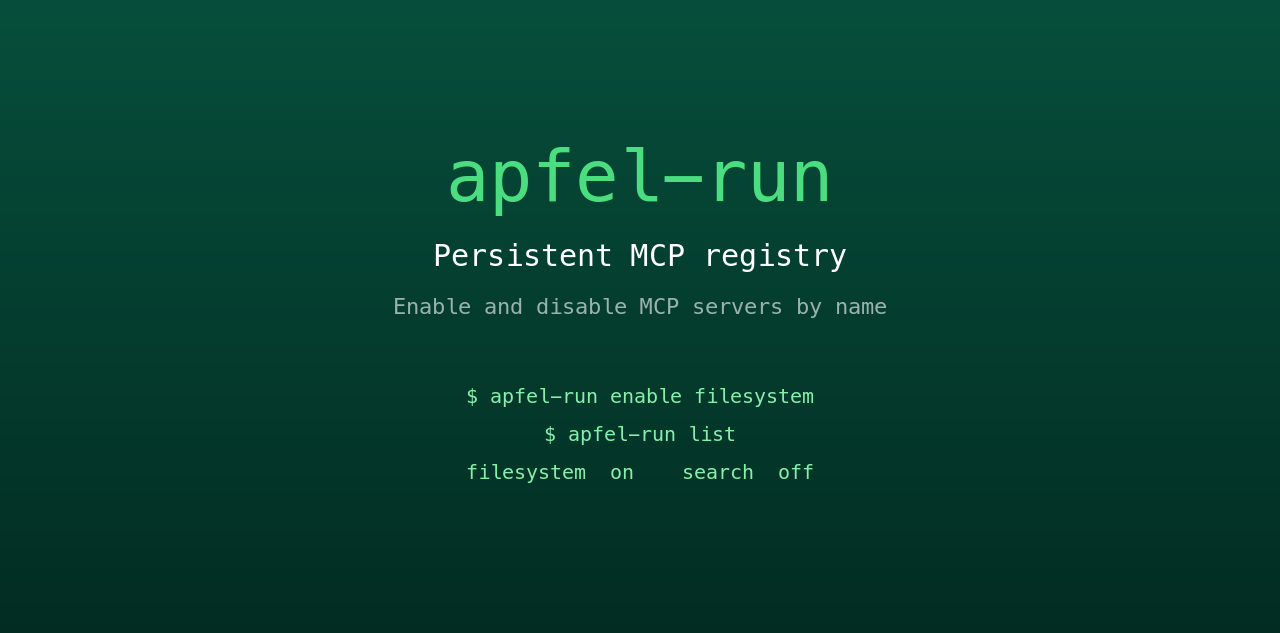
apfel-run
Tiny UNIX wrapper that gives apfel a persistent MCP registry. Enable and disable MCP servers by name from a plain text config file. Survives restarts, no GUI, no daemon.
Shell New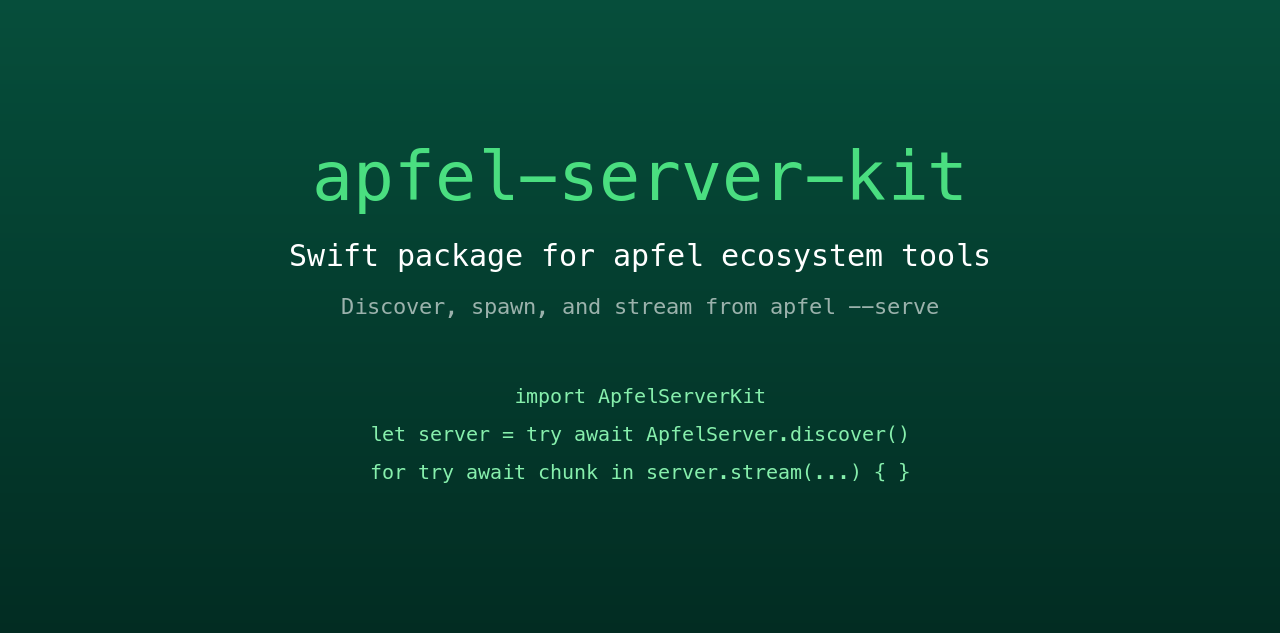
apfel-server-kit
Shared Swift package powering the ecosystem. Discover, spawn, and stream from a local apfel --serve process. The spine that every SwiftUI apfel app talks to.
Swift New
auge
Sister project. apfel does language; auge does vision. One CLI for OCR, image classification, barcodes, and face detection - 100% on-device via Apple's Vision framework. No API keys, no cloud.
Swift Sister project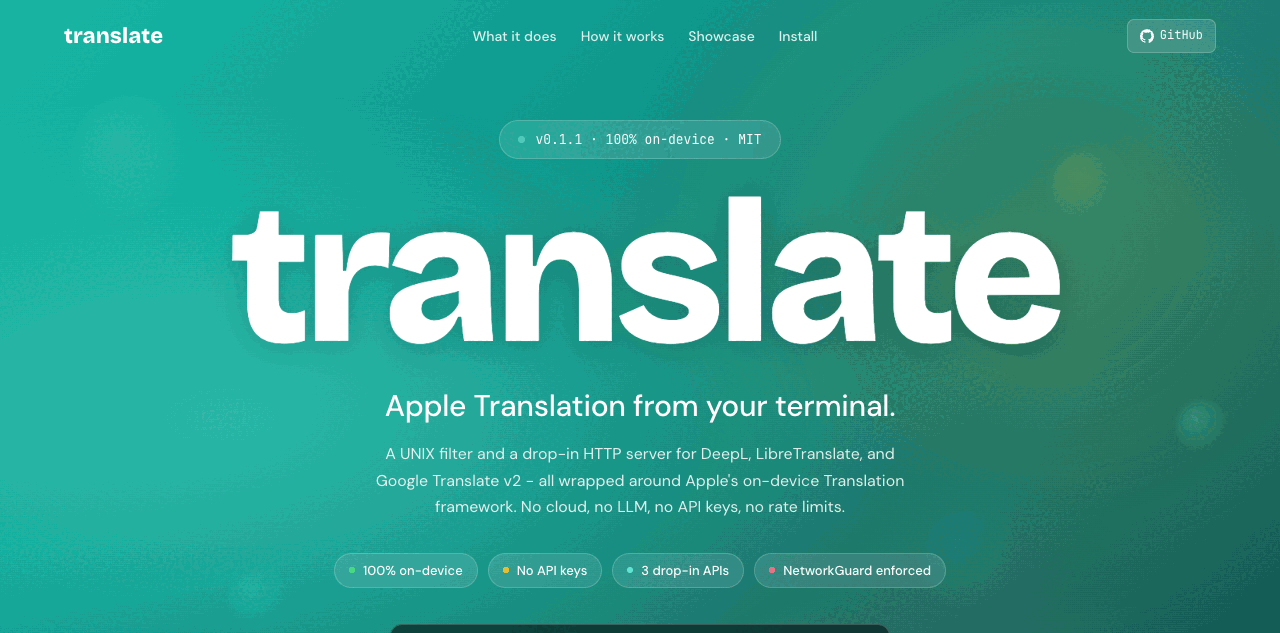
translate
Sister project. UNIX filter plus drop-in HTTP server for DeepL, LibreTranslate, and Google v2 - powered by Apple's on-device Translation framework. 100% on-device, hard-enforced by NetworkGuard. No API keys, no cloud.
Swift Sister projectFrequently asked.
Questions scraped from Hacker News and Reddit.
What macOS version do I need?
Does apfel access my personal data?
Does any data leave my Mac?
The model: Apple's FoundationModels framework works without internet connectivity and runs entirely on the Neural Engine. Your prompts and responses never leave the device. User data is never used for training.
The tool: apfel keeps it that way. No analytics, no telemetry, no tracking, no automated update checks, no crash reporting, no calling home. Open source and auditable.
What is the context window?
apfel --model-info prints the window your Mac actually has. Great for shell scripts, summaries, and text transforms. Not suited for long conversations or large documents.What is the model good at? Where does it struggle?
Limited: math, factual recall, long conversations, complex code generation.
The model prefers to refuse rather than hallucinate. Deliberate Apple design choice.
Is the server mode secure?
--token), origin checking, debug-only log endpoints. Details in server-security.md.Do I need to enable Apple Intelligence?
How do I update apfel?
apfel --update. Detects install method, checks for newer version, prompts before upgrading. Manual: brew upgrade apfel or git pull && make install.What model does it use?
How is apfel different from Ollama or LM Studio?
Does apfel support MCP and tool calling?
--mcp <server> to connect tools. Tool calling guide.How is apfel different from Apple's own fm CLI on macOS 27?
fm, Apple's command-line front end for the same on-device model. apfel adds the OpenAI-compatible server with tool calling, MCP, JSON Schema output, image input as data URLs, honest exit codes and macOS 26 support. Measured side by side: apfel vs fm.Does apfel have any telemetry or calling-home functions?
apfel --update, which checks Homebrew for a newer version. Open source and auditable.Who created this?
Co-maintained by Arthur Ficial, an OpenClaw instance running on Anthropic's Claude Opus. Developed heavily with Claude Code and Codex. Always in high thinking / high effort mode.
Started: March 24, 2026.