v1.18.0 · Zero config · MIT
apfel
ಉಚಿತ AI, ಈಗಾಗಲೇ ನಿಮ್ಮ Mac ನಲ್ಲಿದೆ.
macOS Tahoe ಜೊತೆಗೆ 3B parameter ನ LLM ಈಗಾಗಲೇ ಬರುತ್ತದೆ. apfel ಒಂದೇ brew install ನಿಂದ ನಿಮಗೆ ಅದರ CLI access ಕೊಡುತ್ತದೆ. Model download ಇಲ್ಲ, API key ಇಲ್ಲ, ಯಾವುದೇ configuration ಬೇಡ - ನೇರವಾಗಿ ಕೆಲಸ ಮಾಡುತ್ತದೆ.
$ brew install apfel
github.com/Arthur-Ficial/apfel ನಲ್ಲಿ 6.6k+ stars
ಬೇಕಾಗಿರುವುದು: Apple Silicon · macOS Tahoe · Apple Intelligence ಆನ್ ಆಗಿರಬೇಕು
apfel ಗೆ ಹೊಸಬರೇ? 60 ಸೆಕೆಂಡುಗಳ ಟ್ಯುಟೋರಿಯಲ್ ಪ್ರಾರಂಭಿಸಿ (ಇಂಗ್ಲಿಷ್ನಲ್ಲಿ)
ಎಲ್ಲವೂ ನಿಮ್ಮ device ನಲ್ಲೇ ನಡೆಯುತ್ತದೆ. Network call ಇಲ್ಲ. ಯಾವುದೇ data ನಿಮ್ಮ Mac ನಿಂದ ಹೊರಗೆ ಹೋಗುವುದಿಲ್ಲ.
ಇದು ಕೆಲಸ ಮಾಡುವುದನ್ನು ನೋಡಿ.
brew install ನಿಂದ AI output ವರೆಗೆ 12 ಸೆಕೆಂಡುಗಳಲ್ಲಿ. ಯಾವುದೇ configuration ಬೇಕಿಲ್ಲ.
Config ಇಲ್ಲ. LLM download ಇಲ್ಲ. Token ಖರ್ಚು ಇಲ್ಲ.
ಬೇರೆ local AI tools ಚೆನ್ನಾಗಿವೆ, ಆದರೆ ಅವಕ್ಕೆ model download ಮತ್ತು configuration ಬೇಕು. apfel ಗೆ ಏನೂ ಬೇಕಿಲ್ಲ - model ಈಗಾಗಲೇ ನಿಮ್ಮ Mac ನಲ್ಲಿದೆ. ಒಂದೇ brew install. ಮುಗಿಯಿತು.
ಒಳಗಿರುವ model
Apple ML Researchಮೂರು tools. ಒಂದೇ install.
ಒಂದು CLI, ಒಂದು OpenAI-compatible server ಮತ್ತು ಒಂದು interactive chat. ಎಲ್ಲವೂ ಒಂದೇ brew install ನಿಂದ. ಹೆಚ್ಚುವರಿ download ಇಲ್ಲ.
UNIX tool
Pipe-friendly ಮತ್ತು composable. jq, xargs ಮತ್ತು ನಿಮ್ಮ shell scripts ಜೊತೆ ಕೆಲಸ ಮಾಡುತ್ತದೆ. stdin, stdout, JSON output, --schema ಮೂಲಕ schema-valid JSON, --messages ಮೂಲಕ messages file ನಿಂದ multi-turn, file attachments, ಸರಿಯಾದ exit codes.
OpenAI server
localhost:11434 ನಲ್ಲಿ drop-in replacement. ಯಾವುದೇ OpenAI SDK ಅನ್ನು ಅದರ ಕಡೆ point ಮಾಡಿ, ಶುರು ಮಾಡಿ. Chat Completions ಮತ್ತು Responses API, streaming, tool calling, JSON Schema output, CORS.
Interactive chat
Automatic context management ಜೊತೆ multi-turn ಸಂಭಾಷಣೆಗಳು. ಐದು trimming strategies. System prompt support. ಶುರು ಮಾಡಲು terminal ನಲ್ಲಿ apfel ಎಂದು type ಮಾಡಿದರೆ ಸಾಕು. ಎಲ್ಲವೂ ನಿಮ್ಮ Mac ನಲ್ಲೇ.
MCP ಗೆ native support.
Apple ನ on-device model ಗೆ tools ಕೊಡಿ. ಯಾವುದೇ tools.
--mcp ಮೂಲಕ tool servers ಜೋಡಿಸಿ
apfel Model Context Protocol ಅನ್ನು ಅರ್ಥಮಾಡಿಕೊಳ್ಳುತ್ತದೆ. ಯಾವುದೇ MCP server ಕಡೆ point ಮಾಡಿ, on-device model ಗೆ tools ಸಿಗುತ್ತವೆ - ಗಣಿತ, APIs, databases, ನೀವು server ಬರೆಯಬಹುದಾದ ಯಾವುದಾದರೂ.
- ಮೂರೂ modes ನಲ್ಲಿ ಕೆಲಸ ಮಾಡುತ್ತದೆ - CLI, server ಮತ್ತು chat
- Startup ನಲ್ಲಿ MCP tools/list ಮೂಲಕ tools ಅನ್ನು ತಾನಾಗಿಯೇ ಹುಡುಕುತ್ತದೆ
- Tool calls ಗುರುತಿಸಿ, execute ಮಾಡಿ, results ಅನ್ನು ತಾನಾಗಿಯೇ model ಗೆ ಹಿಂತಿರುಗಿಸುತ್ತದೆ
- --mcp flag ಇಲ್ಲದಿದ್ದರೆ overhead ಇಲ್ಲ - ಹೆಚ್ಚುವರಿ tokens ಶೂನ್ಯ, code path ನಲ್ಲಿ ಯಾವುದೇ ಬದಲಾವಣೆ ಇಲ್ಲ
- Proof-of-concept ಆಗಿ calculator MCP server ಜೊತೆಗೆ ಬರುತ್ತದೆ
- URL ಮೂಲಕ remote MCP servers -
--mcp https://..., ಬೇಕಿದ್ದರೆ Bearer token auth ಜೊತೆ
ಇದು ಹೇಗೆ ಕೆಲಸ ಮಾಡುತ್ತದೆ.
Apple ಪ್ರತಿಯೊಂದು Mac ನಲ್ಲೂ ಒಂದು LLM ಇಟ್ಟಿದೆ. ಅದು ಸುಮ್ಮನೆ ಕುಳಿತಿದೆ. apfel ಅದಕ್ಕೆ ಒಂದು ಮುಂಬಾಗಿಲು ಕೊಡುತ್ತದೆ - zero configuration ಜೊತೆ.
Apple ಒಂದು on-device LLM ಕೊಡುತ್ತದೆ
macOS 26 (Tahoe) ನಿಂದ ಆರಂಭಿಸಿ, ಪ್ರತಿಯೊಂದು Apple Silicon Mac ನಲ್ಲೂ Apple Intelligence ನ ಭಾಗವಾಗಿ ಒಂದು language model ಇರುತ್ತದೆ. Apple ಅದನ್ನು FoundationModels framework ಮೂಲಕ ತೆರೆದಿಡುತ್ತದೆ - apps ಗೆ SystemLanguageModel ಗೆ access ಕೊಡುವ ಒಂದು Swift API. ಎಲ್ಲಾ inference Neural Engine ಮತ್ತು GPU ಮೇಲೆ ನಡೆಯುತ್ತದೆ. Network calls ಇಲ್ಲ, cloud ಇಲ್ಲ, API keys ಇಲ್ಲ. Model ಅಲ್ಲೇ ಇದೆ.
ಆದರೆ Apple ಅದನ್ನು Siri ಗೆ ಮಾತ್ರ ಬಳಸುತ್ತದೆ
Default ಆಗಿ, Siri, Writing Tools ಮತ್ತು system features ಈ on-device model ನಿಂದಲೇ ನಡೆಯುತ್ತವೆ. Terminal command ಇಲ್ಲ, HTTP endpoint ಇಲ್ಲ, ಅದರ ಮೂಲಕ text ಅನ್ನು pipe ಮಾಡುವ ದಾರಿಯೂ ಇಲ್ಲ. FoundationModels framework ಇದೆ, ಆದರೆ ಅದನ್ನು ಬಳಸಲು ನೀವು Swift app ಬರೆಯಬೇಕು. apfel ಮಾಡುವುದು ಅದನ್ನೇ.
apfel ಏನನ್ನು ಸೇರಿಸುತ್ತದೆ
apfel ಒಂದು Swift 6.3 binary. ಅದು LanguageModelSession ಅನ್ನು wrap ಮಾಡಿ ಮೂರು ರೀತಿಯಲ್ಲಿ ಲಭ್ಯವಾಗಿಸುತ್ತದೆ: stdin/stdout ಇರುವ UNIX command-line tool ಆಗಿ, OpenAI-compatible HTTP server ಆಗಿ (Hummingbird ಮೇಲೆ ನಿರ್ಮಿತ), ಮತ್ತು context management ಇರುವ interactive chat ಆಗಿ.
Apple ನ raw API ಮಾಡದ ಕೆಲಸಗಳನ್ನು ಇದು ನೋಡಿಕೊಳ್ಳುತ್ತದೆ: ಸರಿಯಾದ exit codes, JSON output, file attachments, ಚಿಕ್ಕ context window ಗಾಗಿ (4,096 tokens, macOS 27 ಇರುವ M3 ಮತ್ತು ಹೊಸ Macs ನಲ್ಲಿ 8,192) ಐದು context trimming strategies, SDK ಮೂಲಕ ನಿಜವಾದ token counting, ಮತ್ತು OpenAI tool schemas ಅನ್ನು Apple ನ native Transcript.ToolDefinition format ಗೆ ಬದಲಾಯಿಸುವುದು.
ವಿನ್ಯಾಸದಿಂದಲೇ private.
apfel ಬಳಸುವಾಗ ಒಂದೇ ಒಂದು HTTP call ಕೂಡ ಇಲ್ಲ. ಕೆಳಗಿನ ಪ್ರತಿಯೊಂದು ಹೇಳಿಕೆಯೂ Apple ನ ಸ್ವಂತ documentation ಗೆ link ಆಗಿದೆ.
On-device. Offline ಕೂಡ ಕೆಲಸ ಮಾಡುತ್ತದೆ.
FoundationModels framework ಸಂಪೂರ್ಣವಾಗಿ ನಿಮ್ಮ Apple Silicon ನ Neural Engine ಮೇಲೆ ನಡೆಯುತ್ತದೆ. Server ಇಲ್ಲ, cloud ಇಲ್ಲ, internet connection ಬೇಕಿಲ್ಲ.
ನಿಮ್ಮ data ನಿಮ್ಮದೇ.
On-device inference ನಿಂದ Apple ಯಾವುದೇ prompts, responses ಅಥವಾ usage data ಸಂಗ್ರಹಿಸುವುದಿಲ್ಲ. ಏನೂ store ಆಗುವುದಿಲ್ಲ, ಏನೂ ಕಳುಹಿಸಲಾಗುವುದಿಲ್ಲ.
Training ಗೆ ಎಂದಿಗೂ ಬಳಸುವುದಿಲ್ಲ.
Apple ತನ್ನ foundation models ಅನ್ನು licensed ಮತ್ತು public data ಮೇಲೆ ಮಾತ್ರ train ಮಾಡುತ್ತದೆ. ನಿಮ್ಮ ಸಂವಾದಗಳು ಎಂದಿಗೂ training pipeline ನ ಭಾಗವಾಗುವುದಿಲ್ಲ.
apfel ಯಾವುದೇ tracking ಸೇರಿಸುವುದಿಲ್ಲ.
Analytics ಇಲ್ಲ, telemetry ಇಲ್ಲ, automatic update checks ಇಲ್ಲ, crash reporting ಇಲ್ಲ, calling home ಇಲ್ಲ. ನೀವೇ apfel --update ಚಲಾಯಿಸಿದಾಗ ಮಾತ್ರ apfel ಒಂದು network call ಮಾಡುತ್ತದೆ. ಸಂಪೂರ್ಣ codebase open source.
Power tools ಜೊತೆಯಲ್ಲೇ ಬರುತ್ತವೆ.
demo/ folder ನಲ್ಲಿ shell scripts. ಮೊದಲು apfel install ಮಾಡಿ, ನಂತರ ಬೇಕಾದವುಗಳನ್ನು ತೆಗೆದುಕೊಳ್ಳಿ.
cmd
ಸಾಮಾನ್ಯ ಭಾಷೆಯಿಂದ shell command. ಏನು ಬೇಕು ಎಂದು ಹೇಳಿ, command ಪಡೆಯಿರಿ.
oneliner
ಸರಳ English ನಿಂದ pipe chains. awk, sed, sort, uniq - ನಿಮಗಾಗಿ ತಯಾರು.
mac-narrator
ನಿಮ್ಮ Mac ನ system activity ಅನ್ನು nature documentary ತರಹ ವಿವರಿಸುತ್ತದೆ.
explain
ಯಾವುದೇ command, error message ಅಥವಾ code snippet ಅನ್ನು ಸರಳ ಭಾಷೆಯಲ್ಲಿ ವಿವರಿಸುತ್ತದೆ.
wtd
ಈ directory ಏನು? ಯಾವುದೇ codebase ನಲ್ಲಿ project ಏನು ಎಂದು ತಕ್ಷಣ ತಿಳಿಯಿರಿ.
gitsum
ಇತ್ತೀಚಿನ git commits ನ ಸಾರಾಂಶ ಕೆಲವೇ ವಾಕ್ಯಗಳಲ್ಲಿ.
30 ಉಪಯುಕ್ತ ಮತ್ತು ಮಜವಾದ one-liners.
ಪ್ರತಿಯೊಂದು command ನಿಜವಾದ Mac ನಲ್ಲಿ test ಮಾಡಲಾಗಿದೆ. apfel ಅನ್ನು ps, lsof, du, vm_stat, git, pbpaste, sleep, pgrep, curl, say ಜೊತೆ ಜೋಡಿಸಿ - cloud AIs ಕೊಡಲಾಗದ composability, ಏಕೆಂದರೆ ಅವು ನಿಮ್ಮ processes, ನಿಮ್ಮ clipboard, ನಿಮ್ಮ git diff ನೋಡಲಾರವು. apfel ನೋಡಬಲ್ಲದು.
ಈಗ ನನ್ನ CPU ಅನ್ನು ಯಾವುದು ತಿನ್ನುತ್ತಿದೆ.
$ps aux | sort -k 3 -nr | head -5 | awk '{print $11, $3"%"}' | apfel "which app is using the most CPU"-> WindowServer ಅತಿ ಹೆಚ್ಚು CPU ಬಳಸುತ್ತಿದೆ, 42.6%.
ಯಾವ apps ಯಾವ ports ನಲ್ಲಿ listen ಮಾಡುತ್ತಿವೆ.
$lsof -iTCP -sTCP:LISTEN -n -P | head -15 | apfel "list which apps own which ports as a table"-> 11434 fichten, 18789 node, 5000 ControlCenter ...
ಯಾವ volume ತುಂಬಲು ಹತ್ತಿರದಲ್ಲಿದೆ.
$df -h | apfel "which volume is fullest, one sentence"-> /dev/disk3s1 ಅತಿ ಹೆಚ್ಚು ತುಂಬಿದೆ: 926Gi ನಲ್ಲಿ 263Gi.
vm_stat ಅನ್ನು ಸರಳ ಭಾಷೆಯಲ್ಲಿ ಬಿಡಿಸಿ ಹೇಳುವುದು.
$vm_stat | apfel "explain my memory usage in plain english, one sentence"-> 349k pages active, 266k wired - ಗಮನಾರ್ಹ memory ಬಳಕೆಯಲ್ಲಿದೆ.
ಇಲ್ಲಿ ಯಾವ folders ಹೆಚ್ಚು disk ತಿನ್ನುತ್ತಿವೆ.
$du -sh */ 2>/dev/null | sort -rh | head -5 | apfel "which folders are eating most disk, one sentence"-> Library 36G ಮತ್ತು Downloads 604M ಜೊತೆ ಮುಂದಿವೆ.
ಈ folder ನ ಅತಿ ದೊಡ್ಡ files.
$ls -laS | head -10 | apfel "what are the biggest files here, just file names"-> apfel-quick-preview.png, og.png, translate-preview.png ...
ಈಗ ಯಾವ apps internet ಜೊತೆ ಮಾತನಾಡುತ್ತಿವೆ.
$lsof -i -nP 2>/dev/null | grep ESTABLISHED | awk '{print $1, $9}' | head -10 | apfel "which apps are talking to the internet right now, short answer"-> node → 157.240.253.60:443, claude.ex → 160.79.104.10:443, Google → 66.102.1.188:5228 ...
Battery health ಮತ್ತು ಉಳಿದ ಸಮಯ, ಒಂದೇ ಸಾಲಿನಲ್ಲಿ.
$pmset -g batt | apfel "battery health and percent, one line"-> ಪೂರ್ತಿ charge ಆಗಿದೆ, health 100%, ಈಗ active.
ನಿಮ್ಮ ಇತ್ತೀಚಿನ commits ನ ಸಾರಾಂಶ ಸರಳ ಭಾಷೆಯಲ್ಲಿ.
$git log --oneline -20 | apfel "summarize what I have been working on"-> v1.2.1 ರಿಂದ v1.3.2 ವರೆಗಿನ updates, sister projects ಸೇರಿಸಲಾಗಿದೆ ...
ಇತ್ತೀಚಿನ commits ನಿಂದ ಒಂದು ಸಾಲಿನ release note ಬರೆಯಿರಿ.
$git log --oneline -5 | apfel "write a one-line release note based on these commits"-> v1.3.2 release ಆಯಿತು: 5053 stars, 783 tests, updates ಜೊತೆ.
Clipboard ನಲ್ಲಿ ಇರುವುದರ grammar ಸರಿಪಡಿಸಿ, ಸರಿಪಡಿಸಿದ್ದನ್ನು ಮತ್ತೆ ಅಲ್ಲೇ ಇಡಿ.
$pbpaste | apfel "fix grammar" | pbcopy-> "i has went", "I went" ಆಗಿ ಬದಲಾಗುತ್ತದೆ - ಮತ್ತೆ clipboard ನಲ್ಲಿ.
Clipboard ಅನ್ನು Japanese ಗೆ translate ಮಾಡಿ, ಮತ್ತೆ ಅಲ್ಲೇ ಇಡಿ.
$pbpaste | apfel "translate to japanese" | pbcopy-> ಈಗ clipboard ನಲ್ಲಿ Japanese ಅನುವಾದ ಇದೆ.
Clipboard ನಲ್ಲಿರುವ ಉದ್ದದ ಪಠ್ಯದ ಸಾರಾಂಶ 3 bullets ನಲ್ಲಿ.
$pbpaste | apfel "summarize in 3 bullets"-> ನಿಮ್ಮ terminal ನಲ್ಲಿ 3 ಚುರುಕಾದ bullets.
Clipboard ನಲ್ಲಿರುವ meeting notes ನಿಂದ ಸ್ಪಷ್ಟ action items ತೆಗೆಯಿರಿ.
$pbpaste | apfel "extract just the action items as a clean bullet list, no other text" | pbcopy-> "Sarah drafts Q3 budget", "email design team", ... ಮತ್ತೆ clipboard ನಲ್ಲಿ.
ದೀರ್ಘ ಕೆಲಸ ಮುಗಿದಾಗ ಜೋರಾಗಿ ತಿಳಿಸಿ (ಇಲ್ಲಿ, 30 ನಿಮಿಷಗಳಲ್ಲಿ).
$sleep 1800 && apfel "tell me cheerfully my long task just finished, one short sentence" | say-> Mac ಹೇಳುತ್ತದೆ: "Your long task just finished, well done!"
Downloads ಗೆ file ಬರುವವರೆಗೆ ಕಾಯಿರಿ, ನಂತರ ಘೋಷಿಸಿ.
$until [ -e ~/Downloads/Report.pdf ]; do sleep 5; done; apfel "tell me my download just landed, one cheerful sentence" | say-> ಪ್ರತಿ 5s ಗೆ ಪರಿಶೀಲಿಸುತ್ತದೆ; Report.pdf ಕಾಣಿಸಿದಾಗ Mac ಸುದ್ದಿ ಹೇಳುತ್ತದೆ.
ದೀರ್ಘವಾಗಿ ನಡೆಯುವ process ಮುಗಿಯುವವರೆಗೆ ಕಾಯಿರಿ, ನಂತರ ಘೋಷಿಸಿ.
$while pgrep -q ffmpeg; do sleep 5; done; apfel "tell me cheerfully that my video encoding is done, one short sentence" | say-> ಪ್ರತಿ 5s ಗೆ ಪರಿಶೀಲಿಸುತ್ತದೆ; ffmpeg ನಿಂತಾಗ Mac ಸುದ್ದಿ ಹೇಳುತ್ತದೆ.
ಪ್ರತಿ 30 ನಿಮಿಷಕ್ಕೆ, ನೀವು ಈಗಷ್ಟೇ ship ಮಾಡಿದ್ದರ ಸಾರಾಂಶ, ಜೋರಾಗಿ.
$while sleep 1800; do git log --since="30 min ago" --oneline | apfel "summarize my last 30 minutes of work in one cheerful sentence" | say; done-> ಪ್ರತಿ ಅರ್ಧ ಗಂಟೆಗೆ auto-standup ಜೋರಾಗಿ ಓದಲಾಗುತ್ತದೆ, ನೀವು coding ಮುಂದುವರಿಸುತ್ತೀರಿ.
ಪ್ರತಿ 15 ನಿಮಿಷಕ್ಕೆ, battery 20 ಪ್ರತಿಶತಕ್ಕಿಂತ ಕಡಿಮೆಯಾದರೆ ಜೋರಾಗಿ ಎಚ್ಚರಿಸಿ.
$while sleep 900; do P=$(pmset -g batt | grep -oE "[0-9]+%" | head -1 | tr -d %); [ "$P" -lt 20 ] && apfel "battery just dropped to $P percent, write one short sentence that is friendly but super urgent telling me to plug in NOW" | say; done-> Battery ಇಳಿಯುವವರೆಗೆ ಸದ್ದಿಲ್ಲ; ನಂತರ Mac ಸ್ನೇಹಪರ ಆದರೆ ತುರ್ತು ಎಚ್ಚರಿಕೆಯನ್ನು ಜೋರಾಗಿ ಕೂಗುತ್ತದೆ.
URL 2xx ಕೊಡುವವರೆಗೆ ಗಮನಿಸಿ, ನಂತರ deploy ಅನ್ನು ಜೋರಾಗಿ ಸಂಭ್ರಮಿಸಿ.
$until curl -sf https://staging.example.com/health >/dev/null; do sleep 30; done; apfel "tell me cheerfully that my deploy is live and the URL is responding, one short sentence" | say-> Staging ಚಾಲೂ ಆಗುವವರೆಗೆ ಪ್ರತಿ 30s ಗೆ ಪರಿಶೀಲಿಸುತ್ತದೆ; Mac ಹೇಳುತ್ತದೆ "Your deploy is live, URL is responding!".
ಅನೌಪಚಾರಿಕ ಸಾಲನ್ನು ವಿನಯಪೂರ್ವಕವಾಗಿ ಮತ್ತೆ ಬರೆಯಿರಿ.
$echo "hey can u send me docs asap" | apfel "rephrase politely"-> "Could you please share the documents at your earliest ..."
ಒಂದು URL ಗೆ request ಕಳುಹಿಸಿ, headers ನೋಡಿಯೇ ಏನು ನಡೆಯುತ್ತಿದೆ ಎಂದು ಕೇಳಿ.
$curl -sI https://github.com | apfel "explain what happens at this URL in one sentence, based on the HTTP headers"-> GitHub ಕಟ್ಟುನಿಟ್ಟಾದ caching ಮತ್ತು security headers ಜೊತೆ HTML page ಕೊಡುತ್ತದೆ.
ಇಂದಿನ Hacker News, ಒಂದೇ ವಾಕ್ಯದಲ್ಲಿ ಸಾರಾಂಶ, ಜೋರಾಗಿ ಓದಿ.
$curl -s https://news.ycombinator.com | grep titleline | sed "s/<[^>]*>//g" | apfel "summarize hacker news today in one cheerful sentence" | say-> Mac ದಿನದ ಪ್ರಮುಖ stories ಅನ್ನು ಒಂದು ಚಿಕ್ಕ ಸಾರಾಂಶದಲ್ಲಿ ಹೇಳುತ್ತದೆ.
JSON blob ಅನ್ನು ಸರಳ ಭಾಷೆಯಲ್ಲಿ ವಿವರಿಸಿ.
$echo '{"name":"alice","plan":"pro","credits":42}' | apfel "explain this JSON in one sentence"-> pro plan ನಲ್ಲಿರುವ Alice ಎಂಬ user, 42 credits ಜೊತೆ.
Calculator ತೆರೆಯದೆ ಗಣಿತ.
$apfel "what is 15% tip on 87.50, just the number"-> 13.13
Terminal ಬಿಡದೆ regex ತಯಾರಿಸಿ.
$apfel "regex for a valid email address, just the regex"-> ^[a-zA-Z0-9._%+-]+@[a-zA-Z0-9.-]+\.[a-zA-Z]{2,}$
ಮರೆತುಹೋದ bash one-liner ಕೇಳಿ.
$apfel "give me one find command that lists files larger than 100MB, just the bash command"-> find / -type f -size +100M
ಊಹಿಸುವ ಬದಲು ಕ್ಲಿಷ್ಟ command ಅನ್ನು ಅರ್ಥಮಾಡಿಕೊಳ್ಳಿ.
$apfel "explain the command tar -xzvf file.tar.gz in one sentence"-> gzip ಮಾಡಿದ tarball ಅನ್ನು uncompress ಮಾಡಿ cwd ಗೆ extract ಮಾಡುತ್ತದೆ.
ನಿಖರವಾದ git command ಮರೆತಿರಾ? ಕೇಳಿದರೆ ಸಾಕು.
$apfel "git command to uncommit but not unedit my last commit, just the command"-> git reset --soft HEAD~1
ಬೇರೆಯವರ regex ಅನ್ನು ಒಂದೇ ವಾಕ್ಯದಲ್ಲಿ ಬಿಡಿಸಿ.
$apfel "explain this regex in one sentence: ^\d{3}-\d{4}$"-> 3 ಅಂಕೆಗಳ prefix, ಒಂದು hyphen ಮತ್ತು 4 ಅಂಕೆಗಳಿಗೆ ಹೊಂದುತ್ತದೆ - US phone format.
ಅನೌಪಚಾರಿಕವಾಗಿ ಬರೆದ ದಿನಾಂಕವನ್ನು ISO 8601 ಗೆ ಬದಲಾಯಿಸಿ.
$apfel "convert 'Sat Apr 27 2026 11:30' to ISO 8601 (YYYY-MM-DDTHH:MM:SS), reply only with the converted string"-> 2026-04-27T11:30:00+00:00
ಇಡೀ file ನ ಸಾರಾಂಶ 3 bullets ನಲ್ಲಿ.
$apfel -f README.md "summarize in 3 bullets"-> 3 bullets: scope, install, usage.
OpenAI ಜೊತೆ compatible.
ಒಂದು URL ಬದಲಾಯಿಸಿ. ನಿಮ್ಮ code ಹಾಗೆಯೇ ಇರಲಿ.
Drop-in replacement
apfel, OpenAI API ಮಾತನಾಡುತ್ತದೆ. OpenAI ಜೊತೆ ಮಾತನಾಡುವ ಯಾವುದೇ client library, framework ಅಥವಾ tool ಅದರ ಬದಲು ನಿಮ್ಮ Mac ನ AI ಜೊತೆ ಮಾತನಾಡಬಹುದು. ಕೇವಲ base URL ಬದಲಾಯಿಸಿ.
- ✓ POST /v1/chat/completions
- ✓ POST /v1/responses (Responses API)
- ✓ Streaming (SSE)
- ✓ Tool calling / function calling
- ✓ GET /v1/models
- ✓ response_format: json_object, json_schema
- ✓ image_url parts, data URLs ಆಗಿ (macOS 27)
- ✓ temperature, max_tokens, seed
- ✓ Browser clients ಗಾಗಿ CORS
from openai import OpenAI

# Just change the base_url. That's it.
client = OpenAI(
    base_url="http://localhost:11434/v1",
    api_key="unused"  # no auth needed
)

resp = client.chat.completions.create(
    model="apple-foundationmodel",
    messages=[{
        "role": "user",
        "content": "What is 1+1?"
    }],
)
print(resp.choices[0].message.content)
Apple ನ fm ನಲ್ಲಿರುವ ಅದೇ model. ಕೆಲಸ ಬೇರೆ.
macOS 27 ಜೊತೆ fm ಬರುತ್ತದೆ, on-device model ಗಾಗಿ Apple ನ ಸ್ವಂತ command-line front end. ಎರಡರ ದಾರಿಗಳು ಎಲ್ಲಿ ಬೇರೆಯಾಗುತ್ತವೆ ಎಂಬುದು ಇಲ್ಲಿದೆ.
| apfel | Apple fm | |
|---|---|---|
| ಎಲ್ಲಿ ಚಲಿಸುತ್ತದೆ | macOS 26 ಮತ್ತು 27, ಒಂದೇ binary | macOS 27 ಮಾತ್ರ |
| ಇನ್ಸ್ಟಾಲ್ | brew install apfel | ಈಗಾಗಲೇ ಇದೆ (ಒಮ್ಮೆ sudo fm license) |
| OpenAI clients ಬದಲಾವಣೆ ಇಲ್ಲದೆ ಕೆಲಸ ಮಾಡುತ್ತವೆ | ಹೌದು: default ಆಗಿ JSON, usage, max_tokens ಪಾಲನೆ, errors map ಮಾಡಲಾಗಿದೆ | ಬೇಡ ಎನ್ನುವವರೆಗೆ stream ಮಾಡುತ್ತದೆ, max_tokens ಕಡೆಗಣಿಸುತ್ತದೆ, guardrails ನಲ್ಲಿ 500 |
| Tool calling ಮತ್ತು MCP | Native tool calls, local ಮತ್ತು remote MCP servers | ಇಲ್ಲ (tools ಬಳಸಿದರೆ ಉತ್ತರದಲ್ಲಿ template tokens ಸೋರುತ್ತವೆ) |
| Scripting | --code, -o json, 9 exit codes, --count-tokens --strict | ಸಾದಾ text, exit 0 ಅಥವಾ 1 |
| Input files | Text, PDF, images: ಎರಡೂ OS ಗಳಲ್ಲಿ OCR text, ಜೊತೆಗೆ macOS 27 ನಲ್ಲಿ image ಕೂಡ model ಗೆ | Images model ಗೆ, ಜೊತೆಗೆ built-in OCR ಮತ್ತು barcode tools |
| ಉಳಿಯುವ chat sessions | ಇಲ್ಲ | ಹೆಸರಿನ transcripts, --resume |
| ವೇಗ | ಒಂದೇ Mac ನಲ್ಲಿ ಒಂದೇ model, ಒಂದೇ context window (ಈ M2 ನಲ್ಲಿ 4,096 tokens, M3 ಮತ್ತು ಹೊಸದರಲ್ಲಿ 8,192), token counts ಒಂದೇ. One-shot prompt: 0.35 s vs 0.30 s. | |
ಒಂದು ಚಿಕ್ಕ ಇತಿಹಾಸ. apfel ಮೊದಲು ಬಂತು: ಮೊದಲ commit ಮತ್ತು v0.1.0, 24 ಮಾರ್ಚ್ 2026 ರಂದು; ಮೊದಲ GitHub release 31 ಮಾರ್ಚ್ 2026 ರಂದು; ಏಪ್ರಿಲ್ನಲ್ಲಿ Hacker News front page. Apple, 8 ಜೂನ್ 2026 ರಂದು WWDC ಯಲ್ಲಿ fm ಘೋಷಿಸಿತು ಮತ್ತು 14 ಸೆಪ್ಟೆಂಬರ್ 2026 ರಂದು macOS 27 ಜೊತೆ ship ಮಾಡಿತು. ಎರಡೂ ಒಂದೇ FoundationModels framework ಮೂಲಕ ಒಂದೇ on-device model ಅನ್ನು ನಡೆಸುತ್ತವೆ; open source ಆಗಿರುವುದು ಮತ್ತು macOS 26 ನಲ್ಲೂ ಚಲಿಸುವುದು apfel ಮಾತ್ರ.
ಪ್ರತಿಯೊಂದು row ಅನ್ನು macOS 27.0.1 (Apple M2, 24 GB) ನಲ್ಲಿ 2026-10-05 ರಂದು ಅಳೆಯಲಾಗಿದೆ ಮತ್ತು ಪ್ರತಿ apfel release ಗೆ ಮತ್ತೆ ಅಳೆಯಲಾಗುತ್ತದೆ. ಪೂರ್ಣ page ನಲ್ಲಿ server probes, token-count parity table ಮತ್ತು ಅವುಗಳನ್ನು ಮರುಉತ್ಪಾದಿಸಲು ಬೇಕಾದ ಪ್ರತಿಯೊಂದು command ಇದೆ.
GitHub ನಲ್ಲಿ ಜನಪ್ರಿಯ.
ಶೂನ್ಯದಿಂದ 6,610 stars ವರೆಗೆ, ಇನ್ನೂ ಹೆಚ್ಚುತ್ತಿದೆ.
Starred by engineers from Apple, Google, VMware, NVIDIA, and PlayStation.
GitHub ನಲ್ಲಿ star ಮಾಡಿರ data
ಶುರು ಮಾಡಿ.
Model download ಇಲ್ಲ. Sign-up ಇಲ್ಲ. API key ಇಲ್ಲ. ಇಷ್ಟೇ.
Homebrew
$ brew install apfel
$ apfel "Hello, Mac"
Source ನಿಂದ build ಮಾಡಿ
$ git clone https://github.com/Arthur-Ficial/apfel.git
$ cd apfel && make install
apfel ವೃಕ್ಷ.
apfel ಮೇಲೆ ನಿರ್ಮಿತ native macOS tools ನ ಬೆಳೆಯುತ್ತಿರುವ ಕುಟುಂಬ - ಮತ್ತು Apple ನ ಇತರ frameworks ಅನ್ನು terminal ಗೆ ತರುವ sister projects.
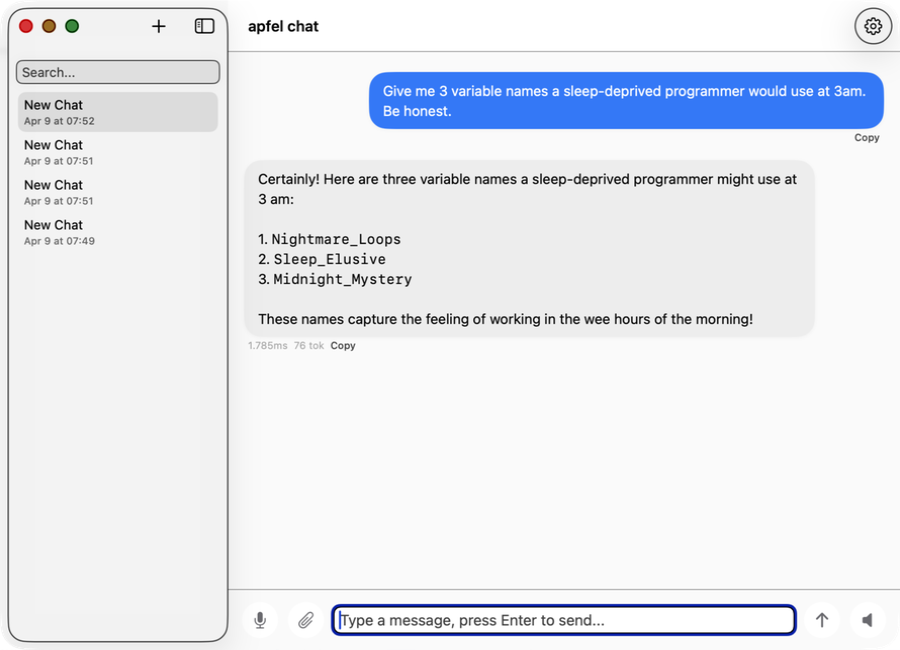
apfel-chat
ಹಲವು ಸಂಭಾಷಣೆಗಳ macOS chat client. Streaming markdown, ಧ್ವನಿ input ಮತ್ತು output, image analysis - ಸಂಪೂರ್ಣ private, API keys ಇಲ್ಲ, cloud ಇಲ್ಲ.
SwiftUI Production ನಲ್ಲಿ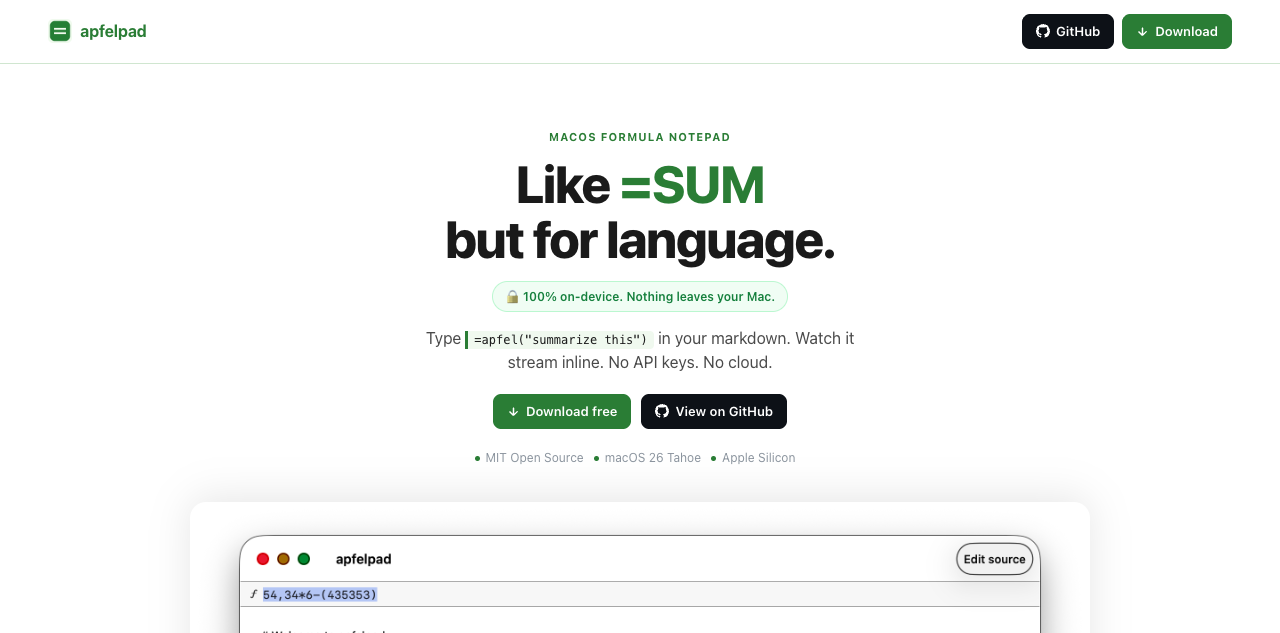
apfelpad
ಯೋಚಿಸಲು ಒಂದು formula notepad. ನಿಮ್ಮ markdown ನಲ್ಲಿ =apfel("summarize this") ಎಂದು type ಮಾಡಿ, ಅದು inline stream ಆಗುವುದನ್ನು ನೋಡಿ. =SUM ತರಹ, ಆದರೆ ಭಾಷೆಗಾಗಿ.
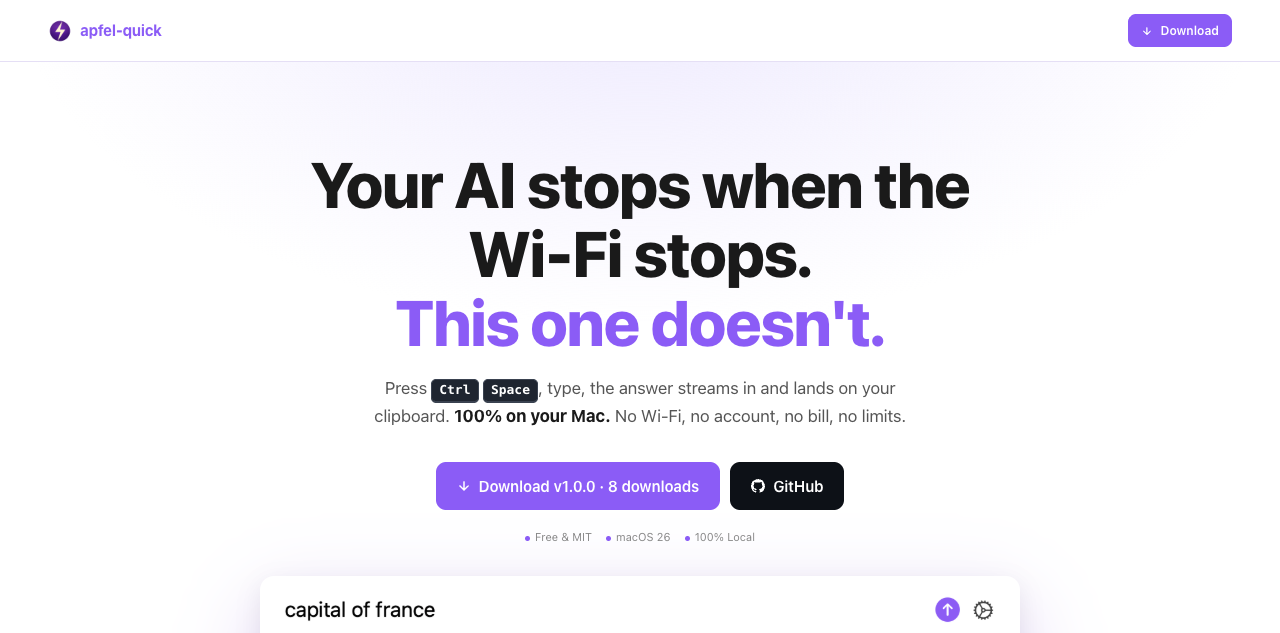
apfel-quick
Instant AI overlay. ಎಲ್ಲಿಯಾದರೂ Ctrl+Space ಒತ್ತಿ, ಪ್ರಶ್ನೆ type ಮಾಡಿ, ಉತ್ತರ ನೇರವಾಗಿ ನಿಮ್ಮ clipboard ಗೆ stream ಆಗುತ್ತದೆ. Wi-Fi ಬೇಡ, account ಬೇಡ, bill ಇಲ್ಲ.
SwiftUI ಹೊಸದು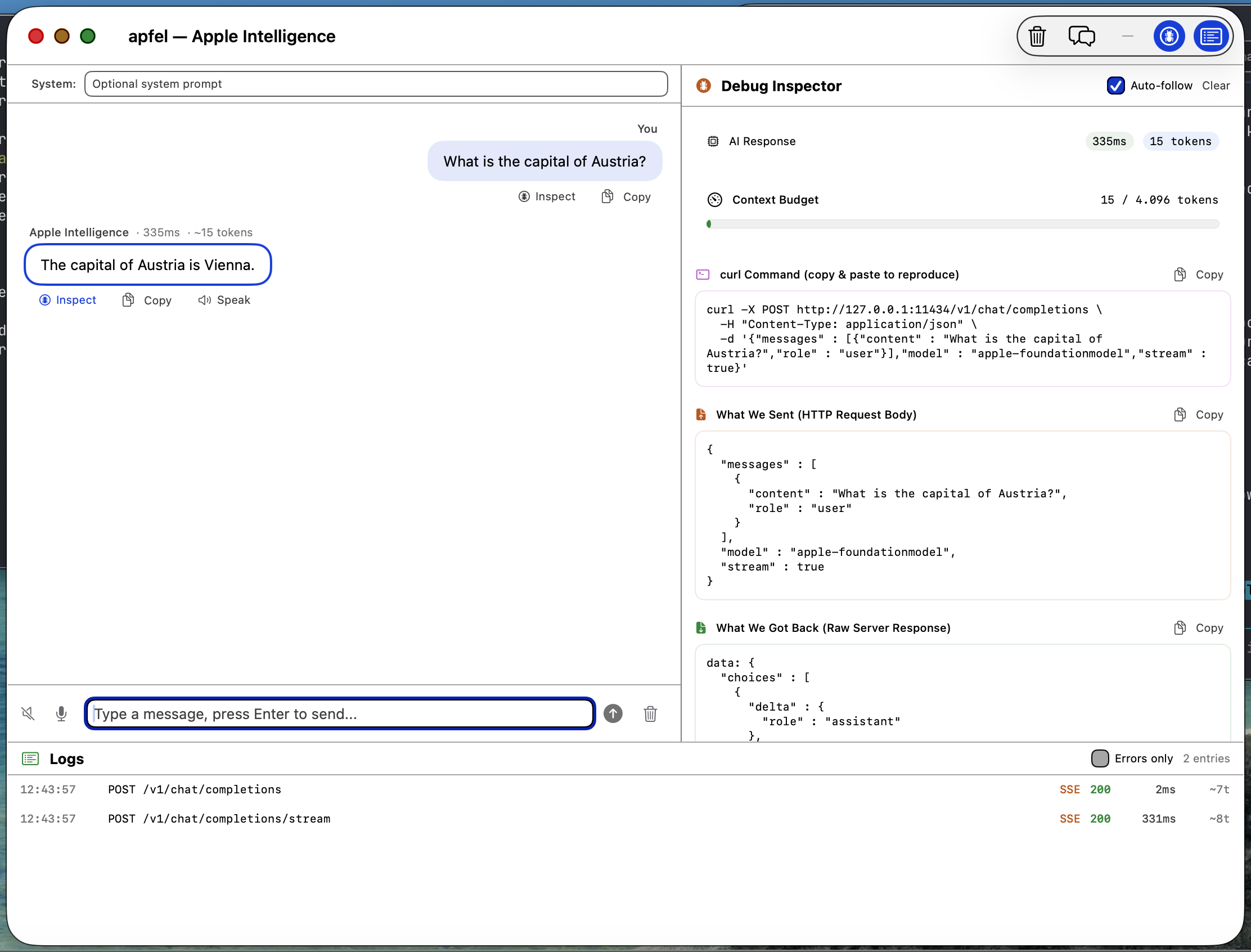
apfel-gui
Native macOS SwiftUI debug GUI. Apple Intelligence ಜೊತೆ chat ಮಾಡಿ, requests ಮತ್ತು responses, logs ಪರಿಶೀಲಿಸಿ, speech-to-text, text-to-speech - ಎಲ್ಲವೂ on-device.
SwiftUI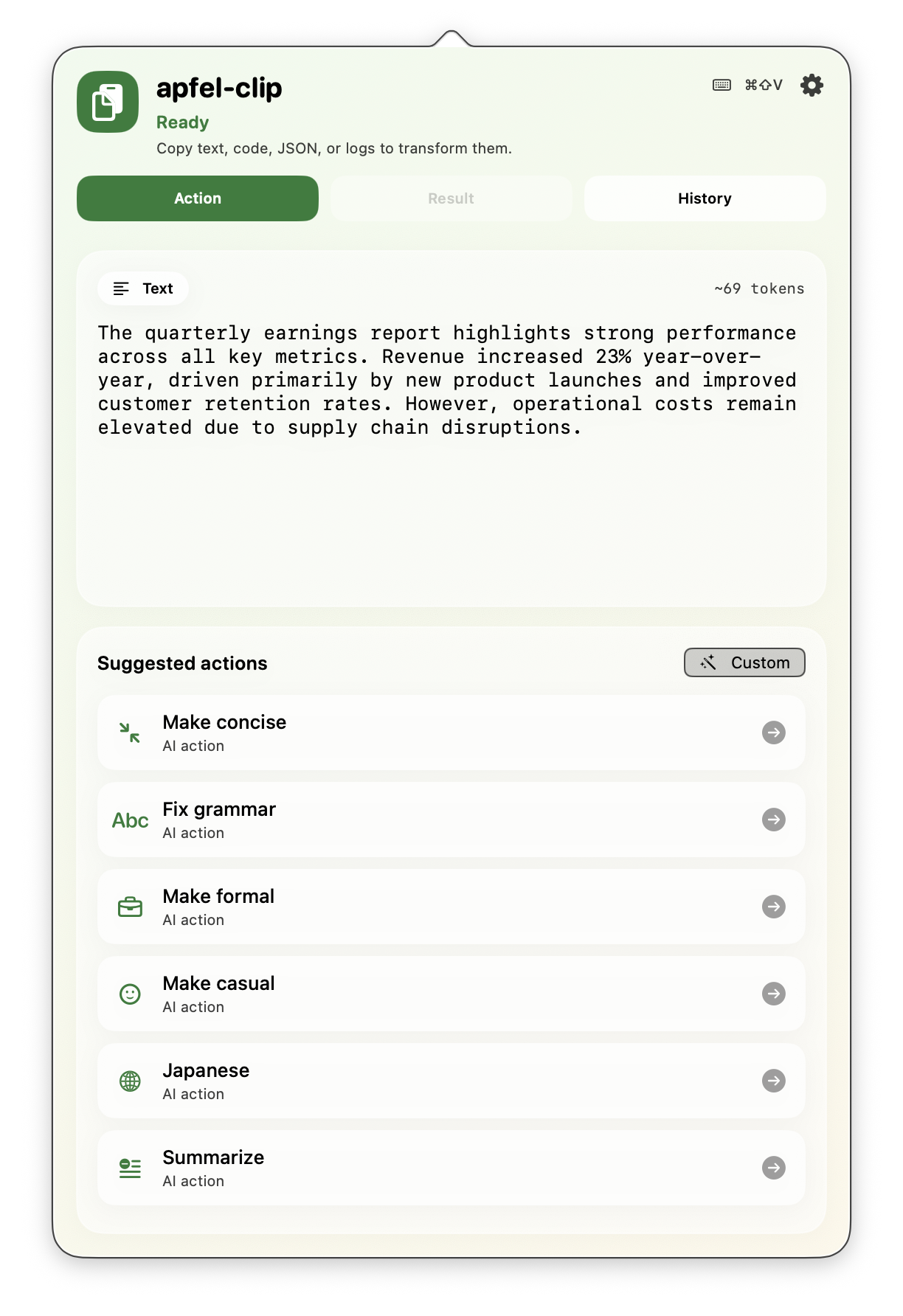
apfel-clip
Menu bar ನಿಂದ clipboard ಗಾಗಿ AI actions. ಯಾವುದೇ text ಮೇಲೆ cmd+shift+V ಒತ್ತಿ - grammar ಸರಿಪಡಿಸಿ, translate ಮಾಡಿ, code ವಿವರಿಸಿ, ಸಾರಾಂಶ ಮಾಡಿ. ಸಂಪೂರ್ಣ on-device, API keys ಇಲ್ಲ.
SwiftUI Production ನಲ್ಲಿ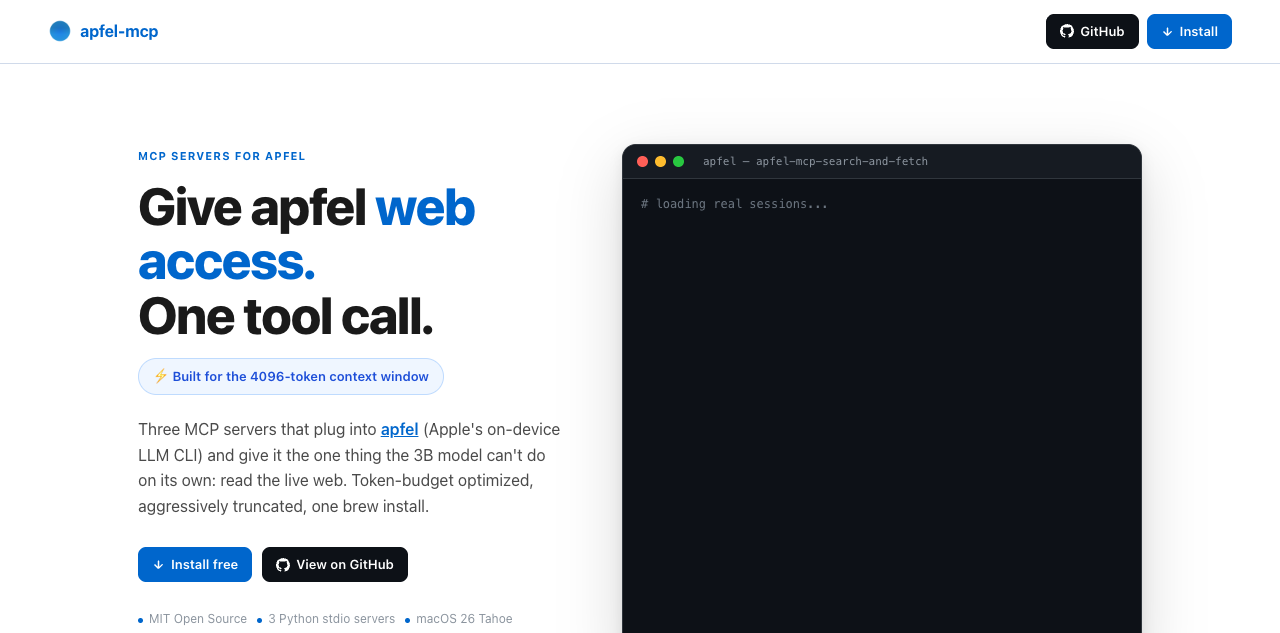
apfel-mcp
apfel ಗೆ web ಮತ್ತು ನಿಮ್ಮ files ಕೊಡಿ. ನಾಲ್ಕು ಚಿಕ್ಕ MCP tools - url-fetch, ddg-search, search-and-fetch, ಮತ್ತು read-only file reader - ಪ್ರತಿಯೊಂದೂ apfel ನ ಚಿಕ್ಕ context window ಗೆ ಹೊಂದುವಂತೆ ಕತ್ತರಿಸಲಾಗಿದೆ (ಹೆಚ್ಚಿನ Macs ನಲ್ಲಿ 4,096 tokens, macOS 27 ಇರುವ M3 ಮತ್ತು ಹೊಸದರಲ್ಲಿ 8,192).
Python ಹೊಸದು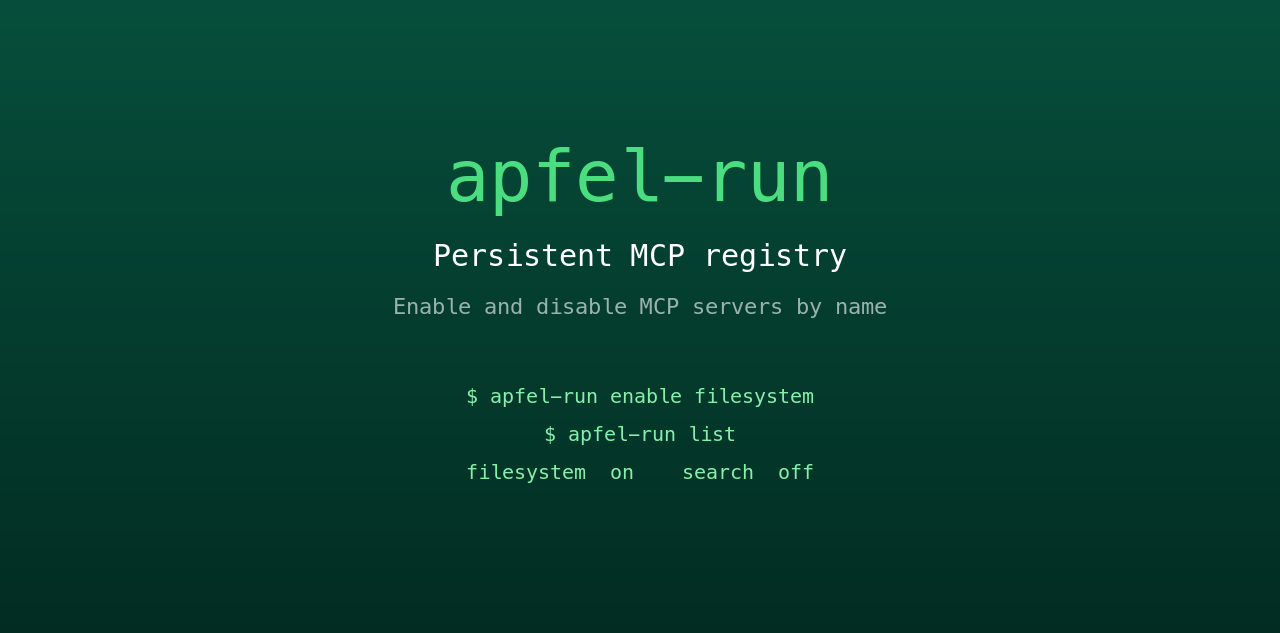
apfel-run
apfel ಗೆ ಶಾಶ್ವತ MCP registry ಕೊಡುವ ಪುಟ್ಟ UNIX wrapper. ಸಾದಾ text config file ನಿಂದ MCP servers ಅನ್ನು ಹೆಸರಿನಿಂದ enable ಮತ್ತು disable ಮಾಡಿ. Restart ನಂತರವೂ ಉಳಿಯುತ್ತದೆ, GUI ಇಲ್ಲ, daemon ಇಲ್ಲ.
Shell ಹೊಸದು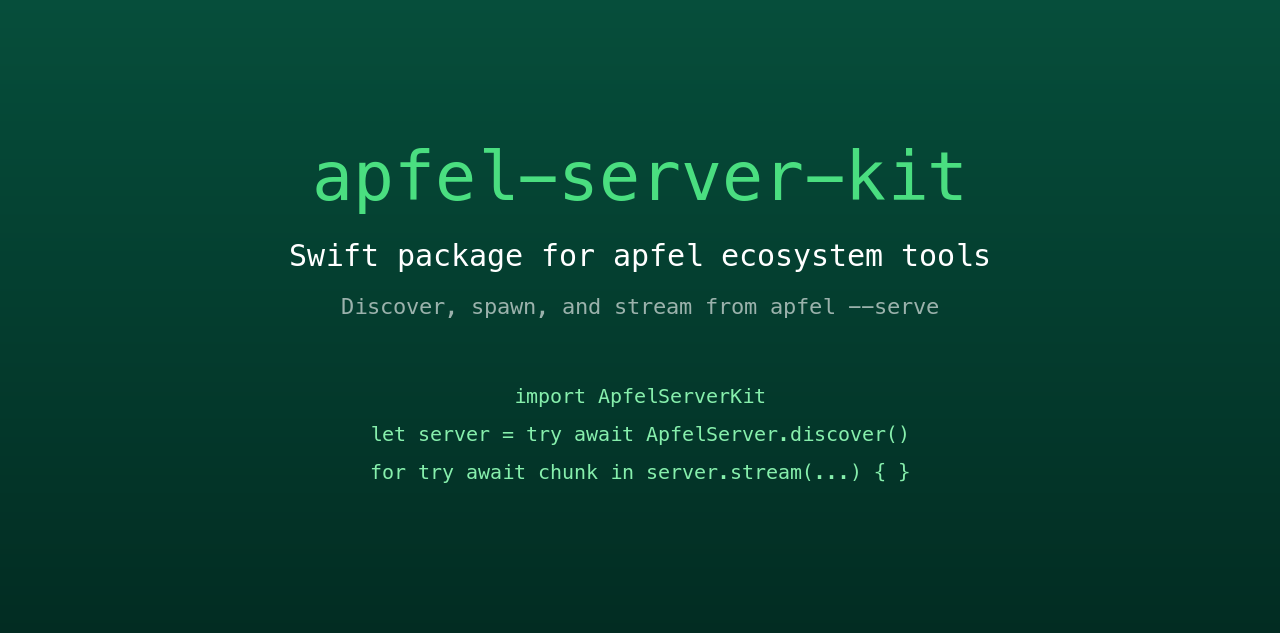
apfel-server-kit
ಇಡೀ ecosystem ಅನ್ನು ನಡೆಸುವ shared Swift package. Local apfel --serve process ಅನ್ನು ಹುಡುಕಿ, ಶುರು ಮಾಡಿ, ಅದರಿಂದ stream ಮಾಡಿ. ಪ್ರತಿಯೊಂದು SwiftUI apfel app ಮಾತನಾಡುವ ಬೆನ್ನೆಲುಬು.
Swift ಹೊಸದು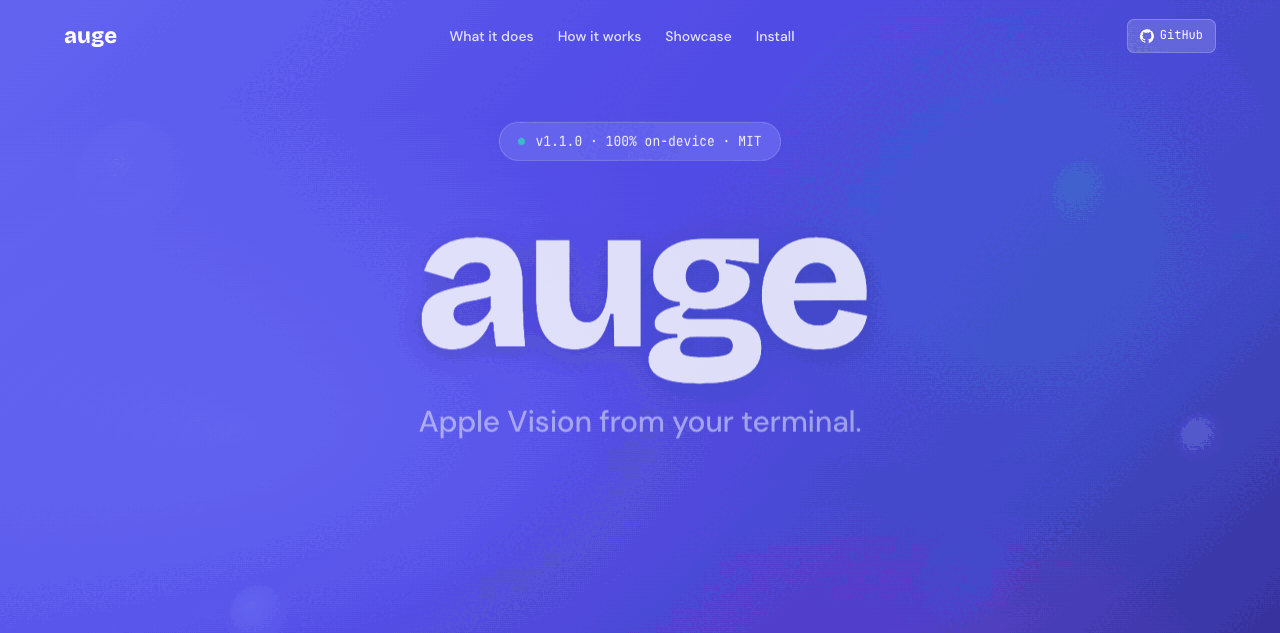
auge
Sister project. apfel ಭಾಷೆಯನ್ನು ನೋಡಿಕೊಳ್ಳುತ್ತದೆ; auge ದೃಷ್ಟಿಯನ್ನು. OCR, image classification, barcodes ಮತ್ತು face detection ಗೆ ಒಂದೇ CLI - Apple ನ Vision framework ಮೂಲಕ 100% on-device. API keys ಇಲ್ಲ, cloud ಇಲ್ಲ.
Swift Sister project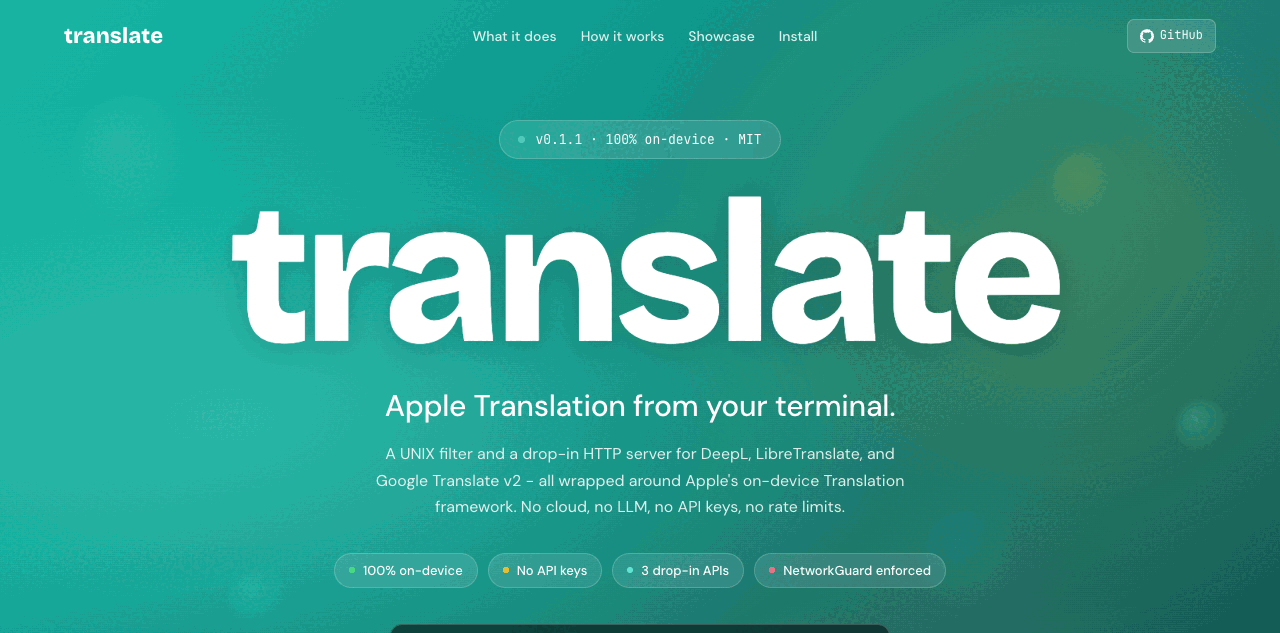
translate
Sister project. DeepL, LibreTranslate ಮತ್ತು Google v2 ಗಾಗಿ UNIX filter ಜೊತೆಗೆ drop-in HTTP server - Apple ನ on-device Translation framework ನಿಂದ ನಡೆಯುತ್ತದೆ. 100% on-device, NetworkGuard ಮೂಲಕ ಕಟ್ಟುನಿಟ್ಟಾಗಿ ಜಾರಿ. API keys ಇಲ್ಲ, cloud ಇಲ್ಲ.
Swift Sister projectಪದೇ ಪದೇ ಕೇಳುವ ಪ್ರಶ್ನೆಗಳು.
Hacker News ಮತ್ತು Reddit ನಿಂದ ಸಂಗ್ರಹಿಸಿದ ಪ್ರಶ್ನೆಗಳು.
ನನಗೆ ಯಾವ macOS version ಬೇಕು?
apfel ನನ್ನ personal data ಅನ್ನು access ಮಾಡುತ್ತದೆಯೇ?
ಯಾವುದಾದರೂ data ನನ್ನ Mac ನಿಂದ ಹೊರಗೆ ಹೋಗುತ್ತದೆಯೇ?
Model: Apple ನ FoundationModels framework internet connection ಇಲ್ಲದೆ ಕೆಲಸ ಮಾಡುತ್ತದೆ ಮತ್ತು ಸಂಪೂರ್ಣವಾಗಿ Neural Engine ಮೇಲೆ ನಡೆಯುತ್ತದೆ. ನಿಮ್ಮ prompts ಮತ್ತು responses ಎಂದಿಗೂ device ನಿಂದ ಹೊರಗೆ ಹೋಗುವುದಿಲ್ಲ. User data ಅನ್ನು ಎಂದಿಗೂ training ಗೆ ಬಳಸುವುದಿಲ್ಲ.
Tool: apfel ಅದನ್ನು ಹಾಗೆಯೇ ಉಳಿಸುತ್ತದೆ. Analytics ಇಲ್ಲ, telemetry ಇಲ್ಲ, tracking ಇಲ್ಲ, automatic update checks ಇಲ್ಲ, crash reporting ಇಲ್ಲ, calling home ಇಲ್ಲ. Open source ಮತ್ತು audit ಮಾಡಬಹುದಾದದ್ದು.
Context window ಎಷ್ಟು?
apfel --model-info ನಿಮ್ಮ Mac ನಲ್ಲಿ ನಿಜವಾಗಿ ಇರುವ window ಅನ್ನು ತೋರಿಸುತ್ತದೆ. Shell scripts, ಸಾರಾಂಶಗಳು ಮತ್ತು text transforms ಗೆ ಅತ್ಯುತ್ತಮ. ದೀರ್ಘ ಸಂಭಾಷಣೆಗಳು ಅಥವಾ ದೊಡ್ಡ documents ಗೆ ಸೂಕ್ತವಲ್ಲ.Model ಯಾವುದರಲ್ಲಿ ಚೆನ್ನಾಗಿದೆ? ಎಲ್ಲಿ ಕಷ್ಟಪಡುತ್ತದೆ?
ಸೀಮಿತ: ಗಣಿತ, ವಾಸ್ತವಾಂಶಗಳ ನೆನಪು, ದೀರ್ಘ ಸಂಭಾಷಣೆಗಳು, ಸಂಕೀರ್ಣ code generation.
Model, hallucinate ಮಾಡುವುದಕ್ಕಿಂತ ನಿರಾಕರಿಸುವುದನ್ನೇ ಇಷ್ಟಪಡುತ್ತದೆ. ಇದು Apple ನ ಉದ್ದೇಶಪೂರ್ವಕ design ನಿರ್ಧಾರ.
Server mode ಸುರಕ್ಷಿತವೇ?
--token), origin checking, debug ಗೆ ಮಾತ್ರ log endpoints. ವಿವರಗಳು server-security.md ನಲ್ಲಿ.ನಾನು Apple Intelligence ಆನ್ ಮಾಡಬೇಕೇ?
apfel ಅನ್ನು update ಮಾಡುವುದು ಹೇಗೆ?
apfel --update. Install ವಿಧಾನವನ್ನು ಗುರುತಿಸುತ್ತದೆ, ಹೊಸ version ಇದೆಯೇ ಎಂದು ಪರಿಶೀಲಿಸುತ್ತದೆ, upgrade ಮಾಡುವ ಮೊದಲು ಕೇಳುತ್ತದೆ. ಕೈಯಾರೆ: brew upgrade apfel ಅಥವಾ git pull && make install.ಇದು ಯಾವ model ಬಳಸುತ್ತದೆ?
apfel, Ollama ಅಥವಾ LM Studio ಗಿಂತ ಹೇಗೆ ಭಿನ್ನ?
apfel, MCP ಮತ್ತು tool calling ಅನ್ನು support ಮಾಡುತ್ತದೆಯೇ?
--mcp <server> ಕೊಡಿ. Tool calling guide.macOS 27 ನಲ್ಲಿರುವ Apple ನ ಸ್ವಂತ fm CLI ಗಿಂತ apfel ಹೇಗೆ ಭಿನ್ನ?
fm ಬರುತ್ತದೆ, ಅದೇ on-device model ಗಾಗಿ Apple ನ command-line front end. apfel ಸೇರಿಸುವುದು: tool calling ಇರುವ OpenAI-compatible server, MCP, JSON Schema output, data URLs ಆಗಿ image input, ಪ್ರಾಮಾಣಿಕ exit codes ಮತ್ತು macOS 26 support. ಅಕ್ಕಪಕ್ಕದಲ್ಲಿ ಅಳೆದದ್ದು: apfel vs fm.apfel ನಲ್ಲಿ ಯಾವುದಾದರೂ telemetry ಅಥವಾ calling-home functions ಇವೆಯೇ?
apfel --update ಚಲಾಯಿಸಿದಾಗ ಮಾತ್ರ ಒಂದು network call ಆಗುತ್ತದೆ, ಅದು Homebrew ನಲ್ಲಿ ಹೊಸ version ಪರಿಶೀಲಿಸುತ್ತದೆ. Open source ಮತ್ತು audit ಮಾಡಬಹುದಾದದ್ದು.ಇದನ್ನು ಯಾರು ರಚಿಸಿದರು?
ಸಹ-maintainer: Arthur Ficial, Anthropic ನ Claude Opus ಮೇಲೆ ಚಲಿಸುವ ಒಂದು OpenClaw instance. ಹೆಚ್ಚಿನ development Claude Code ಮತ್ತು Codex ಜೊತೆ ನಡೆದಿದೆ. ಯಾವಾಗಲೂ high thinking / high effort mode ನಲ್ಲಿ.
ಆರಂಭ: 24 ಮಾರ್ಚ್ 2026.