v1.18.0 · Zero config · MIT
apfel
मुफ़्त AI, जो आपके Mac में पहले से है।
macOS Tahoe में 3B parameter का एक LLM पहले से आता है। apfel एक brew install से आपको उसका CLI access देता है। न model download, न API key, न कोई configuration - बस काम करता है।
$ brew install apfel
github.com/Arthur-Ficial/apfel पर 6.6k+ stars
ज़रूरी: Apple Silicon · macOS Tahoe · Apple Intelligence चालू
apfel में नए हैं? 60 सेकंड का ट्यूटोरियल शुरू करें (अंग्रेज़ी में)
सब कुछ आपके device पर चलता है। कोई network call नहीं। आपके Mac से कोई data बाहर नहीं जाता।
इसे काम करते देखें।
brew install से AI output तक, सिर्फ़ 12 सेकंड में। कोई configuration नहीं चाहिए।
न config, न LLM download, न token का खर्च।
बाकी local AI tools बढ़िया हैं, लेकिन उनमें model download और configuration करना पड़ता है। apfel को कुछ नहीं चाहिए - model पहले से आपके Mac में है। एक brew install, और काम हो गया।
अंदर का model
Apple ML Researchतीन tools। एक install।
एक CLI, एक OpenAI-compatible server और एक interactive chat। सब एक ही brew install से। कोई extra download नहीं।
UNIX tool
Pipe-friendly और composable। jq, xargs और आपकी shell scripts के साथ चलता है। stdin, stdout, JSON output, --schema से schema-valid JSON, --messages से messages file के ज़रिए multi-turn, file attachments, सही exit codes।
OpenAI server
localhost:11434 पर drop-in replacement। किसी भी OpenAI SDK को इस पर point करें और शुरू हो जाएँ। Chat Completions और Responses API, streaming, tool calling, JSON Schema output, CORS।
Interactive chat
Automatic context management के साथ multi-turn बातचीत। पाँच trimming strategies। System prompt का support। शुरू करने के लिए terminal में बस apfel टाइप करें। सब कुछ आपके Mac पर।
MCP का native support।
Apple के on-device model को tools दें। कोई भी tools।
--mcp से tool servers जोड़ें
apfel Model Context Protocol समझता है। इसे किसी भी MCP server पर point करें और on-device model को tools मिल जाते हैं - math, APIs, databases, कुछ भी जिसके लिए आप server लिख सकें।
- तीनों modes में चलता है - CLI, server और chat
- Startup पर MCP tools/list से tools अपने आप ढूँढ लेता है
- Tool calls अपने आप detect और execute होते हैं, और results वापस model को मिलते हैं
- --mcp flag नहीं, तो कोई overhead नहीं - zero extra tokens, code path में zero बदलाव
- Proof-of-concept के तौर पर एक calculator MCP server साथ आता है
- URL से remote MCP servers -
--mcp https://..., optional Bearer token auth के साथ
यह कैसे काम करता है।
Apple ने हर Mac में एक LLM डाल रखा है। वह बस वहीं पड़ा है। apfel उसे एक front door देता है - zero configuration के साथ।
Apple एक on-device LLM देता है
macOS 26 (Tahoe) से हर Apple Silicon Mac में Apple Intelligence के हिस्से के रूप में एक language model आता है। Apple इसे FoundationModels framework के ज़रिए उपलब्ध कराता है - एक Swift API, जो apps को SystemLanguageModel का access देती है। पूरा inference Neural Engine और GPU पर चलता है। न network call, न cloud, न API key। Model बस वहीं मौजूद है।
लेकिन Apple इसे सिर्फ़ Siri के लिए इस्तेमाल करता है
Default रूप से on-device model Siri, Writing Tools और system features को चलाता है। न कोई terminal command है, न HTTP endpoint, न इसमें text pipe करने का कोई तरीका। FoundationModels framework मौजूद है, लेकिन उसे इस्तेमाल करने के लिए Swift app लिखनी पड़ती है। apfel यही करता है।
apfel क्या जोड़ता है
apfel एक Swift 6.3 binary है जो LanguageModelSession को wrap करती है और उसे तीन तरह से उपलब्ध कराती है: stdin/stdout वाले UNIX command-line tool के रूप में, OpenAI-compatible HTTP server (Hummingbird पर बना) के रूप में, और context management वाले interactive chat के रूप में।
यह वो सब संभालता है जो Apple की raw API नहीं करती: सही exit codes, JSON output, file attachments, छोटी context window (4,096 tokens, macOS 27 वाले M3 और नए Macs पर 8,192) के लिए पाँच context trimming strategies, SDK से असली token counting, और OpenAI tool schemas को Apple के native Transcript.ToolDefinition format में बदलना।
Design से ही private।
apfel इस्तेमाल करते समय एक भी HTTP call नहीं। नीचे का हर दावा Apple के अपने documentation से linked है।
On-device। Offline भी चलता है।
FoundationModels framework पूरी तरह आपके Apple Silicon के Neural Engine पर चलता है। न server, न cloud, न internet connection की ज़रूरत।
आपका data आपका ही रहता है।
Apple on-device inference से prompts, responses या कोई भी usage data इकट्ठा नहीं करता। न कुछ store होता है, न कुछ भेजा जाता है।
Training में कभी इस्तेमाल नहीं।
Apple अपने foundation models को सिर्फ़ licensed और public data पर train करता है। आपकी बातचीत कभी training pipeline का हिस्सा नहीं बनती।
apfel कोई tracking नहीं जोड़ता।
न analytics, न telemetry, न automatic update checks, न crash reporting, न चुपचाप किसी server को call करना। apfel सिर्फ़ तभी network call करता है जब आप खुद apfel --update चलाते हैं। पूरा codebase open source है।
Power tools साथ में।
demo/ folder में shell scripts। पहले apfel install करें, फिर जो चाहिए वो उठा लें।
cmd
आम भाषा से shell command। बताइए क्या चाहिए, command पाइए।
oneliner
सीधी-सादी भाषा से pipe chains। awk, sed, sort, uniq - आपके लिए तैयार।
mac-narrator
आपके Mac की system activity को किसी nature documentary की तरह सुनाता है।
explain
कोई भी command, error message या code snippet आसान भाषा में समझाता है।
wtd
यह directory क्या है? किसी भी codebase को तुरंत समझने का तरीका।
gitsum
हाल के git commits का summary, बस कुछ वाक्यों में।
30 काम के और मज़ेदार one-liners।
हर command असली Mac पर test की गई है। apfel को ps, lsof, du, vm_stat, git, pbpaste, sleep, pgrep, curl, say के साथ chain करें - ऐसी composability जो cloud AIs नहीं दे सकते, क्योंकि वे आपके processes, आपका clipboard, आपका git diff नहीं देख सकते। apfel देख सकता है।
अभी मेरा CPU कौन खा रहा है।
$ps aux | sort -k 3 -nr | head -5 | awk '{print $11, $3"%"}' | apfel "which app is using the most CPU"-> सबसे ज़्यादा CPU WindowServer ले रहा है, 42.6%।
कौन सी app किस port पर listen कर रही है।
$lsof -iTCP -sTCP:LISTEN -n -P | head -15 | apfel "list which apps own which ports as a table"-> 11434 fichten, 18789 node, 5000 ControlCenter ...
कौन सा volume भरने के सबसे करीब है।
$df -h | apfel "which volume is fullest, one sentence"-> /dev/disk3s1 सबसे ज़्यादा भरा है: 926Gi में से 263Gi।
vm_stat आसान भाषा में।
$vm_stat | apfel "explain my memory usage in plain english, one sentence"-> 349k pages active, 266k wired - काफ़ी memory इस्तेमाल में है।
यहाँ कौन से folders सबसे ज़्यादा disk खा रहे हैं।
$du -sh */ 2>/dev/null | sort -rh | head -5 | apfel "which folders are eating most disk, one sentence"-> Library (36G) और Downloads (604M) सबसे आगे हैं।
इस folder की सबसे बड़ी files।
$ls -laS | head -10 | apfel "what are the biggest files here, just file names"-> apfel-quick-preview.png, og.png, translate-preview.png ...
अभी कौन सी apps internet से बात कर रही हैं।
$lsof -i -nP 2>/dev/null | grep ESTABLISHED | awk '{print $1, $9}' | head -10 | apfel "which apps are talking to the internet right now, short answer"-> node → 157.240.253.60:443, claude.ex → 160.79.104.10:443, Google → 66.102.1.188:5228 ...
Battery health और बचा हुआ समय, एक line में।
$pmset -g batt | apfel "battery health and percent, one line"-> पूरी तरह charged, health 100%, अभी इस्तेमाल में।
अपने हाल के commits का आसान भाषा में recap।
$git log --oneline -20 | apfel "summarize what I have been working on"-> v1.2.1 से v1.3.2 तक updates, sister projects जोड़े ...
हाल के commits से एक line का release note तैयार करें।
$git log --oneline -5 | apfel "write a one-line release note based on these commits"-> v1.3.2 release हुआ: 5053 stars, 783 tests, updates।
Clipboard पर जो भी है उसकी grammar ठीक करें, फिर सुधरा हुआ text वापस रख दें।
$pbpaste | apfel "fix grammar" | pbcopy-> "i has went" बन गया "I went" - वापस clipboard पर।
Clipboard को Japanese में translate करें, फिर वापस रख दें।
$pbpaste | apfel "translate to japanese" | pbcopy-> अब clipboard में Japanese translation है।
Clipboard के लंबे-चौड़े text को 3 bullets में summarize करें।
$pbpaste | apfel "summarize in 3 bullets"-> आपके terminal में 3 छोटे, सटीक bullets।
Clipboard पर पड़े meeting notes से साफ़ action items निकालें।
$pbpaste | apfel "extract just the action items as a clean bullet list, no other text" | pbcopy-> "Sarah Q3 budget का draft बनाएगी", "design team को email", ... वापस clipboard पर।
लंबा काम खत्म होने पर बोलकर खुद को बताएँ (यहाँ 30 मिनट में)।
$sleep 1800 && apfel "tell me cheerfully my long task just finished, one short sentence" | say-> Mac बोलता है: "आपका लंबा काम अभी पूरा हुआ, शाबाश!"
Downloads में file आने का इंतज़ार करें, फिर announce करें।
$until [ -e ~/Downloads/Report.pdf ]; do sleep 5; done; apfel "tell me my download just landed, one cheerful sentence" | say-> हर 5s पर check करता है; Report.pdf आते ही Mac बोलकर बताता है।
किसी लंबे process के खत्म होने का इंतज़ार करें, फिर announce करें।
$while pgrep -q ffmpeg; do sleep 5; done; apfel "tell me cheerfully that my video encoding is done, one short sentence" | say-> हर 5s पर check करता है; ffmpeg बंद होते ही Mac बोलकर बताता है।
हर 30 मिनट में, अभी-अभी जो ship किया उसका summary बोलकर सुनाएँ।
$while sleep 1800; do git log --since="30 min ago" --oneline | apfel "summarize my last 30 minutes of work in one cheerful sentence" | say; done-> हर आधे घंटे एक auto-standup, बोलकर सुनाया जाता है, और आप coding करते रहते हैं।
हर 15 मिनट में, battery 20 प्रतिशत से नीचे जाए तो बोलकर warning दें।
$while sleep 900; do P=$(pmset -g batt | grep -oE "[0-9]+%" | head -1 | tr -d %); [ "$P" -lt 20 ] && apfel "battery just dropped to $P percent, write one short sentence that is friendly but super urgent telling me to plug in NOW" | say; done-> Battery गिरने तक चुप; फिर Mac ज़ोर से एक दोस्ताना लेकिन urgent warning देता है।
किसी URL पर तब तक नज़र रखें जब तक वह 2xx न लौटाए, फिर बोलकर deploy का जश्न मनाएँ।
$until curl -sf https://staging.example.com/health >/dev/null; do sleep 30; done; apfel "tell me cheerfully that my deploy is live and the URL is responding, one short sentence" | say-> Staging चालू होने तक हर 30s पर check करता है; Mac बोलता है "आपका deploy live है, URL जवाब दे रहा है!"।
किसी casual line को विनम्र अंदाज़ में लिखें।
$echo "hey can u send me docs asap" | apfel "rephrase politely"-> "कृपया जल्द से जल्द documents share कर दें ..."
किसी URL को hit करें और सिर्फ़ headers देखकर पूछें कि क्या चल रहा है।
$curl -sI https://github.com | apfel "explain what happens at this URL in one sentence, based on the HTTP headers"-> GitHub सख्त caching और security headers के साथ एक HTML page देता है।
आज का Hacker News, एक वाक्य में समेटकर, बोलकर सुनाया गया।
$curl -s https://news.ycombinator.com | grep titleline | sed "s/<[^>]*>//g" | apfel "summarize hacker news today in one cheerful sentence" | say-> Mac दिन की top stories एक छोटे summary में बोलकर सुनाता है।
किसी JSON blob को आसान भाषा में समझाएँ।
$echo '{"name":"alice","plan":"pro","credits":42}' | apfel "explain this JSON in one sentence"-> Alice नाम की user, pro plan पर, 42 credits के साथ।
Calculator खोले बिना हिसाब।
$apfel "what is 15% tip on 87.50, just the number"-> 13.13
Terminal छोड़े बिना regex बनाएँ।
$apfel "regex for a valid email address, just the regex"-> ^[a-zA-Z0-9._%+-]+@[a-zA-Z0-9.-]+\.[a-zA-Z]{2,}$
जो bash one-liner भूल गए, वो पूछ लें।
$apfel "give me one find command that lists files larger than 100MB, just the bash command"-> find / -type f -size +100M
अंदाज़ा लगाने की बजाय किसी पेचीदा command का मतलब पूछें।
$apfel "explain the command tar -xzvf file.tar.gz in one sentence"-> gzip वाली tarball को uncompress करके current directory में extract करता है।
सही git command भूल गए? बस पूछ लीजिए।
$apfel "git command to uncommit but not unedit my last commit, just the command"-> git reset --soft HEAD~1
किसी और की regex को एक वाक्य में समझें।
$apfel "explain this regex in one sentence: ^\d{3}-\d{4}$"-> 3 अंकों का prefix, एक hyphen और 4 अंक match करता है - US phone format।
आम बोलचाल वाली date को ISO 8601 में बदलें।
$apfel "convert 'Sat Apr 27 2026 11:30' to ISO 8601 (YYYY-MM-DDTHH:MM:SS), reply only with the converted string"-> 2026-04-27T11:30:00+00:00
पूरी file को 3 bullets में summarize करें।
$apfel -f README.md "summarize in 3 bullets"-> 3 bullets: scope, install और usage।
OpenAI के साथ compatible।
बस एक URL बदलें। Code वही रहेगा।
सीधा drop-in विकल्प
apfel OpenAI API बोलता है। जो भी client library, framework या tool OpenAI से बात करता है, वह अब आपके Mac के AI से बात कर सकता है। बस base URL बदलें।
- ✓ POST /v1/chat/completions
- ✓ POST /v1/responses (Responses API)
- ✓ Streaming (SSE)
- ✓ Tool calling / function calling
- ✓ GET /v1/models
- ✓ response_format: json_object, json_schema
- ✓ image_url parts, data URLs के रूप में (macOS 27)
- ✓ temperature, max_tokens, seed
- ✓ Browser clients के लिए CORS
from openai import OpenAI

# Just change the base_url. That's it.
client = OpenAI(
    base_url="http://localhost:11434/v1",
    api_key="unused"  # no auth needed
)

resp = client.chat.completions.create(
    model="apple-foundationmodel",
    messages=[{
        "role": "user",
        "content": "What is 1+1?"
    }],
)
print(resp.choices[0].message.content)
Model वही जो Apple के fm में है। काम अलग।
macOS 27 में fm आता है, जो on-device model के लिए Apple का अपना command-line front end है। दोनों के रास्ते यहाँ अलग होते हैं।
| apfel | Apple fm | |
|---|---|---|
| कहाँ चलता है | macOS 26 और 27, एक ही binary | सिर्फ़ macOS 27 |
| इंस्टॉल | brew install apfel | पहले से मौजूद (एक बार sudo fm license) |
| OpenAI clients बिना बदलाव के चलते हैं | हाँ: default रूप से JSON, usage, max_tokens का पालन, errors सही तरह map होते हैं | जब तक मना न करें, stream करता है, max_tokens को ignore करता है, guardrails पर 500 |
| Tool calling और MCP | Native tool calls, local और remote MCP servers | नहीं (tools reply में template tokens leak कर देता है) |
| Scripting के लिए | --code, -o json, 9 exit codes, --count-tokens --strict | Plain text, exit 0 या 1 |
| Input files | Text, PDF, images: दोनों OS पर OCR text, और macOS 27 पर image खुद भी model तक | Images model तक, साथ में built-in OCR और barcode tools |
| Save रहने वाले chat sessions | नहीं | नाम वाले transcripts, --resume |
| स्पीड | एक ही Mac पर एक ही model, एक ही context window (इस M2 पर 4,096 tokens, M3 और नए पर 8,192), token counts बिल्कुल बराबर। One-shot prompt: 0.35 s बनाम 0.30 s। | |
छोटा सा इतिहास। apfel पहले आया: पहला commit और v0.1.0, 24 मार्च 2026 को; पहली GitHub release 31 मार्च 2026 को; अप्रैल में Hacker News का front page। Apple ने 8 जून 2026 को WWDC में fm की घोषणा की और 14 सितंबर 2026 को macOS 27 के साथ उसे ship किया। दोनों एक ही FoundationModels framework के ज़रिए एक ही on-device model चलाते हैं; apfel open-source वाला है, और वही macOS 26 पर भी चलता है।
हर row को 2026-10-05 को macOS 27.0.1 (Apple M2, 24 GB) पर मापा गया, और हर apfel release पर दोबारा मापा जाता है। पूरे page पर server probes, token-count parity table और इन्हें दोहराने की हर command मौजूद है।
GitHub पर लोकप्रिय।
शून्य से 6,610 stars तक, और गिनती जारी है।
Starred by engineers from Apple, Google, VMware, NVIDIA, and PlayStation.
GitHub पर star करेंतक का data
शुरू करें।
न model download, न sign-up, न API key। बस इतना।
Homebrew
$ brew install apfel
$ apfel "Hello, Mac"
Source से build करें
$ git clone https://github.com/Arthur-Ficial/apfel.git
$ cd apfel && make install
apfel का पेड़।
apfel पर बने native macOS tools का बढ़ता परिवार - और सहयोगी प्रोजेक्ट जो दूसरे Apple frameworks को terminal तक लाते हैं।
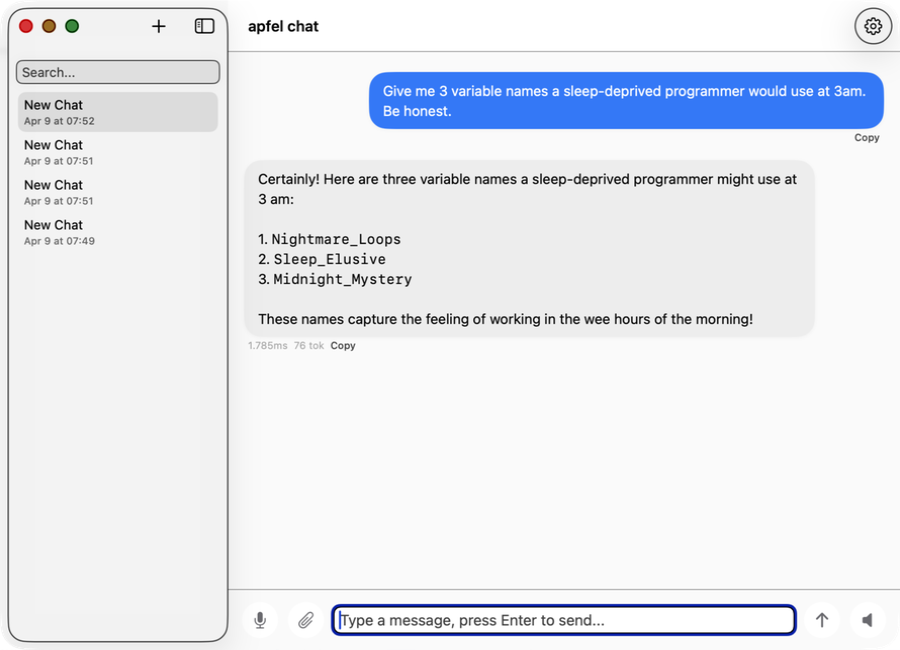
apfel-chat
कई conversations वाला macOS chat client। Streaming markdown, speech in/out, image analysis - पूरी तरह private, न API key, न cloud।
SwiftUI Production में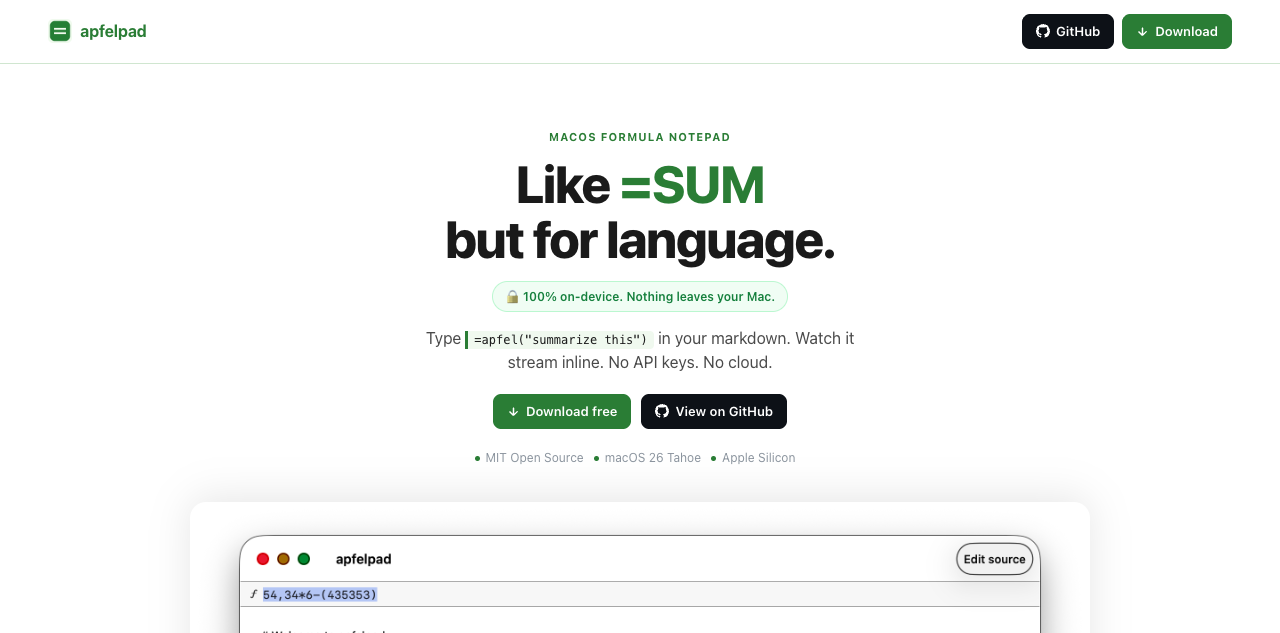
apfelpad
सोचने के लिए एक formula notepad। अपने markdown में =apfel("summarize this") लिखें और जवाब को वहीं inline stream होते देखें। =SUM जैसा, लेकिन भाषा के लिए।
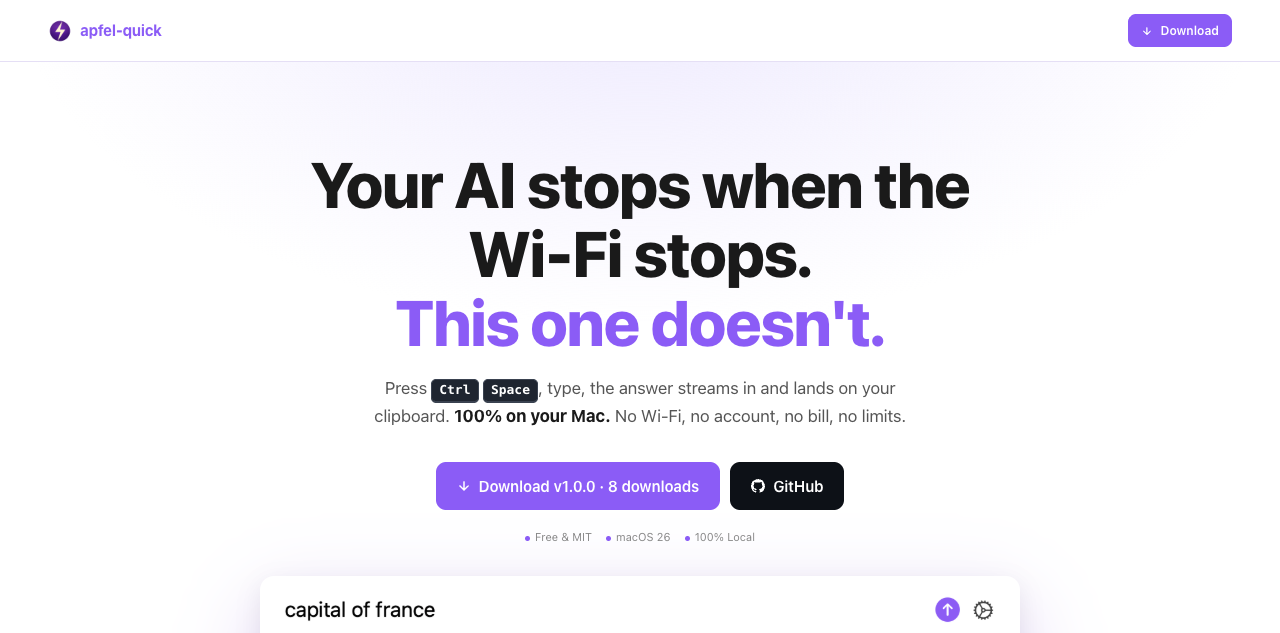
apfel-quick
Instant AI overlay। कहीं भी Ctrl+Space दबाएँ, सवाल टाइप करें, और जवाब सीधे आपके clipboard में stream हो जाता है। न Wi-Fi, न account, न bill।
SwiftUI नया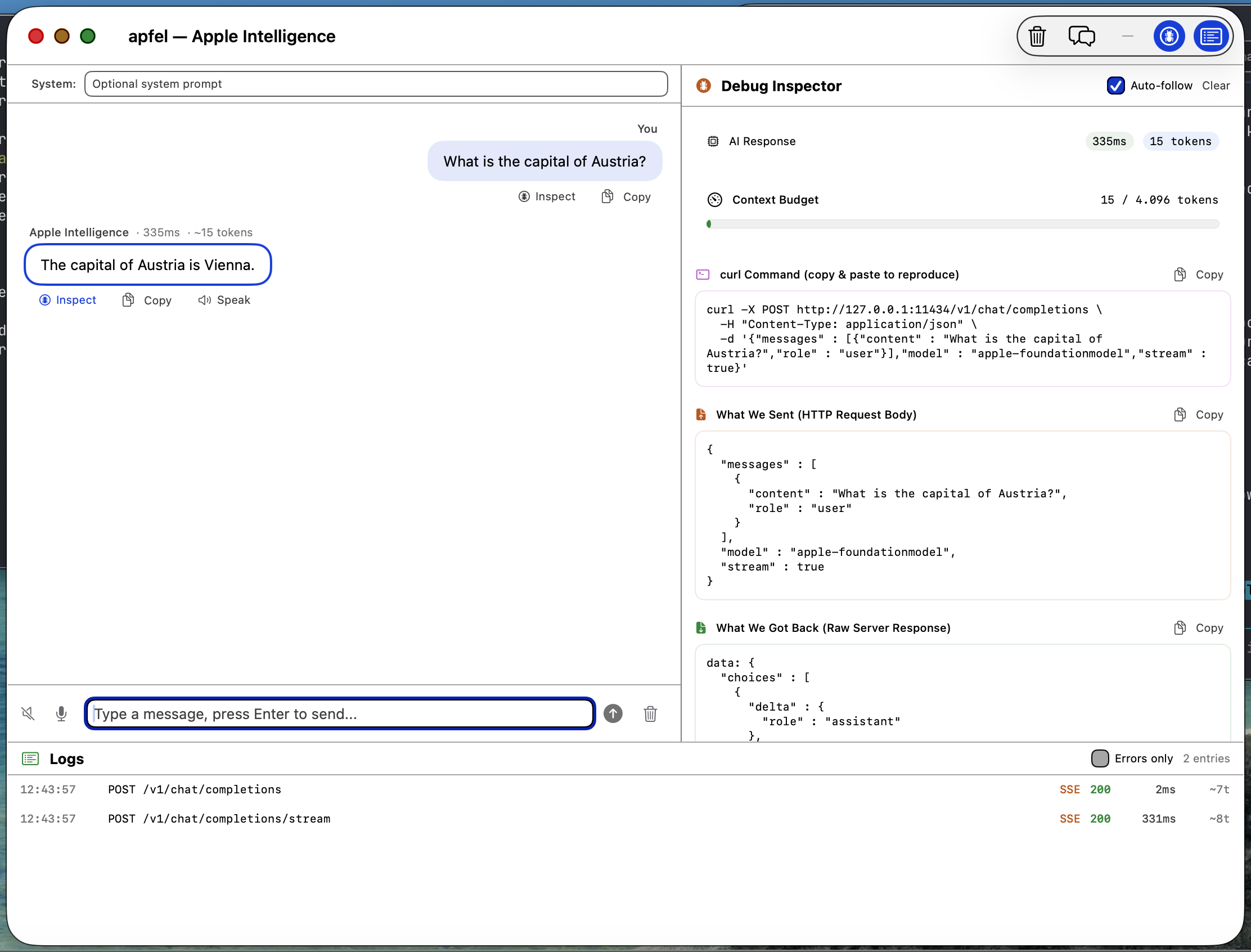
apfel-gui
Native macOS SwiftUI debug GUI। Apple Intelligence से chat करें, requests और responses, logs, speech-to-text, text-to-speech जाँचें - सब on-device।
SwiftUI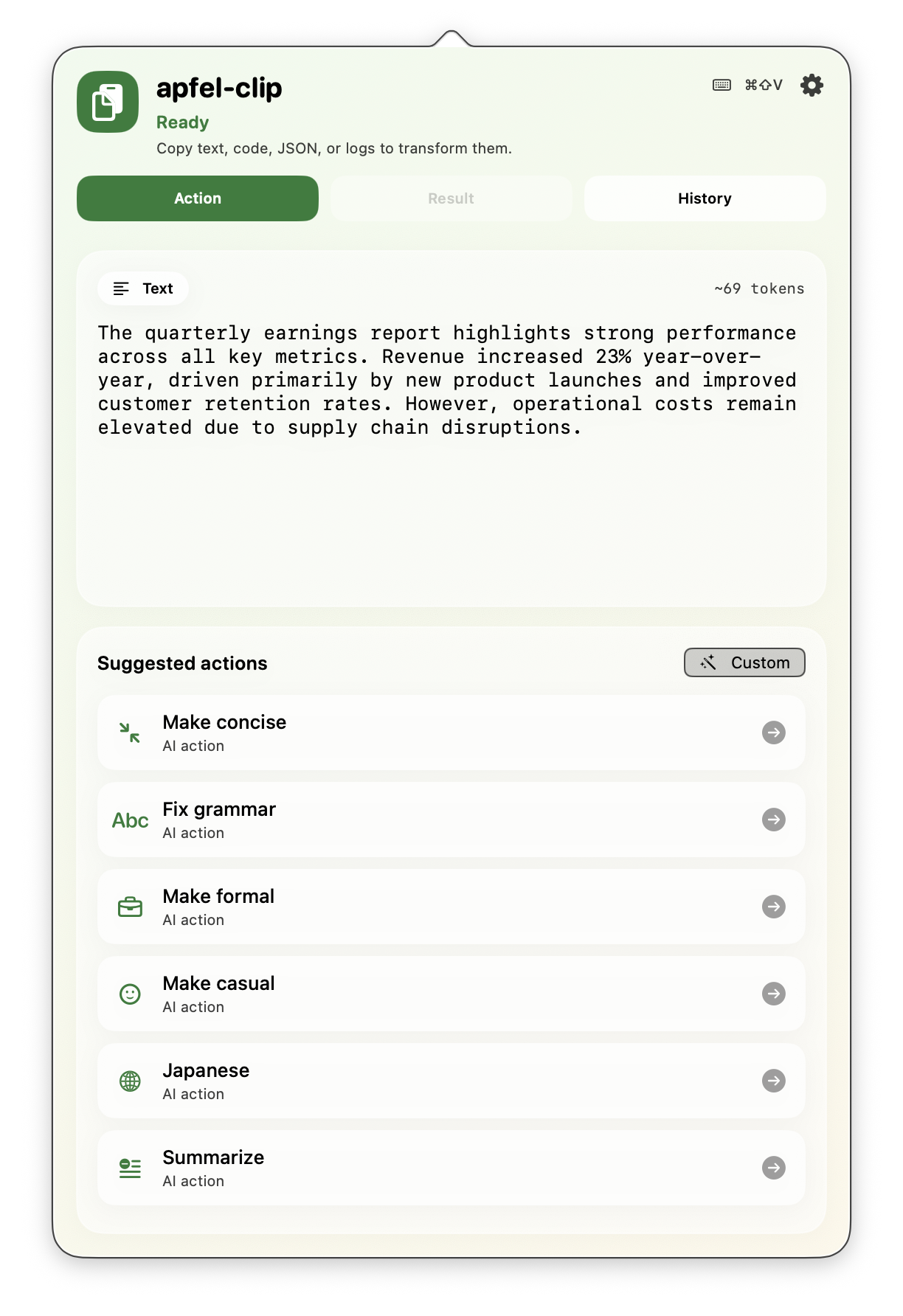
apfel-clip
Menu bar से AI clipboard actions। किसी भी text पर cmd+shift+V दबाएँ - grammar ठीक करें, translate करें, code समझें, summarize करें। पूरी तरह on-device, कोई API key नहीं।
SwiftUI Production में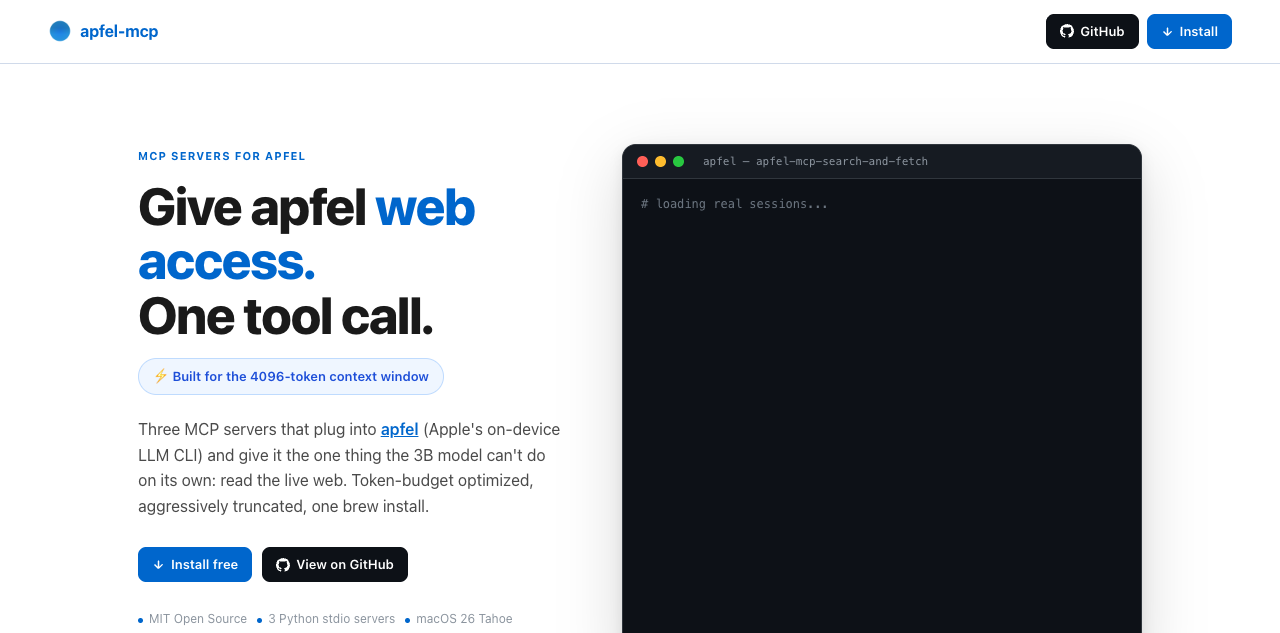
apfel-mcp
apfel को web और अपनी files तक पहुँच दें। चार छोटे MCP tools - url-fetch, ddg-search, search-and-fetch और एक read-only file reader - हर एक को apfel की छोटी context window में फिट होने लायक trim किया गया है (ज़्यादातर Macs पर 4,096 tokens, macOS 27 वाले M3 और नए पर 8,192)।
Python नया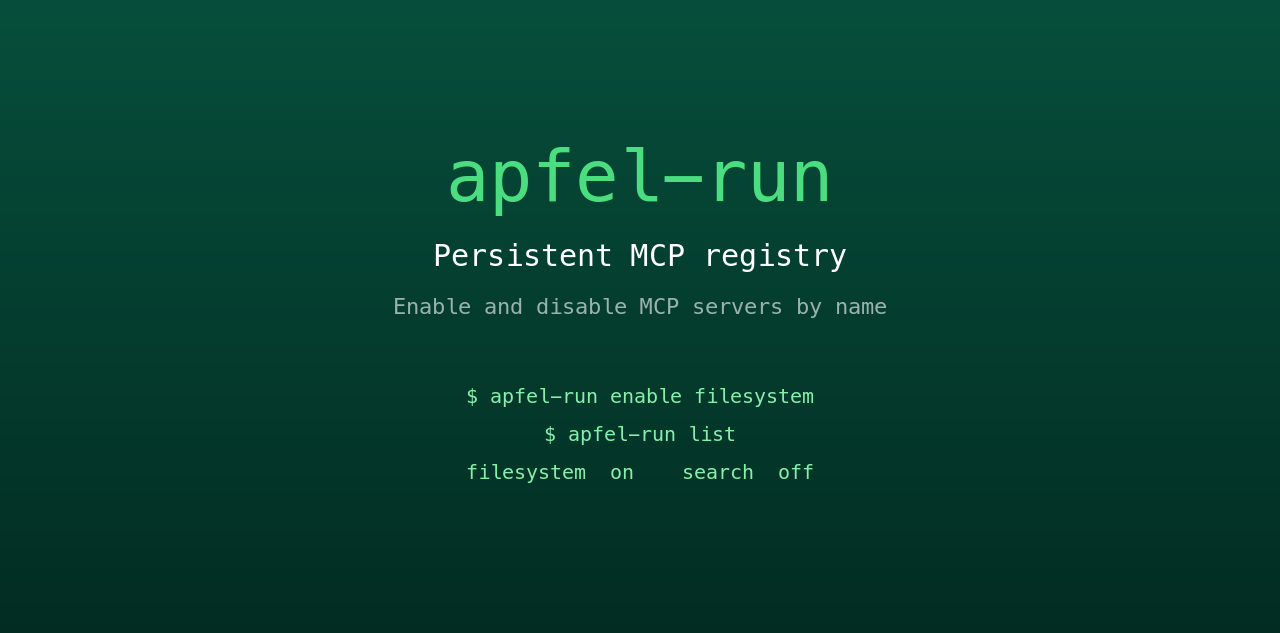
apfel-run
छोटा सा UNIX wrapper जो apfel को एक persistent MCP registry देता है। Plain text config file से MCP servers को नाम से enable और disable करें। Restart के बाद भी बना रहता है, न GUI, न daemon।
Shell नया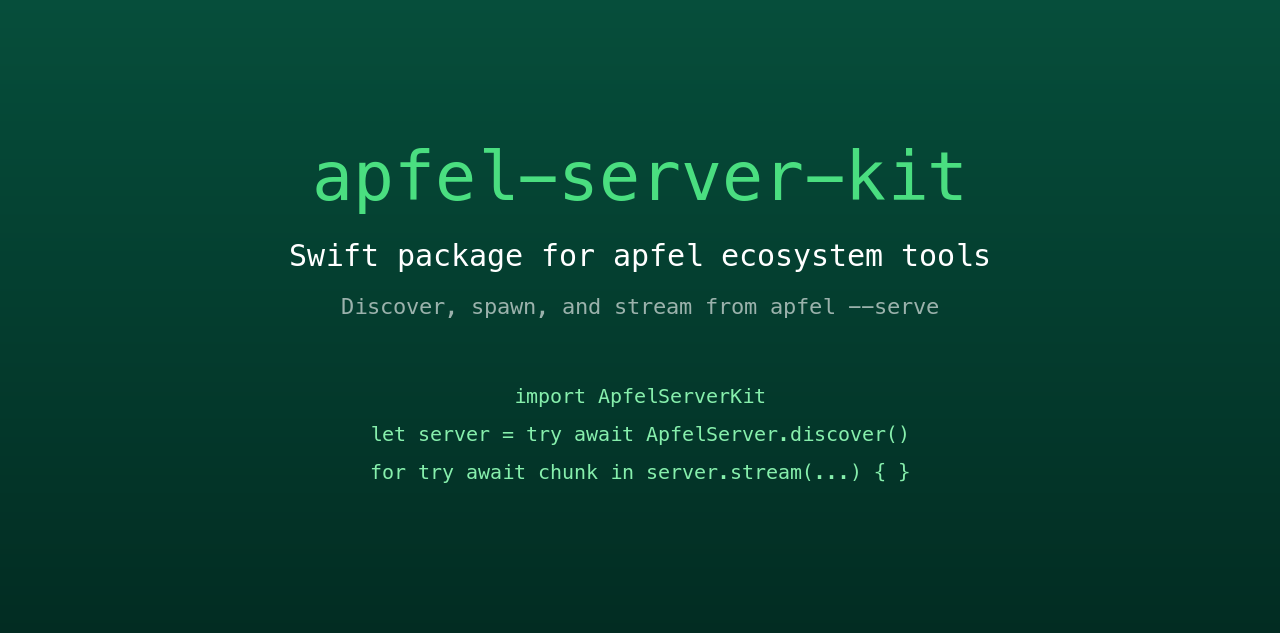
apfel-server-kit
पूरे ecosystem को चलाने वाला shared Swift package। Local apfel --serve process को discover, spawn और उससे stream करें। वह रीढ़ जिससे हर SwiftUI apfel app बात करती है।
Swift नया
auge
सहयोगी प्रोजेक्ट। apfel भाषा संभालता है; auge vision। OCR, image classification, barcodes और face detection के लिए एक CLI - Apple के Vision framework से 100% on-device। न API key, न cloud।
Swift सहयोगी प्रोजेक्ट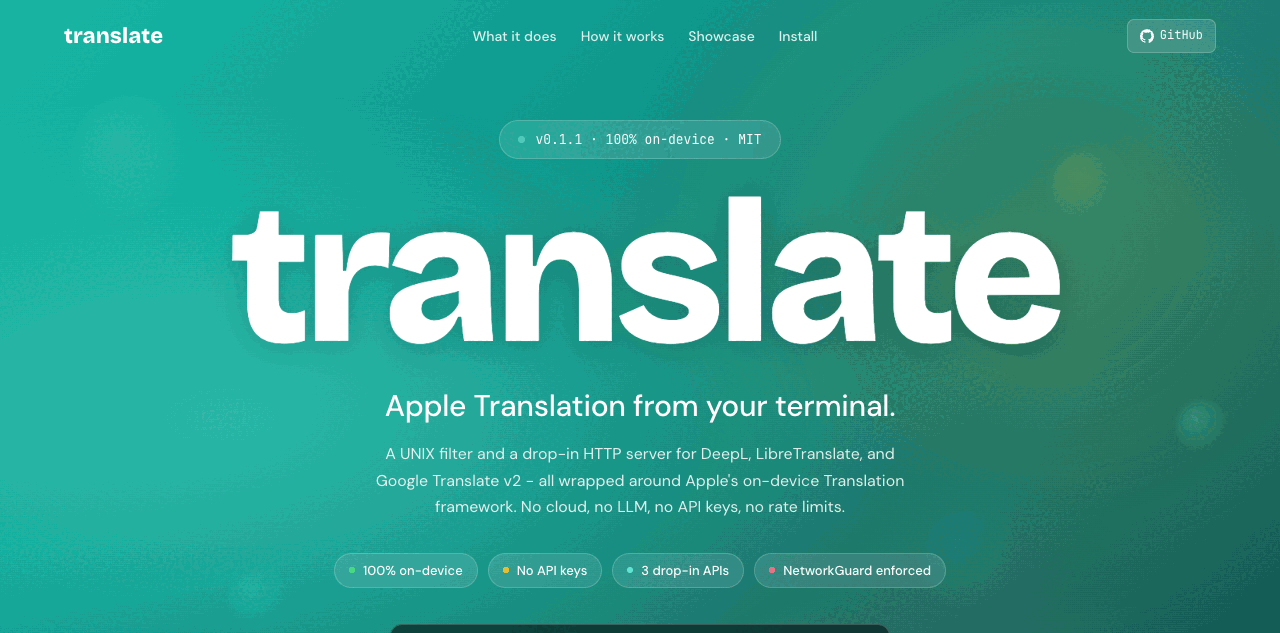
translate
सहयोगी प्रोजेक्ट। एक UNIX filter, साथ में DeepL, LibreTranslate और Google v2 की जगह drop-in HTTP server - Apple के on-device Translation framework पर चलता है। 100% on-device, NetworkGuard से सख्ती से लागू। न API key, न cloud।
Swift सहयोगी प्रोजेक्टअक्सर पूछे जाने वाले सवाल।
सवाल Hacker News और Reddit से लिए गए हैं।
मुझे कौन सा macOS version चाहिए?
क्या apfel मेरा personal data देखता है?
क्या मेरे Mac से कोई data बाहर जाता है?
Model: Apple का FoundationModels framework बिना internet connection के चलता है और पूरी तरह Neural Engine पर चलता है। आपके prompts और responses कभी device से बाहर नहीं जाते। User data कभी training में इस्तेमाल नहीं होता।
Tool: apfel इसे ऐसा ही बनाए रखता है। न analytics, न telemetry, न tracking, न automatic update checks, न crash reporting, न चुपचाप किसी server को call करना। Open source और auditable।
Context window कितनी है?
apfel --model-info बताता है कि आपके Mac में असल में कितनी window है। Shell scripts, summaries और text transforms के लिए बढ़िया। लंबी बातचीत या बड़े documents के लिए सही नहीं।Model किसमें अच्छा है? कहाँ कमज़ोर है?
सीमित है: math, तथ्य याद रखना, लंबी बातचीत, complex code generation।
Model hallucinate करने की बजाय मना करना पसंद करता है। यह Apple का सोचा-समझा design choice है।
क्या server mode secure है?
--token), origin checking, log endpoints सिर्फ़ debug में। पूरी जानकारी server-security.md में।क्या Apple Intelligence चालू करना ज़रूरी है?
apfel को update कैसे करें?
apfel --update चलाएँ। यह install का तरीका पहचानता है, नया version check करता है, upgrade से पहले पूछता है। Manual तरीका: brew upgrade apfel या git pull && make install।यह कौन सा model इस्तेमाल करता है?
apfel, Ollama या LM Studio से कैसे अलग है?
क्या apfel MCP और tool calling support करता है?
--mcp <server> दें। Tool calling गाइड।apfel, macOS 27 में आने वाले Apple के अपने fm CLI से कैसे अलग है?
fm आता है, जो उसी on-device model के लिए Apple का command-line front end है। apfel इसमें OpenAI-compatible server जोड़ता है, साथ में tool calling, MCP, JSON Schema output, data URLs के रूप में image input, सही exit codes और macOS 26 support। आमने-सामने की माप: apfel vs fm।क्या apfel में कोई telemetry या calling-home function है?
apfel --update चलाते हैं, जो Homebrew पर नया version check करती है। Open source और auditable।इसे किसने बनाया?
सह-maintainer: Arthur Ficial, Anthropic के Claude Opus पर चलने वाला एक OpenClaw instance। ज़्यादातर development Claude Code और Codex के साथ हुआ है। हमेशा high thinking / high effort mode में।
शुरुआत: 24 मार्च 2026।