v1.18.0 · Zero config · MIT
apfel
मोफत AI, तुमच्या Mac मध्ये आधीपासूनच.
macOS Tahoe सोबत 3B parameter चे एक LLM आधीपासूनच येते. apfel एका brew install ने तुम्हाला त्याचा CLI access देते. ना model download, ना API key, ना कोणतेही configuration - सरळ काम करते.
$ brew install apfel
github.com/Arthur-Ficial/apfel वर 6.6k+ stars
आवश्यक: Apple Silicon · macOS Tahoe · Apple Intelligence सुरू असणे
apfel मध्ये नवीन आहात? 60 सेकंदांचे ट्यूटोरियल सुरू करा (इंग्रजीत)
सर्व काही तुमच्या device वरच चालते. कोणताही network call नाही. तुमच्या Mac मधून कोणताही data बाहेर जात नाही.
प्रत्यक्ष चालताना पाहा.
brew install पासून AI output पर्यंत फक्त 12 सेकंदांत. कोणतेही configuration लागत नाही.
शून्य config. शून्य LLM downloads. शून्य token खर्च.
इतर local AI tools उत्तम आहेत, पण त्यांच्यासाठी model download आणि configuration करावे लागते. apfel ला काहीही लागत नाही - model आधीच तुमच्या Mac मध्ये आहे. एक brew install, आणि काम झाले.
पडद्यामागचे model
Apple ML Researchतीन tools. एक install.
एक CLI, एक OpenAI-compatible server आणि एक interactive chat. सर्व काही एकाच brew install मधून. कोणताही अतिरिक्त download नाही.
UNIX tool
Pipe-friendly आणि composable. jq, xargs आणि तुमच्या shell scripts सोबत चालते. stdin, stdout, JSON output, --schema ने schema-valid JSON, --messages ने messages file मधून multi-turn, file attachments, योग्य exit codes.
OpenAI server
localhost:11434 वर drop-in replacement. कोणताही OpenAI SDK त्याकडे point करा आणि सुरू करा. Chat Completions आणि Responses API, streaming, tool calling, JSON Schema output, CORS.
Interactive chat
Automatic context management सह multi-turn संवाद. पाच trimming strategies. System prompt support. सुरू करण्यासाठी terminal मध्ये फक्त apfel टाइप करा. सर्व काही तुमच्या Mac वर.
Native MCP support.
Apple च्या on-device model ला tools द्या. कोणतेही tools.
--mcp ने tool servers जोडा
apfel ला Model Context Protocol समजतो. ते कोणत्याही MCP server कडे point करा आणि on-device model ला tools मिळतात - math, APIs, databases, ज्यासाठी तुम्ही server लिहू शकता असे काहीही.
- तिन्ही modes मध्ये चालते - CLI, server आणि chat
- Startup ला MCP tools/list द्वारे tools आपोआप शोधते
- Tool calls आपोआप detect आणि execute होतात, आणि results परत model ला दिले जातात
- --mcp flag नसेल तर कोणताही overhead नाही - शून्य extra tokens, code path मध्ये कोणताही बदल नाही
- Proof-of-concept म्हणून एक calculator MCP server सोबत येतो
- URL द्वारे remote MCP servers -
--mcp https://..., optional Bearer token auth सह
हे कसे काम करते.
Apple ने प्रत्येक Mac मध्ये एक LLM बसवले आहे. ते तिथे नुसतेच पडून आहे. apfel त्याला एक front door देते - तेही zero configuration सह.
Apple एक on-device LLM देते
macOS 26 (Tahoe) पासून प्रत्येक Apple Silicon Mac मध्ये Apple Intelligence चा भाग म्हणून एक language model येते. Apple ते FoundationModels framework द्वारे उपलब्ध करून देते - ही एक Swift API आहे, जी apps ना SystemLanguageModel चा access देते. संपूर्ण inference Neural Engine आणि GPU वर चालते. ना network call, ना cloud, ना API key. Model आधीपासूनच तिथे असते.
पण Apple ते फक्त Siri साठी वापरते
मूळ स्वरूपात on-device model Siri, Writing Tools आणि system features चालवते. कोणतीही terminal command नाही, HTTP endpoint नाही, त्यातून text pipe करण्याचा कोणताही मार्ग नाही. FoundationModels framework अस्तित्वात आहे, पण ते वापरण्यासाठी तुम्हाला Swift app लिहावे लागते. apfel नेमके तेच करते.
apfel काय जोडते
apfel हे एक Swift 6.3 binary आहे, जे LanguageModelSession ला wrap करते आणि ते तीन प्रकारे उपलब्ध करून देते: stdin/stdout असलेले UNIX command-line tool म्हणून, OpenAI-compatible HTTP server (Hummingbird वर आधारित) म्हणून, आणि context management असलेले interactive chat म्हणून.
Apple ची raw API जे करत नाही ते सर्व हे सांभाळते: योग्य exit codes, JSON output, file attachments, लहान context window साठी (4,096 tokens, macOS 27 वर चालणाऱ्या M3 आणि नवीन Macs वर 8,192) पाच context trimming strategies, SDK द्वारे खरे token counting, आणि OpenAI tool schemas चे Apple च्या native Transcript.ToolDefinition format मध्ये रूपांतर.
Design पासूनच private.
apfel वापरताना एकही HTTP call नाही. खालील प्रत्येक दाव्यासोबत Apple च्या स्वतःच्या documentation ची link आहे.
On-device. Offline सुद्धा चालते.
FoundationModels framework पूर्णपणे तुमच्या Apple Silicon च्या Neural Engine वर चालते. ना server, ना cloud, ना internet connection ची गरज.
तुमचा data तुमचाच राहतो.
Apple on-device inference मधून prompts, responses किंवा कोणताही usage data गोळा करत नाही. काहीही store होत नाही, काहीही पाठवले जात नाही.
Training साठी कधीही वापर होत नाही.
Apple आपले foundation models फक्त licensed आणि public data वर train करते. तुमचे संवाद कधीही training pipeline चा भाग बनत नाहीत.
apfel कोणतेही tracking जोडत नाही.
ना analytics, ना telemetry, ना automatic update checks, ना crash reporting, ना गुपचूप कुठल्या server ला call. तुम्ही स्वतः apfel --update चालवता तेव्हाच apfel network call करते. संपूर्ण codebase open source आहे.
Power tools सोबतच मिळतात.
demo/ folder मध्ये shell scripts. आधी apfel install करा, मग तुम्हाला हवे ते घ्या.
cmd
साध्या भाषेतून shell command. काय हवे ते सांगा, command मिळवा.
oneliner
साध्या भाषेतून pipe chains. awk, sed, sort, uniq - तुमच्यासाठी तयार.
mac-narrator
तुमच्या Mac ची system activity एखाद्या nature documentary सारखी कथन करते.
explain
कोणतीही command, error message किंवा code snippet सोप्या भाषेत समजावून सांगते.
wtd
ही directory काय आहे? कोणत्याही codebase ची झटपट ओळख.
gitsum
अलीकडच्या git commits चा summary, अवघ्या काही वाक्यांत.
30 उपयोगी आणि भन्नाट one-liners.
प्रत्येक command खऱ्या Mac वर test केलेली आहे. apfel ला ps, lsof, du, vm_stat, git, pbpaste, sleep, pgrep, curl, say सोबत chain करा - अशी composability जी cloud AIs देऊ शकत नाहीत, कारण त्यांना तुमचे processes, तुमचा clipboard, तुमचा git diff दिसत नाही. apfel ला ते दिसते.
आत्ता माझा CPU कोण खातोय.
$ps aux | sort -k 3 -nr | head -5 | awk '{print $11, $3"%"}' | apfel "which app is using the most CPU"-> WindowServer सर्वाधिक CPU वापरत आहे: 42.6%.
कोणते app कोणत्या port वर listen करत आहे.
$lsof -iTCP -sTCP:LISTEN -n -P | head -15 | apfel "list which apps own which ports as a table"-> 11434 fichten, 18789 node, 5000 ControlCenter ...
कोणता volume भरायला सर्वात जवळ आहे.
$df -h | apfel "which volume is fullest, one sentence"-> /dev/disk3s1 सर्वात जास्त भरलेला आहे: 926Gi पैकी 263Gi.
vm_stat चा अर्थ सोप्या भाषेत.
$vm_stat | apfel "explain my memory usage in plain english, one sentence"-> 349k pages active, 266k wired - बरीच memory वापरात आहे.
इथले कोणते folders सर्वाधिक disk खात आहेत.
$du -sh */ 2>/dev/null | sort -rh | head -5 | apfel "which folders are eating most disk, one sentence"-> Library (36G) आणि Downloads (604M) आघाडीवर आहेत.
या folder मधील सर्वात मोठ्या files.
$ls -laS | head -10 | apfel "what are the biggest files here, just file names"-> apfel-quick-preview.png, og.png, translate-preview.png ...
आत्ता कोणती apps internet शी बोलत आहेत.
$lsof -i -nP 2>/dev/null | grep ESTABLISHED | awk '{print $1, $9}' | head -10 | apfel "which apps are talking to the internet right now, short answer"-> node → 157.240.253.60:443, claude.ex → 160.79.104.10:443, Google → 66.102.1.188:5228 ...
Battery health आणि उरलेला वेळ, एका line मध्ये.
$pmset -g batt | apfel "battery health and percent, one line"-> पूर्ण charge झाली, health 100%, सध्या वापरात.
तुमच्या अलीकडच्या commits चा सोप्या भाषेत recap.
$git log --oneline -20 | apfel "summarize what I have been working on"-> v1.2.1 ते v1.3.2 पर्यंत updates, sister projects जोडले ...
अलीकडच्या commits मधून एका line ची release note तयार करा.
$git log --oneline -5 | apfel "write a one-line release note based on these commits"-> v1.3.2 release झाले: 5053 stars, 783 tests, updates.
Clipboard वर जे काही आहे त्याचे grammar दुरुस्त करा, मग दुरुस्त केलेला text परत ठेवा.
$pbpaste | apfel "fix grammar" | pbcopy-> "i has went" चे झाले "I went" - परत clipboard वर.
Clipboard मधला text Japanese मध्ये translate करा, मग परत ठेवा.
$pbpaste | apfel "translate to japanese" | pbcopy-> आता clipboard मध्ये Japanese translation आहे.
Clipboard मधल्या लांबलचक text चा 3 bullets मध्ये summary करा.
$pbpaste | apfel "summarize in 3 bullets"-> तुमच्या terminal मध्ये 3 नेमके bullets.
Clipboard वरील meeting notes मधून नेमके action items काढा.
$pbpaste | apfel "extract just the action items as a clean bullet list, no other text" | pbcopy-> "Sarah Q3 budget चा draft करेल", "design team ला email", ... परत clipboard वर.
वेळखाऊ काम संपल्यावर स्वतःला मोठ्याने कळवा (इथे, 30 मिनिटांत).
$sleep 1800 && apfel "tell me cheerfully my long task just finished, one short sentence" | say-> Mac बोलतो: "तुमचे वेळखाऊ काम आत्ताच पूर्ण झाले, शाब्बास!"
Downloads मध्ये file येण्याची वाट पाहा, मग मोठ्याने कळवा.
$until [ -e ~/Downloads/Report.pdf ]; do sleep 5; done; apfel "tell me my download just landed, one cheerful sentence" | say-> दर 5s ला check करते; Report.pdf येताच Mac बोलून सांगतो.
दीर्घ काळ चालणारा process संपेपर्यंत वाट पाहा, मग मोठ्याने कळवा.
$while pgrep -q ffmpeg; do sleep 5; done; apfel "tell me cheerfully that my video encoding is done, one short sentence" | say-> दर 5s ला check करते; ffmpeg बंद होताच Mac बोलून सांगतो.
दर 30 मिनिटांनी, तुम्ही नुकतेच काय ship केले त्याचा summary मोठ्याने ऐकवा.
$while sleep 1800; do git log --since="30 min ago" --oneline | apfel "summarize my last 30 minutes of work in one cheerful sentence" | say; done-> दर अर्ध्या तासाने auto-standup मोठ्याने वाचून दाखवला जातो, आणि तुम्ही coding करत राहता.
दर 15 मिनिटांनी, battery 20 टक्क्यांच्या खाली गेली तर मोठ्याने warning द्या.
$while sleep 900; do P=$(pmset -g batt | grep -oE "[0-9]+%" | head -1 | tr -d %); [ "$P" -lt 20 ] && apfel "battery just dropped to $P percent, write one short sentence that is friendly but super urgent telling me to plug in NOW" | say; done-> Battery कमी होईपर्यंत शांत; मग Mac मोठ्याने एक मैत्रीपूर्ण पण urgent warning देतो.
एखादा URL 2xx परत करेपर्यंत त्यावर लक्ष ठेवा, मग deploy चा आनंद मोठ्याने साजरा करा.
$until curl -sf https://staging.example.com/health >/dev/null; do sleep 30; done; apfel "tell me cheerfully that my deploy is live and the URL is responding, one short sentence" | say-> Staging सुरू होईपर्यंत दर 30s ला check करते; Mac बोलतो "तुमचा deploy live आहे, URL प्रतिसाद देत आहे!".
एखादी casual ओळ नम्र भाषेत पुन्हा लिहा.
$echo "hey can u send me docs asap" | apfel "rephrase politely"-> "कृपया शक्य तितक्या लवकर documents share करू शकाल का ..."
एखाद्या URL ला hit करा आणि फक्त headers वरून काय चालले आहे ते विचारा.
$curl -sI https://github.com | apfel "explain what happens at this URL in one sentence, based on the HTTP headers"-> GitHub कडक caching आणि security headers सह एक HTML page देते.
आजच्या Hacker News चा एका वाक्यात summary, मोठ्याने वाचून दाखवलेला.
$curl -s https://news.ycombinator.com | grep titleline | sed "s/<[^>]*>//g" | apfel "summarize hacker news today in one cheerful sentence" | say-> Mac दिवसातील top stories एका नेमक्या summary मध्ये बोलून सांगतो.
एखादा JSON blob सोप्या भाषेत समजावून सांगा.
$echo '{"name":"alice","plan":"pro","credits":42}' | apfel "explain this JSON in one sentence"-> Alice नावाची user, pro plan वर, 42 credits सह.
Calculator न उघडता हिशोब.
$apfel "what is 15% tip on 87.50, just the number"-> 13.13
Terminal न सोडता regex तयार करा.
$apfel "regex for a valid email address, just the regex"-> ^[a-zA-Z0-9._%+-]+@[a-zA-Z0-9.-]+\.[a-zA-Z]{2,}$
विसरलेला bash one-liner विचारून घ्या.
$apfel "give me one find command that lists files larger than 100MB, just the bash command"-> find / -type f -size +100M
अंदाज लावण्याऐवजी एखाद्या गूढ command चा अर्थ विचारा.
$apfel "explain the command tar -xzvf file.tar.gz in one sentence"-> gzip केलेली tarball uncompress करून current directory मध्ये extract करते.
नेमकी git command विसरलात? फक्त विचारा.
$apfel "git command to uncommit but not unedit my last commit, just the command"-> git reset --soft HEAD~1
दुसऱ्या कोणाचा regex एका वाक्यात समजून घ्या.
$apfel "explain this regex in one sentence: ^\d{3}-\d{4}$"-> 3 अंकी prefix, एक hyphen आणि 4 अंक match करतो - US phone format.
साध्या शब्दांत लिहिलेली date ISO 8601 मध्ये बदला.
$apfel "convert 'Sat Apr 27 2026 11:30' to ISO 8601 (YYYY-MM-DDTHH:MM:SS), reply only with the converted string"-> 2026-04-27T11:30:00+00:00
संपूर्ण file चा 3 bullets मध्ये summary करा.
$apfel -f README.md "summarize in 3 bullets"-> scope, install आणि usage वरचे 3 bullets.
OpenAI compatible.
फक्त एक URL बदला. Code तोच राहील.
Drop-in replacement
apfel ला OpenAI API समजते. OpenAI शी बोलणारी कोणतीही client library, framework किंवा tool त्याऐवजी तुमच्या Mac च्या AI शी बोलू शकते. फक्त base URL बदला.
- ✓ POST /v1/chat/completions
- ✓ POST /v1/responses (Responses API)
- ✓ Streaming (SSE)
- ✓ Tool calling / function calling
- ✓ GET /v1/models
- ✓ response_format: json_object, json_schema
- ✓ image_url parts, data URLs म्हणून (macOS 27)
- ✓ temperature, max_tokens, seed
- ✓ Browser clients साठी CORS
from openai import OpenAI

# Just change the base_url. That's it.
client = OpenAI(
    base_url="http://localhost:11434/v1",
    api_key="unused"  # no auth needed
)

resp = client.chat.completions.create(
    model="apple-foundationmodel",
    messages=[{
        "role": "user",
        "content": "What is 1+1?"
    }],
)
print(resp.choices[0].message.content)
Apple च्या fm मधलेच model. काम वेगळे.
macOS 27 सोबत fm येते: on-device model साठी Apple चे स्वतःचे command-line front end. इथे दोघांचे मार्ग वेगळे होतात.
| apfel | Apple fm | |
|---|---|---|
| कुठे चालते | macOS 26 आणि 27, एकच binary | फक्त macOS 27 |
| इंस्टॉल | brew install apfel | आधीपासूनच असते (एकदा sudo fm license) |
| OpenAI clients बदल न करता चालतात | हो: default नुसार JSON, usage, max_tokens चे पालन, errors योग्य प्रकारे map केलेले | नको म्हटल्याशिवाय stream करते, max_tokens ignore करते, guardrails वर 500 |
| Tool calling आणि MCP | Native tool calls, local आणि remote MCP servers | काहीच नाही (tools reply मध्ये template tokens leak करते) |
| Scripting | --code, -o json, 9 exit codes, --count-tokens --strict | Plain text, exit 0 किंवा 1 |
| Input files | Text, PDF, images: दोन्ही OS वर OCR text, आणि macOS 27 वर image स्वतःही model पर्यंत | Images model पर्यंत, सोबत built-in OCR आणि barcode tools |
| टिकून राहणारे chat sessions | नाही | नाव दिलेले transcripts, --resume |
| वेग | एकाच Mac वर तेच model, तीच context window (या M2 वर 4,096 tokens, M3 आणि नवीन वर 8,192), token counts अगदी सारखे. One-shot prompt: 0.35 s vs 0.30 s. | |
थोडा इतिहास. apfel आधी आले. पहिला commit आणि v0.1.0: 24 मार्च 2026; पहिली GitHub release: 31 मार्च 2026; एप्रिलमध्ये Hacker News चे front page. Apple ने 8 जून 2026 रोजी WWDC मध्ये fm ची घोषणा केली आणि 14 सप्टेंबर 2026 रोजी macOS 27 सोबत ते ship केले. दोन्ही एकाच FoundationModels framework द्वारे एकच on-device model चालवतात; त्यांपैकी apfel open source आहे, आणि macOS 26 वरही चालणारे तेच आहे.
प्रत्येक row 2026-10-05 रोजी macOS 27.0.1 (Apple M2, 24 GB) वर मोजली गेली, आणि प्रत्येक apfel release साठी पुन्हा मोजली जाते. पूर्ण page वर server probes, token-count parity table आणि हे सर्व पुन्हा करून पाहण्यासाठी लागणारी प्रत्येक command आहे.
GitHub वर लोकप्रिय.
शून्यापासून 6,610 stars पर्यंत, आणि आकडा वाढतच आहे.
Starred by engineers from Apple, Google, VMware, NVIDIA, and PlayStation.
GitHub वर star करापर्यंतचा data
सुरुवात करा.
ना model download, ना sign-up, ना API key. फक्त एवढेच.
Homebrew
$ brew install apfel
$ apfel "Hello, Mac"
Source मधून build करा
$ git clone https://github.com/Arthur-Ficial/apfel.git
$ cd apfel && make install
apfel चे झाड.
apfel वर आधारित native macOS tools चे वाढते कुटुंब - आणि इतर Apple frameworks terminal पर्यंत आणणारे sister projects.
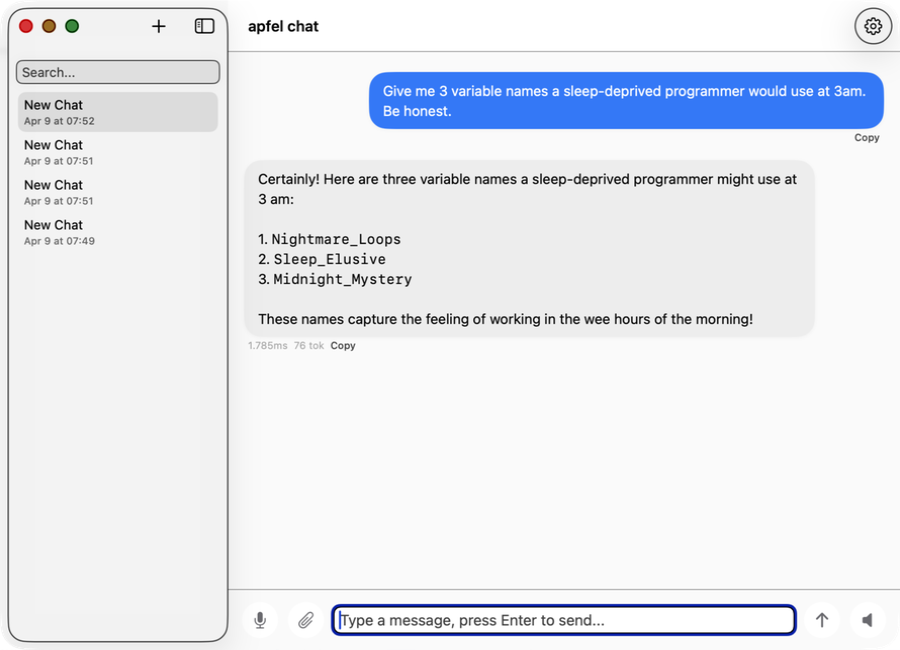
apfel-chat
अनेक conversations हाताळणारा macOS chat client. Streaming markdown, speech in/out, image analysis - पूर्णपणे private, ना API key, ना cloud.
SwiftUI Production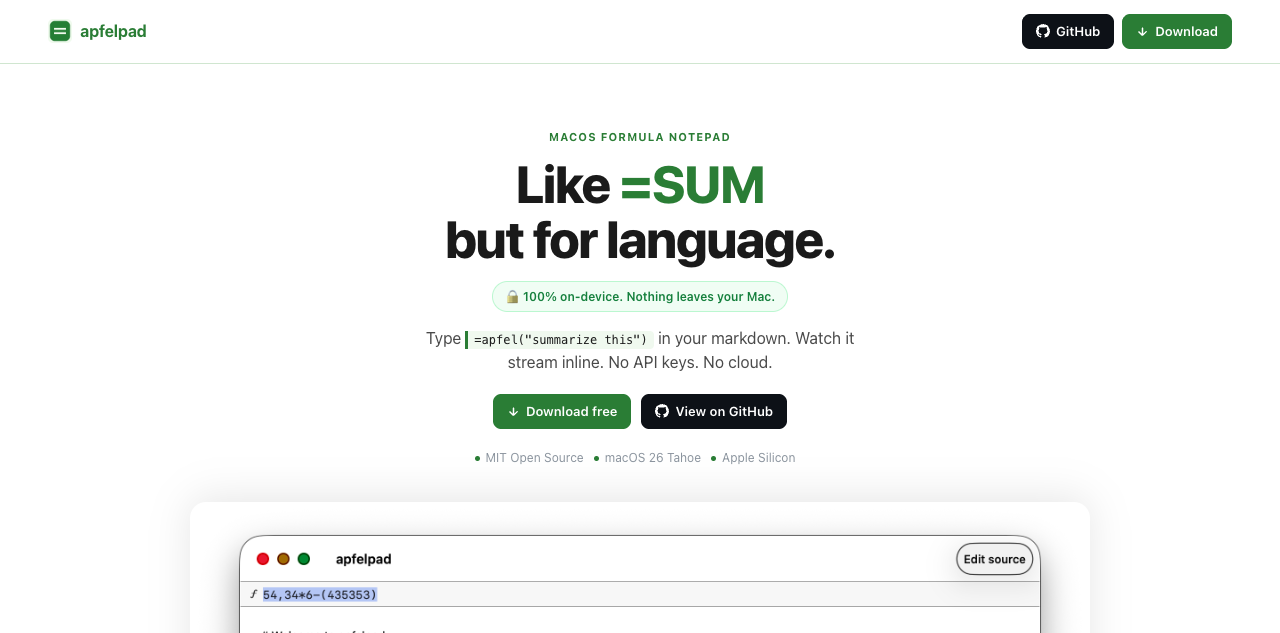
apfelpad
विचार करण्यासाठी एक formula notepad. तुमच्या markdown मध्ये =apfel("summarize this") टाइप करा आणि उत्तर तिथेच inline stream होताना पाहा. =SUM सारखेच, पण भाषेसाठी.
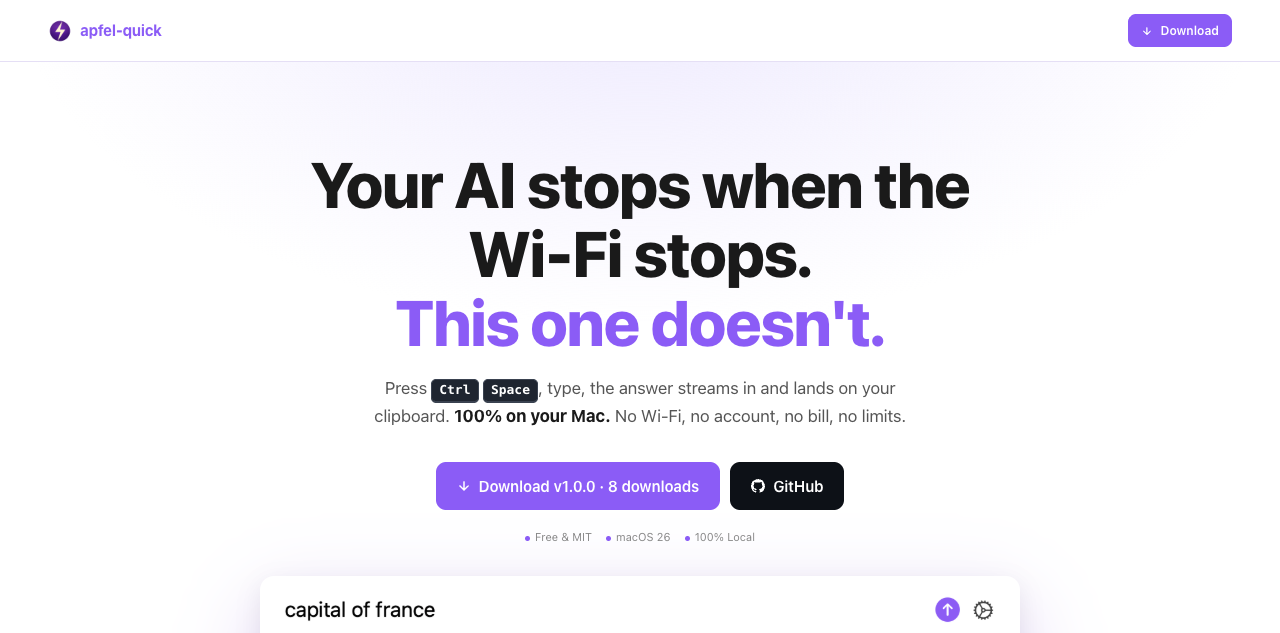
apfel-quick
Instant AI overlay. कुठेही Ctrl+Space दाबा, प्रश्न टाइप करा, आणि उत्तर थेट तुमच्या clipboard मध्ये stream होते. ना Wi-Fi, ना account, ना bill.
SwiftUI नवीन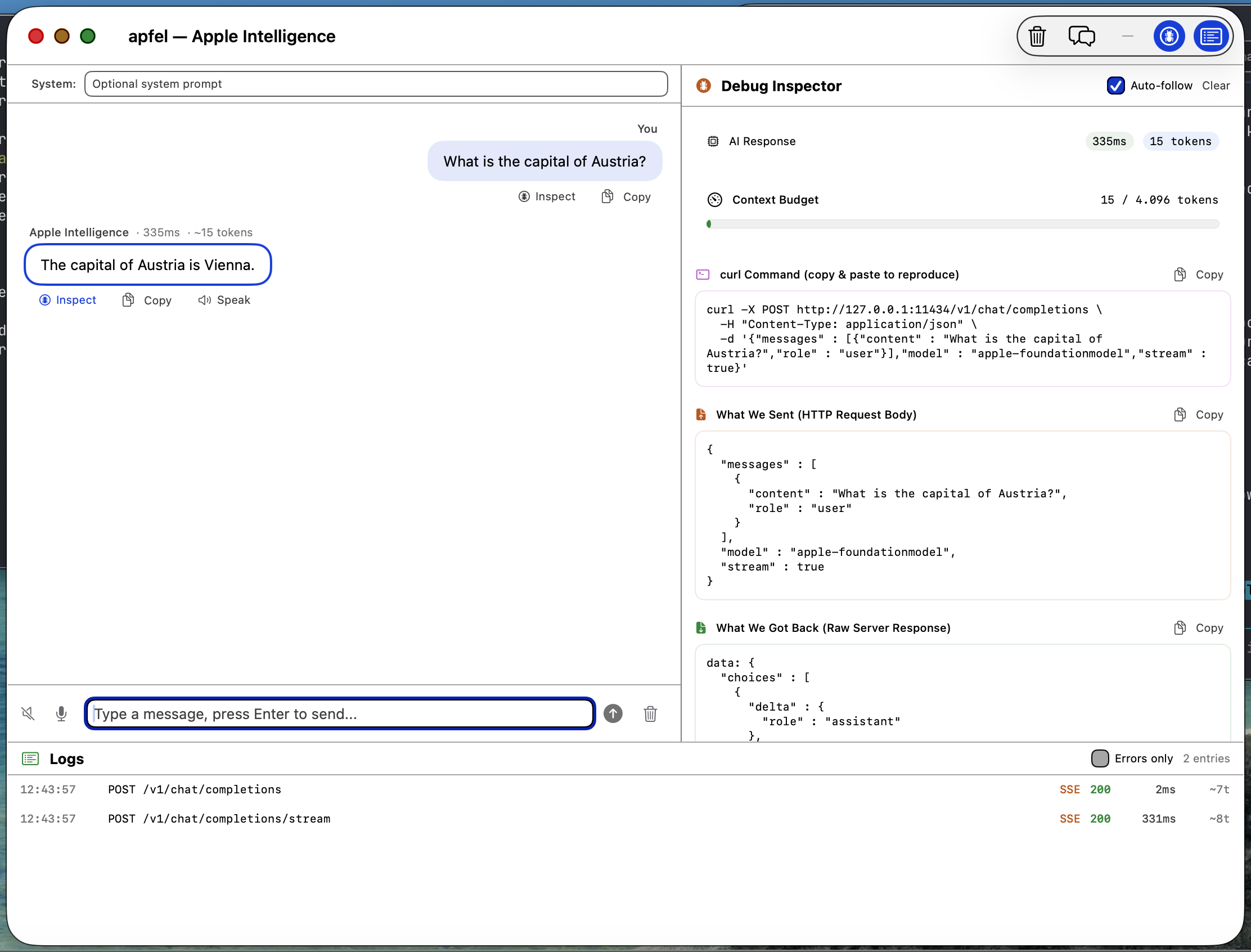
apfel-gui
Native macOS SwiftUI debug GUI. Apple Intelligence शी chat करा, requests आणि responses, logs, speech-to-text, text-to-speech तपासा - सर्व काही on-device.
SwiftUI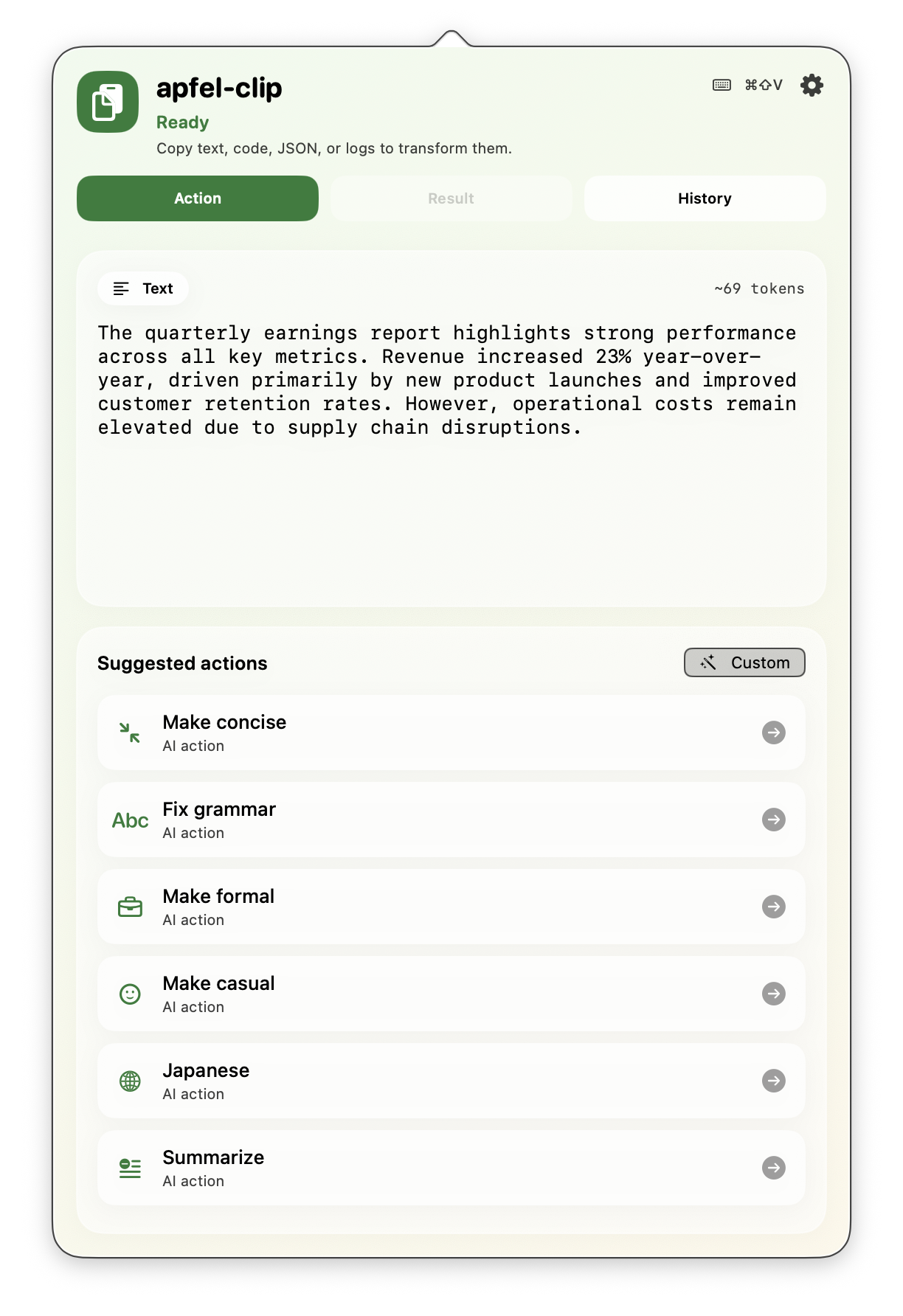
apfel-clip
Menu bar मधून AI clipboard actions. कोणत्याही text वर cmd+shift+V दाबा - grammar दुरुस्त करा, translate करा, code समजावून घ्या, summary करा. पूर्णपणे on-device, API key ची गरज नाही.
SwiftUI Production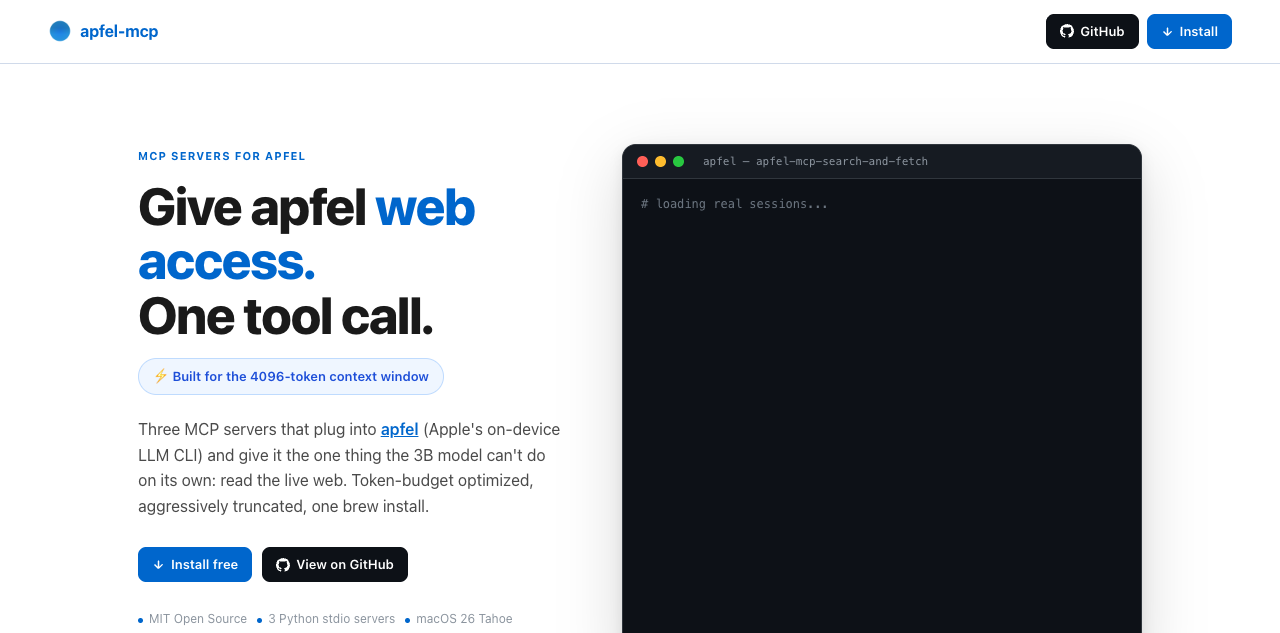
apfel-mcp
apfel ला web आणि तुमच्या files पर्यंत पोहोच द्या. चार छोटे MCP tools - url-fetch, ddg-search, search-and-fetch आणि एक read-only file reader - प्रत्येक tool apfel च्या लहान context window मध्ये बसेल असे trim केलेले आहे (बहुतेक Macs वर 4,096 tokens, macOS 27 असलेल्या M3 आणि नवीन Macs वर 8,192).
Python नवीन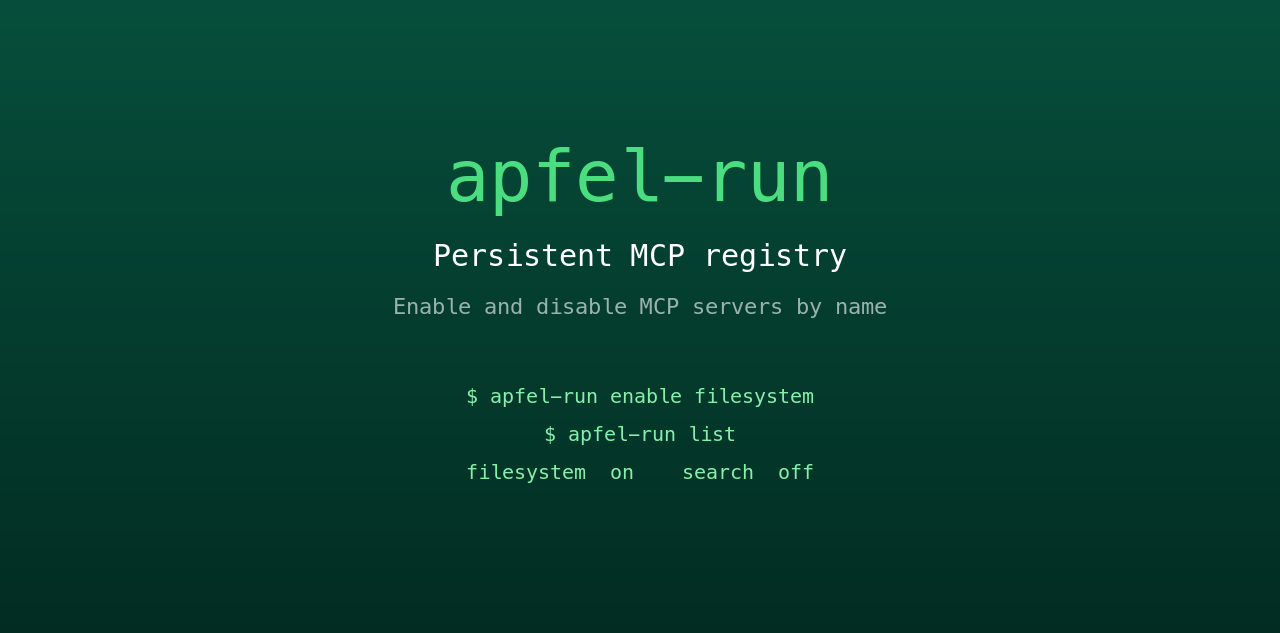
apfel-run
छोटासा UNIX wrapper, जो apfel ला persistent MCP registry देतो. Plain text config file मधून MCP servers नावाने enable आणि disable करा. Restart नंतरही टिकतो, ना GUI, ना daemon.
Shell नवीन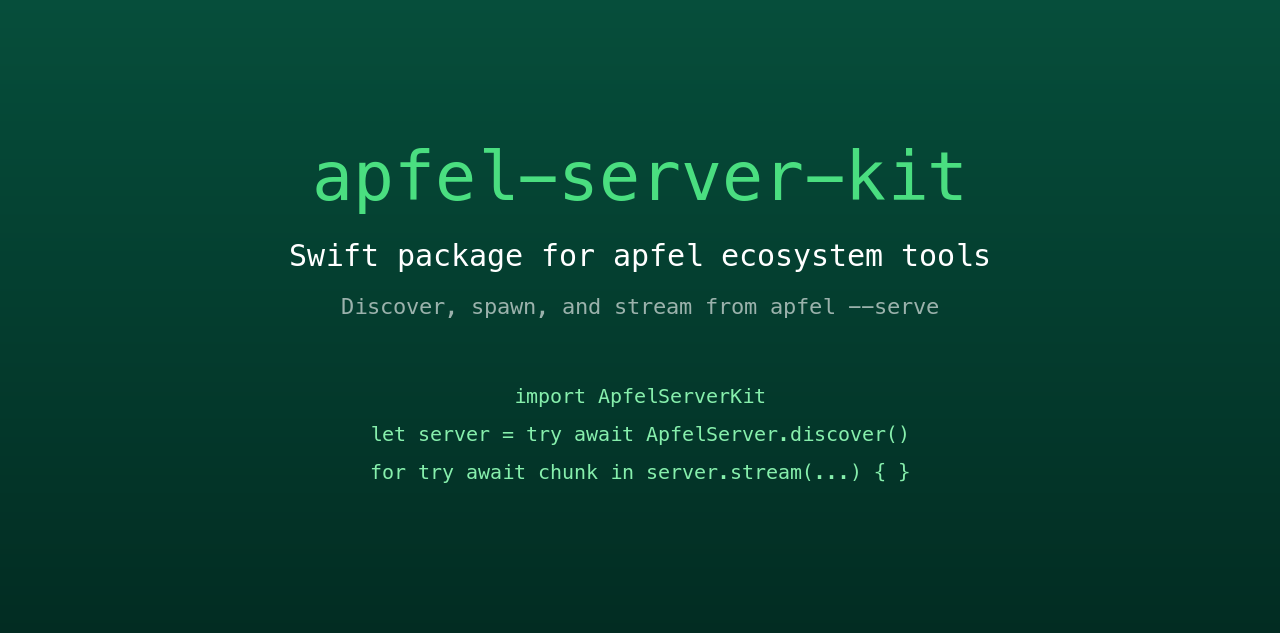
apfel-server-kit
संपूर्ण ecosystem चालवणारे shared Swift package. Local apfel --serve process discover करा, spawn करा आणि त्यातून stream करा. प्रत्येक SwiftUI apfel app ज्याच्याशी बोलते, तो कणा.
Swift नवीन
auge
Sister project. apfel भाषा सांभाळते; auge vision सांभाळते. OCR, image classification, barcodes आणि face detection साठी एकच CLI - Apple च्या Vision framework द्वारे 100% on-device. ना API key, ना cloud.
Swift Sister project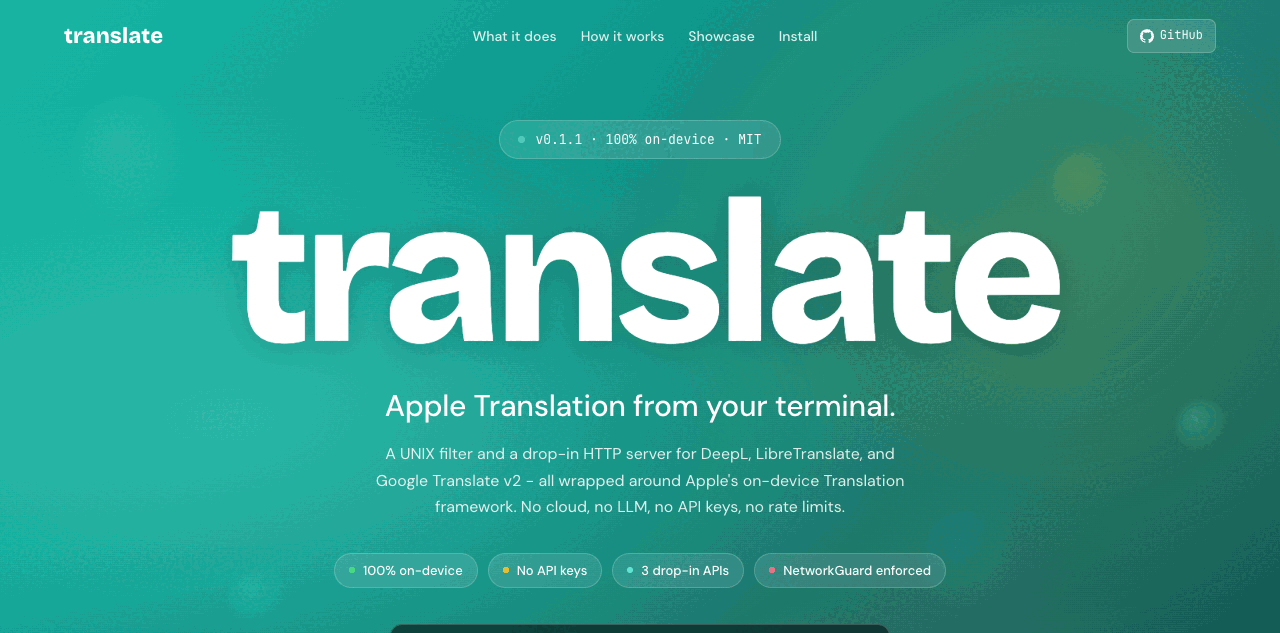
translate
Sister project. एक UNIX filter, सोबत DeepL, LibreTranslate आणि Google v2 च्या जागी वापरता येणारा drop-in HTTP server - Apple च्या on-device Translation framework वर चालतो. 100% on-device, NetworkGuard द्वारे काटेकोरपणे लागू. ना API key, ना cloud.
Swift Sister projectवारंवार विचारले जाणारे प्रश्न.
प्रश्न Hacker News आणि Reddit वरून घेतले आहेत.
मला कोणते macOS version लागेल?
apfel माझ्या personal data ला access करते का?
माझ्या Mac मधून कोणताही data बाहेर जातो का?
Model: Apple चे FoundationModels framework internet connection शिवाय चालते आणि पूर्णपणे Neural Engine वर चालते. तुमचे prompts आणि responses कधीही device बाहेर जात नाहीत. User data कधीही training साठी वापरला जात नाही.
Tool: apfel हे तसेच राखते. ना analytics, ना telemetry, ना tracking, ना automatic update checks, ना crash reporting, ना गुपचूप कुठल्या server ला call. Open source आणि कोणालाही audit करता येण्याजोगे.
Context window किती आहे?
apfel --model-info तुमच्या Mac मध्ये प्रत्यक्षात किती मोठी window आहे ते दाखवते. Shell scripts, summaries आणि text transforms साठी उत्तम. लांब संवाद किंवा मोठ्या documents साठी योग्य नाही.Model कशात चांगले आहे? कुठे कमी पडते?
मर्यादित: math, तथ्ये आठवणे, लांब संवाद, complex code generation.
Model hallucinate करण्याऐवजी नकार देणे पसंत करते. हा Apple चा जाणीवपूर्वक घेतलेला design निर्णय आहे.
Server mode सुरक्षित आहे का?
--token), origin checking, log endpoints फक्त debug मध्ये. सविस्तर माहिती server-security.md मध्ये.Apple Intelligence सुरू करणे आवश्यक आहे का?
apfel update कसे करायचे?
apfel --update. Install ची पद्धत ओळखते, नवीन version आहे का ते तपासते, upgrade करण्यापूर्वी विचारते. Manual पद्धत: brew upgrade apfel किंवा git pull && make install.हे कोणते model वापरते?
apfel हे Ollama किंवा LM Studio पेक्षा वेगळे कसे आहे?
apfel MCP आणि tool calling ला support करते का?
--mcp <server> द्या. Tool calling guide.macOS 27 मधील Apple च्या स्वतःच्या fm CLI पेक्षा apfel वेगळे कसे आहे?
fm येते: त्याच on-device model साठी Apple चे command-line front end. apfel त्यात OpenAI-compatible server जोडते, सोबत tool calling, MCP, JSON Schema output, data URLs म्हणून image input, प्रामाणिक exit codes आणि macOS 26 support. शेजारी शेजारी मोजलेली तुलना: apfel vs fm.apfel मध्ये telemetry किंवा calling-home functions आहेत का?
apfel --update चालवता तेव्हाच एकमेव network call होतो, जो Homebrew वर नवीन version तपासतो. Open source आणि कोणालाही audit करता येण्याजोगे.हे कोणी तयार केले?
सह-maintainer: Arthur Ficial, Anthropic च्या Claude Opus वर चालणारी एक OpenClaw instance. बहुतांश development Claude Code आणि Codex वापरून झाले आहे. नेहमी high thinking / high effort mode मध्ये.
सुरुवात: 24 मार्च 2026.