v1.18.0 · Zero Config · MIT
apfel
మీ Macలో ఇప్పటికే ఉన్న ఉచిత AI.
macOS Tahoeలో 3B parameter LLM ముందే ఉంటుంది. ఒక్క brew installతో apfel మీకు దానికి CLI access ఇస్తుంది. Model downloads లేవు, API keys లేవు, configuration అక్కర్లేదు, నేరుగా పనిచేస్తుంది.
$ brew install apfel
github.com/Arthur-Ficial/apfelలో 6.6k+ stars
అవసరం: Apple Silicon · macOS Tahoe · Apple Intelligence ఆన్లో ఉండాలి
apfel కి కొత్తా? 60 సెకన్ల ట్యుటోరియల్ ప్రారంభించండి (ఇంగ్లీష్లో)
అంతా మీ deviceలోనే నడుస్తుంది. Network calls లేవు. మీ Mac నుంచి ఏ data కూడా బయటకు వెళ్లదు.
ఇది పనిచేయడం చూడండి.
brew install నుంచి AI output వరకు కేవలం 12 సెకన్లు. ఎలాంటి configuration అవసరం లేదు.
Zero config. Zero LLM downloads. Zero token ఖర్చు.
ఇతర local AI tools బాగుంటాయి, కానీ వాటికి model downloads, configuration కావాలి. apfelకు ఏమీ అక్కర్లేదు - model ఇప్పటికే మీ Macలో ఉంది. ఒక్క brew install. అంతే, పని పూర్తి.
లోపల నడిచే model
Apple ML Researchమూడు tools. ఒకే install.
ఒక CLI, ఒక OpenAI-compatible server, ఒక interactive chat. అన్నీ ఒకే brew installతో. అదనపు downloads లేవు.
UNIX Tool
Pipe-friendly, composable. jq, xargs, మీ shell scriptsతో కలిసి పనిచేస్తుంది. stdin, stdout, JSON output, --schemaతో schema-valid JSON, --messagesతో messages file నుంచి multi-turn, file attachments, సరైన exit codes.
OpenAI Server
localhost:11434 వద్ద drop-in replacement. ఏ OpenAI SDKనైనా దానివైపు point చేసి మొదలుపెట్టండి. Chat Completions, Responses API, streaming, tool calling, JSON Schema output, CORS.
Interactive Chat
Automatic context managementతో multi-turn సంభాషణలు. ఐదు trimming strategies. System prompt support. మొదలుపెట్టడానికి terminalలో apfel అని type చేస్తే చాలు. అంతా మీ Macలోనే.
Native MCP support.
Apple on-device modelకు tools ఇవ్వండి. ఏ tools అయినా.
--mcpతో tool serversను జత చేయండి
apfel Model Context Protocol మాట్లాడుతుంది. ఏ MCP server వైపైనా point చేయండి, on-device modelకు tools దొరుకుతాయి - math, APIs, databases, మీరు server రాయగలిగే ఏదైనా.
- మూడు modesలోనూ పనిచేస్తుంది - CLI, server, chat
- Startupలో MCP tools/list ద్వారా toolsను ఆటోమేటిక్గా కనుగొంటుంది
- Tool callsను గుర్తించి, execute చేసి, resultsను ఆటోమేటిక్గా modelకు తిరిగి అందిస్తుంది
- --mcp flag లేకపోతే overhead లేదు - అదనపు tokens సున్నా, code pathలో మార్పులు సున్నా
- Proof-of-conceptగా ఒక calculator MCP server కూడా వస్తుంది
- URL ద్వారా remote MCP servers -
--mcp https://..., కావాలంటే Bearer token authతో
ఇది ఎలా పనిచేస్తుంది.
Apple ప్రతి Macలో ఒక LLM పెట్టింది. అది అలా వాడకుండా పడి ఉంది. apfel దానికి ఒక ముఖద్వారం ఇస్తుంది - ఎలాంటి configuration లేకుండా.
Apple ఒక on-device LLMను అందిస్తుంది
macOS 26 (Tahoe) నుంచి, ప్రతి Apple Silicon Macలో Apple Intelligenceలో భాగంగా ఒక language model ఉంటుంది. Apple దాన్ని FoundationModels framework ద్వారా అందుబాటులో ఉంచుతుంది - ఇది appsకు SystemLanguageModel access ఇచ్చే Swift API. Inference అంతా Neural Engine, GPU పైనే నడుస్తుంది. Network calls లేవు, cloud లేదు, API keys లేవు. Model అక్కడే సిద్ధంగా ఉంది.
కానీ Apple దాన్ని Siri కోసం మాత్రమే వాడుతుంది
డిఫాల్ట్గా ఈ on-device model Siri, Writing Tools, system featuresను నడిపిస్తుంది. దానికి terminal command లేదు, HTTP endpoint లేదు, దాని గుండా textను pipe చేసే మార్గం లేదు. FoundationModels framework ఉంది, కానీ దాన్ని వాడాలంటే మీరు ఒక Swift app రాయాలి. apfel చేసేది అదే.
apfel ఏం జోడిస్తుంది
apfel ఒక Swift 6.3 binary. ఇది LanguageModelSessionను wrap చేసి మూడు విధాలుగా అందిస్తుంది: stdin/stdoutతో UNIX command-line toolగా, OpenAI-compatible HTTP serverగా (Hummingbird పై నిర్మించినది), context managementతో interactive chatగా.
Apple raw API చేయని పనులను ఇది చూసుకుంటుంది: సరైన exit codes, JSON output, file attachments, చిన్న context window కోసం ఐదు context trimming strategies (4,096 tokens, macOS 27 నడిచే M3 లేదా కొత్త Macsలో 8,192), SDK ద్వారా నిజమైన token counting, OpenAI tool schemasను Apple native Transcript.ToolDefinition formatలోకి మార్చడం.
Design నుంచే private.
apfel వాడుతున్నప్పుడు ఒక్క HTTP call కూడా జరగదు. కింద ఉన్న ప్రతి claim Apple సొంత documentationకు link చేస్తుంది.
On-device. Offlineలోనూ పనిచేస్తుంది.
FoundationModels framework పూర్తిగా మీ Apple Silicon Neural Engine పైనే నడుస్తుంది. Server, cloud, internet connection ఏవీ అవసరం లేదు.
మీ data మీదే.
On-device inference నుంచి Apple prompts, responses, లేదా ఎలాంటి usage dataను సేకరించదు. ఏదీ store కాదు, ఏదీ పంపబడదు.
Training కోసం ఎప్పుడూ వాడరు.
Apple తన foundation modelsను licensed, public data పైన మాత్రమే train చేస్తుంది. మీ interactions ఎప్పుడూ training pipelineలో భాగం కావు.
apfel ఎలాంటి tracking జోడించదు.
Analytics లేవు, telemetry లేదు, automated update checks లేవు, crash reporting లేదు, calling home లేదు. మీరు స్వయంగా apfel --update నడిపినప్పుడు మాత్రమే apfel network call చేస్తుంది. మొత్తం codebase open sourceగా అందుబాటులో ఉంది.
Power tools కూడా ఉన్నాయి.
demo/ folderలో shell scripts ఉన్నాయి. ముందు apfel install చేయండి, తర్వాత మీకు కావాల్సినవి తీసుకోండి.
cmd
మామూలు మాటల నుంచి shell command. మీకు ఏం కావాలో చెప్పండి, command పొందండి.
oneliner
మామూలు మాటల నుంచి pipe chains. awk, sed, sort, uniq - మీ కోసం generate అవుతాయి.
mac-narrator
మీ Mac system activityని ఒక nature documentary లాగా వర్ణిస్తుంది.
explain
ఏ command, error message, లేదా code snippetనైనా సులభమైన భాషలో వివరిస్తుంది.
wtd
ఈ directory ఏమిటి? ఏ codebaseకైనా క్షణాల్లో project పరిచయం.
gitsum
ఇటీవలి git commitsను కొన్ని వాక్యాల్లో summarize చేస్తుంది.
30 ఉపయోగకరమైన, cool one-liners.
ప్రతి commandను నిజమైన Macలో test చేశాం. apfelను ps, lsof, du, vm_stat, git, pbpaste, sleep, pgrep, curl, sayతో కలపండి - ఇలాంటి composability cloud AIలకు సాధ్యం కాదు, ఎందుకంటే అవి మీ processesను, మీ clipboardను, మీ git diffను చూడలేవు. apfel చూడగలదు.
ఇప్పుడు నా CPUని ఏది తినేస్తోంది.
$ps aux | sort -k 3 -nr | head -5 | awk '{print $11, $3"%"}' | apfel "which app is using the most CPU"-> WindowServer అత్యధికంగా 42.6% CPU వాడుతోంది.
ఏ apps ఏ ports పై listen చేస్తున్నాయి.
$lsof -iTCP -sTCP:LISTEN -n -P | head -15 | apfel "list which apps own which ports as a table"-> 11434 fichten, 18789 node, 5000 ControlCenter ...
ఏ volume అన్నిటికంటే ఎక్కువ నిండింది.
$df -h | apfel "which volume is fullest, one sentence"-> /dev/disk3s1 అన్నిటికంటే ఎక్కువగా నిండింది: 926Giలో 263Gi.
vm_statను సులభమైన భాషలోకి decode చేయడం.
$vm_stat | apfel "explain my memory usage in plain english, one sentence"-> 349k pages active, 266k wired - గణనీయమైన memory వాడుకలో ఉంది.
ఇక్కడ ఏ folders ఎక్కువ disk తింటున్నాయి.
$du -sh */ 2>/dev/null | sort -rh | head -5 | apfel "which folders are eating most disk, one sentence"-> 36Gతో Library, 604Mతో Downloads ముందున్నాయి.
ఈ folderలో అతిపెద్ద files.
$ls -laS | head -10 | apfel "what are the biggest files here, just file names"-> apfel-quick-preview.png, og.png, translate-preview.png ...
ఇప్పుడు ఏ apps internetతో మాట్లాడుతున్నాయి.
$lsof -i -nP 2>/dev/null | grep ESTABLISHED | awk '{print $1, $9}' | head -10 | apfel "which apps are talking to the internet right now, short answer"-> node → 157.240.253.60:443, claude.ex → 160.79.104.10:443, Google → 66.102.1.188:5228 ...
Battery health, ETA ఒకే లైన్లో.
$pmset -g batt | apfel "battery health and percent, one line"-> పూర్తిగా charge అయింది, health 100%, ప్రస్తుతం active.
మీ ఇటీవలి commitsను సులభమైన భాషలో recap చేయండి.
$git log --oneline -20 | apfel "summarize what I have been working on"-> v1.2.1 నుంచి v1.3.2కి updates, sister projects జోడించారు ...
ఇటీవలి commits నుంచి ఒక లైన్ release note draft చేయండి.
$git log --oneline -5 | apfel "write a one-line release note based on these commits"-> 5053 stars, 783 tests, updatesతో v1.3.2 release అయింది.
మీ clipboardలో ఏది ఉన్నా దాని grammar సరిచేసి, సరిచేసిన textను మళ్లీ అక్కడే పెట్టండి.
$pbpaste | apfel "fix grammar" | pbcopy-> "i has went" అనేది "I went"గా మారుతుంది - మళ్లీ clipboardలో.
Clipboardని జపనీస్లోకి translate చేసి, మళ్లీ అక్కడే పెట్టండి.
$pbpaste | apfel "translate to japanese" | pbcopy-> ఇప్పుడు clipboardలో జపనీస్ అనువాదం ఉంది.
Clipboardలోని పొడవైన textను 3 bulletsలో summarize చేయండి.
$pbpaste | apfel "summarize in 3 bullets"-> మీ terminalలో 3 క్లుప్తమైన bullets.
Clipboardలోని meeting notes నుంచి స్పష్టమైన action items తీయండి.
$pbpaste | apfel "extract just the action items as a clean bullet list, no other text" | pbcopy-> "Sarah Q3 budget draft చేస్తుంది", "design teamకు email", ... మళ్లీ clipboardలో.
ఎక్కువసేపు పట్టే task పూర్తవగానే Mac మీకు గట్టిగా చెప్పేలా చేయండి (ఇక్కడ, 30 నిమిషాల్లో).
$sleep 1800 && apfel "tell me cheerfully my long task just finished, one short sentence" | say-> Mac చెబుతుంది: "మీ పెద్ద task ఇప్పుడే పూర్తయింది, శభాష్!"
Downloadsలోకి ఒక file వచ్చేదాకా వేచి ఉండి, వచ్చాక announce చేయండి.
$until [ -e ~/Downloads/Report.pdf ]; do sleep 5; done; apfel "tell me my download just landed, one cheerful sentence" | say-> ప్రతి 5sకి check చేస్తుంది; Report.pdf కనిపించగానే Mac ఆ విషయం చెబుతుంది.
ఎక్కువసేపు నడిచే process ముగిసేదాకా వేచి ఉండి, ముగిశాక announce చేయండి.
$while pgrep -q ffmpeg; do sleep 5; done; apfel "tell me cheerfully that my video encoding is done, one short sentence" | say-> ప్రతి 5sకి check చేస్తుంది; ffmpeg ఆగిపోగానే Mac ఆ విషయం చెబుతుంది.
ప్రతి 30 నిమిషాలకు, మీరు ఇప్పుడే ship చేసినదాని summaryని గట్టిగా వినిపించండి.
$while sleep 1800; do git log --since="30 min ago" --oneline | apfel "summarize my last 30 minutes of work in one cheerful sentence" | say; done-> మీరు coding కొనసాగిస్తుండగానే ప్రతి అరగంటకు ఒక auto-standup గట్టిగా వినిపిస్తుంది.
ప్రతి 15 నిమిషాలకు, battery 20 శాతం కంటే తగ్గితే గట్టిగా హెచ్చరించండి.
$while sleep 900; do P=$(pmset -g batt | grep -oE "[0-9]+%" | head -1 | tr -d %); [ "$P" -lt 20 ] && apfel "battery just dropped to $P percent, write one short sentence that is friendly but super urgent telling me to plug in NOW" | say; done-> Battery తగ్గే వరకు నిశ్శబ్దంగా ఉంటుంది; తర్వాత Mac స్నేహపూర్వకమైన, కానీ అత్యవసరమైన హెచ్చరికను గట్టిగా చెబుతుంది.
ఒక URL 2xx ఇచ్చేదాకా గమనించి, deploy విజయవంతమైందని గట్టిగా సంబరంగా ప్రకటించండి.
$until curl -sf https://staging.example.com/health >/dev/null; do sleep 30; done; apfel "tell me cheerfully that my deploy is live and the URL is responding, one short sentence" | say-> Staging up అయ్యేదాకా ప్రతి 30sకి check చేస్తుంది; Mac చెబుతుంది "మీ deploy live అయింది, URL స్పందిస్తోంది!".
మామూలుగా రాసిన వాక్యాన్ని మర్యాదగా మార్చండి.
$echo "hey can u send me docs asap" | apfel "rephrase politely"-> "దయచేసి వీలైనంత త్వరగా documents పంపగలరా ..."
ఒక URLను hit చేసి, కేవలం headers చూసి ఏం జరుగుతోందో అడగండి.
$curl -sI https://github.com | apfel "explain what happens at this URL in one sentence, based on the HTTP headers"-> GitHub కఠినమైన caching, security headersతో ఒక HTML page అందిస్తోంది.
ఈరోజు Hacker News, ఒకే వాక్యంలో summarize చేసి గట్టిగా వినిపిస్తుంది.
$curl -s https://news.ycombinator.com | grep titleline | sed "s/<[^>]*>//g" | apfel "summarize hacker news today in one cheerful sentence" | say-> Mac ఆ రోజు top storiesను ఒకే క్లుప్తమైన summaryలో చెబుతుంది.
ఒక JSON blobను సులభమైన భాషలో వివరించండి.
$echo '{"name":"alice","plan":"pro","credits":42}' | apfel "explain this JSON in one sentence"-> Pro planలో 42 creditsతో ఉన్న Alice అనే user.
Calculator తెరవకుండానే లెక్కలు.
$apfel "what is 15% tip on 87.50, just the number"-> 13.13
Terminal వదలకుండానే ఒక regex generate చేయండి.
$apfel "regex for a valid email address, just the regex"-> ^[a-zA-Z0-9._%+-]+@[a-zA-Z0-9.-]+\.[a-zA-Z]{2,}$
మీరు మర్చిపోయిన bash one-liner అడగండి.
$apfel "give me one find command that lists files larger than 100MB, just the bash command"-> find / -type f -size +100M
అర్థం కాని commandను ఊహించే బదులు, వివరణ అడగండి.
$apfel "explain the command tar -xzvf file.tar.gz in one sentence"-> gzip చేసిన tarballను uncompress చేసి current directoryలోకి extract చేస్తుంది.
సరైన git command మర్చిపోయారా? అడిగితే చాలు.
$apfel "git command to uncommit but not unedit my last commit, just the command"-> git reset --soft HEAD~1
వేరొకరి regexను ఒకే వాక్యంలో decode చేయండి.
$apfel "explain this regex in one sentence: ^\d{3}-\d{4}$"-> 3 అంకెల prefix, ఒక hyphen, 4 అంకెలను match చేస్తుంది - US phone format.
మామూలుగా రాసిన dateను ISO 8601లోకి మార్చండి.
$apfel "convert 'Sat Apr 27 2026 11:30' to ISO 8601 (YYYY-MM-DDTHH:MM:SS), reply only with the converted string"-> 2026-04-27T11:30:00+00:00
మొత్తం fileను 3 bulletsలో summarize చేయండి.
$apfel -f README.md "summarize in 3 bullets"-> Scope, install, usageను కవర్ చేసే 3 bullets.
OpenAI compatible.
ఒక URL మార్చండి. మీ code అలాగే ఉంటుంది.
Drop-in replacement
apfel OpenAI API మాట్లాడుతుంది. OpenAIతో మాట్లాడే ఏ client library, ఏ framework, ఏ tool అయినా దానికి బదులు మీ Macలోని AIతో మాట్లాడగలదు. Base URL మార్చితే చాలు.
- ✓ POST /v1/chat/completions
- ✓ POST /v1/responses (Responses API)
- ✓ Streaming (SSE)
- ✓ Tool calling / function calling
- ✓ GET /v1/models
- ✓ response_format: json_object, json_schema
- ✓ image_url parts, data URLsగా (macOS 27)
- ✓ temperature, max_tokens, seed
- ✓ Browser clients కోసం CORS
from openai import OpenAI

# Just change the base_url. That's it.
client = OpenAI(
    base_url="http://localhost:11434/v1",
    api_key="unused"  # no auth needed
)

resp = client.chat.completions.create(
    model="apple-foundationmodel",
    messages=[{
        "role": "user",
        "content": "What is 1+1?"
    }],
)
print(resp.choices[0].message.content)
Apple fm వాడే modelనే. పని మాత్రం వేరు.
macOS 27తో fm వస్తుంది, ఇది on-device model కోసం Apple సొంత command-line front end. ఈ రెండింటి దారులు ఎక్కడ వేరవుతాయో ఇక్కడ చూడండి.
| apfel | Apple fm | |
|---|---|---|
| ఎక్కడ నడుస్తుంది | macOS 26, 27 రెండింటిపైనా, ఒకే binary | macOS 27 మాత్రమే |
| Install | brew install apfel | ఇప్పటికే ఉంది (ఒకసారి sudo fm license) |
| OpenAI clients మార్పు లేకుండా పనిచేస్తాయి | అవును: defaultగా JSON, usage, max_tokensను పాటిస్తుంది, errors map అవుతాయి | వద్దని చెబితే తప్ప stream చేస్తుంది, max_tokensను పట్టించుకోదు, guardrails తగిలితే 500 |
| Tool calling, MCP | Native tool calls, local, remote MCP servers | ఏదీ లేదు (tools replyలోకి template tokensను లీక్ చేస్తుంది) |
| Scripting | --code, -o json, 9 exit codes, --count-tokens --strict | సాదా text, exit 0 లేదా 1 |
| Input ఫైళ్లు | Text, PDF, images: రెండు OSలలోనూ OCR text, అదనంగా macOS 27లో image కూడా నేరుగా modelకు | Images నేరుగా modelకు, అదనంగా built-in OCR, barcode tools |
| నిలిచి ఉండే chat sessions | లేదు | పేరున్న transcripts, --resume |
| వేగం | ఒకే Macలో ఒకే model, ఒకే context window (ఈ M2లో 4,096 tokens, M3 లేదా కొత్తవాటిలో 8,192), token counts ఒకేలా. One-shot prompt: 0.35 s vs 0.30 s. | |
సంక్షిప్త చరిత్ర. apfel ముందు వచ్చింది: మొదటి commit, v0.1.0 రెండూ 24 మార్చి 2026న, మొదటి GitHub release 31 మార్చి 2026న, ఏప్రిల్లో Hacker News front page. Apple 8 జూన్ 2026న WWDCలో fmను ప్రకటించి, 14 సెప్టెంబర్ 2026న macOS 27తో విడుదల చేసింది. రెండూ ఒకే FoundationModels framework ద్వారా ఒకే on-device modelను నడుపుతాయి; వాటిలో open-source అయినది, macOS 26 పైన కూడా నడిచేది apfel.
ప్రతి rowను 2026-10-05న macOS 27.0.1 (Apple M2, 24 GB)పై కొలిచాం, ప్రతి apfel releaseకి మళ్లీ కొలుస్తాం. పూర్తి pageలో server probes, token-count parity table, వాటిని reproduce చేయడానికి ప్రతి command ఉన్నాయి.
GitHubలో popular.
సున్నా నుంచి 6,610 stars, ఇంకా పెరుగుతూనే ఉన్నాయి.
Starred by engineers from Apple, Google, VMware, NVIDIA, and PlayStation.
GitHubలో Star ఇవ్వండినాటి data
మొదలుపెట్టండి.
Model downloads లేవు. Sign-ups లేవు. API keys లేవు. ఇదొక్కటే చాలు.
Homebrew
$ brew install apfel
$ apfel "Hello, Mac"
Source నుంచి build చేయండి
$ git clone https://github.com/Arthur-Ficial/apfel.git
$ cd apfel && make install
apfel కుటుంబ వృక్షం.
apfel పై నిర్మించిన native macOS tools పెరుగుతున్న కుటుంబం - వీటితో పాటు ఇతర Apple frameworksను terminalకు తీసుకొచ్చే sister projects.
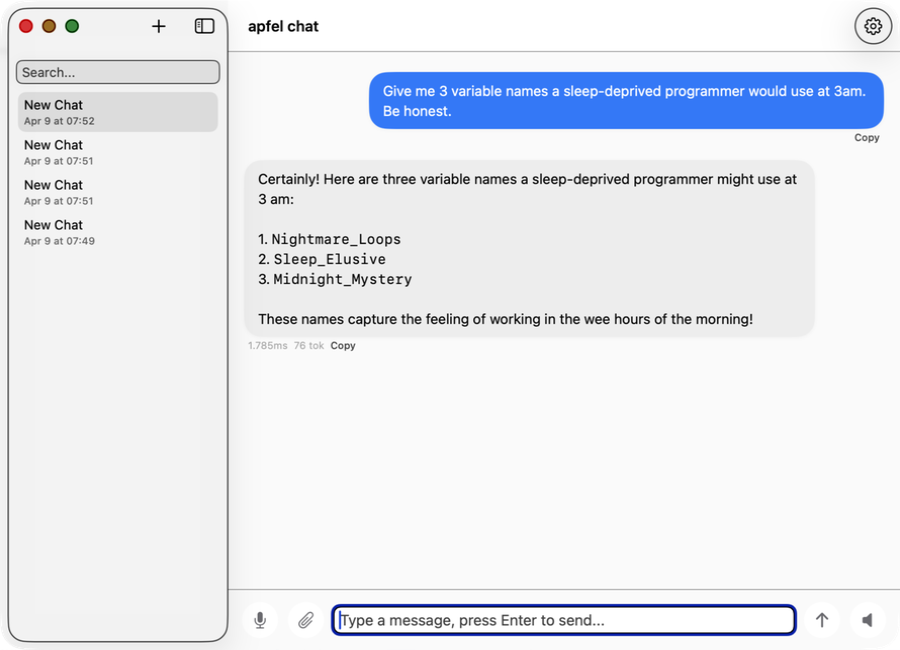
apfel-chat
ఒకేసారి అనేక సంభాషణలు నడిపే macOS chat client. Streaming markdown, speech in/out, image analysis - పూర్తిగా private, API keys లేవు, cloud లేదు.
SwiftUI Production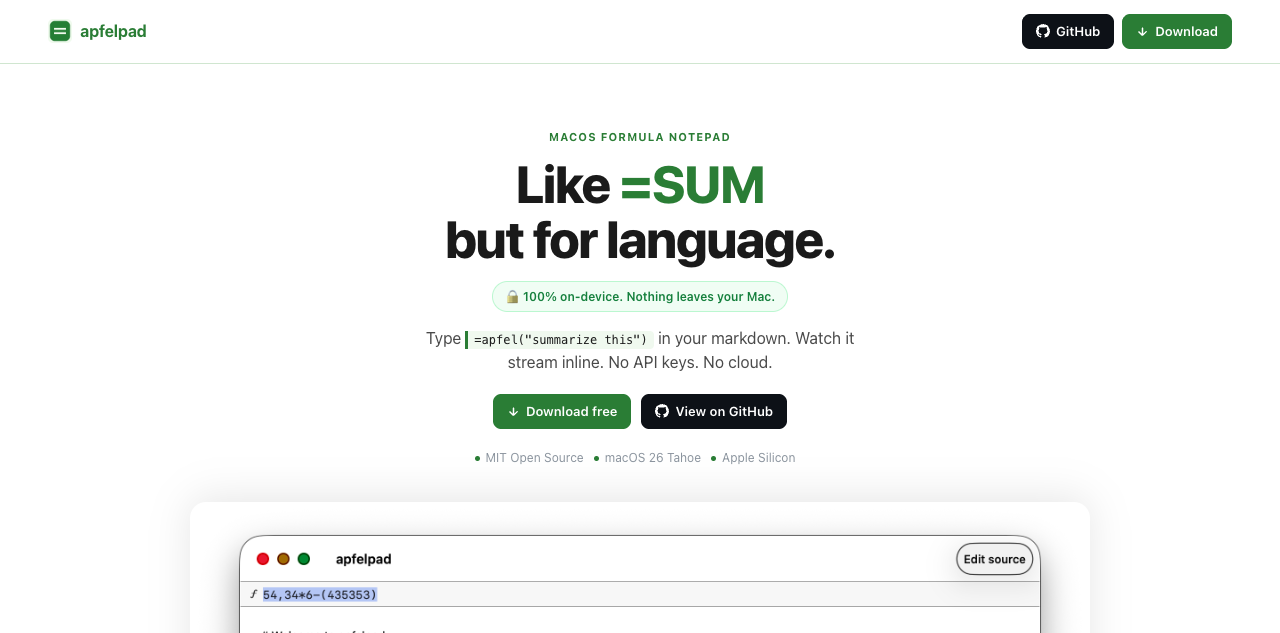
apfelpad
ఆలోచించడానికి ఒక formula notepad. మీ markdownలో =apfel("summarize this") అని type చేయండి, అది inlineగా stream అవ్వడం చూడండి. =SUM లాంటిదే, కానీ భాష కోసం.
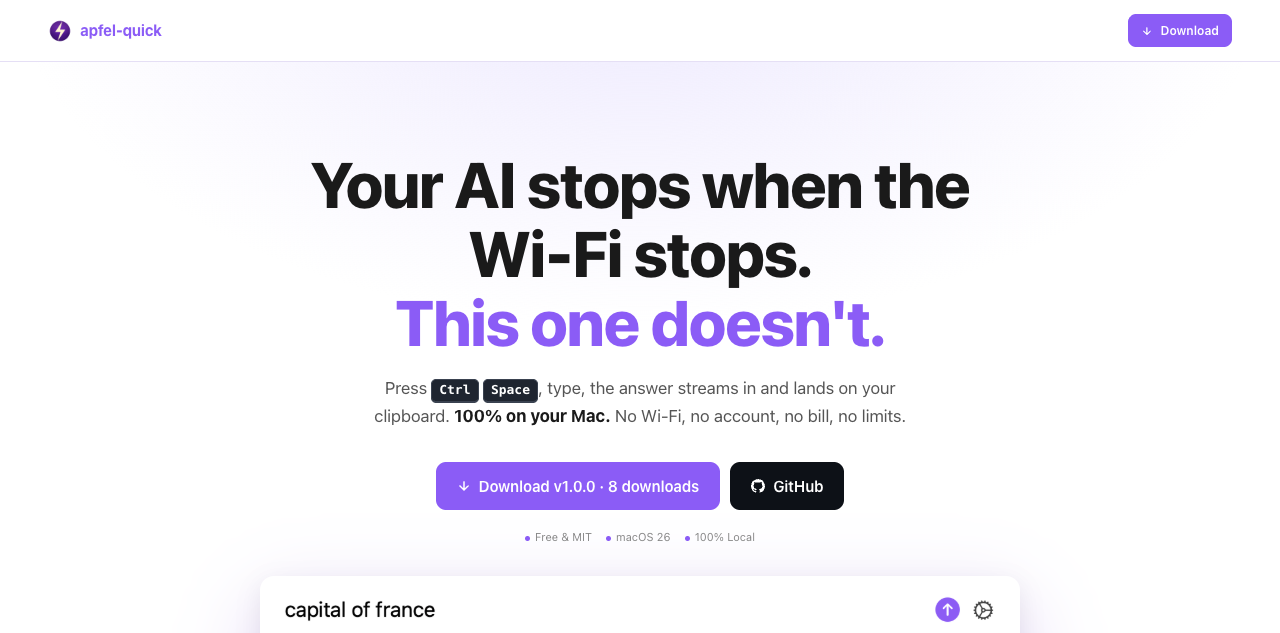
apfel-quick
Instant AI overlay. ఎక్కడైనా Ctrl+Space నొక్కండి, ప్రశ్న type చేయండి, సమాధానం మీ clipboardలోకి stream అవుతుంది. Wi-Fi అక్కర్లేదు, account అక్కర్లేదు, bill లేదు.
SwiftUI కొత్తది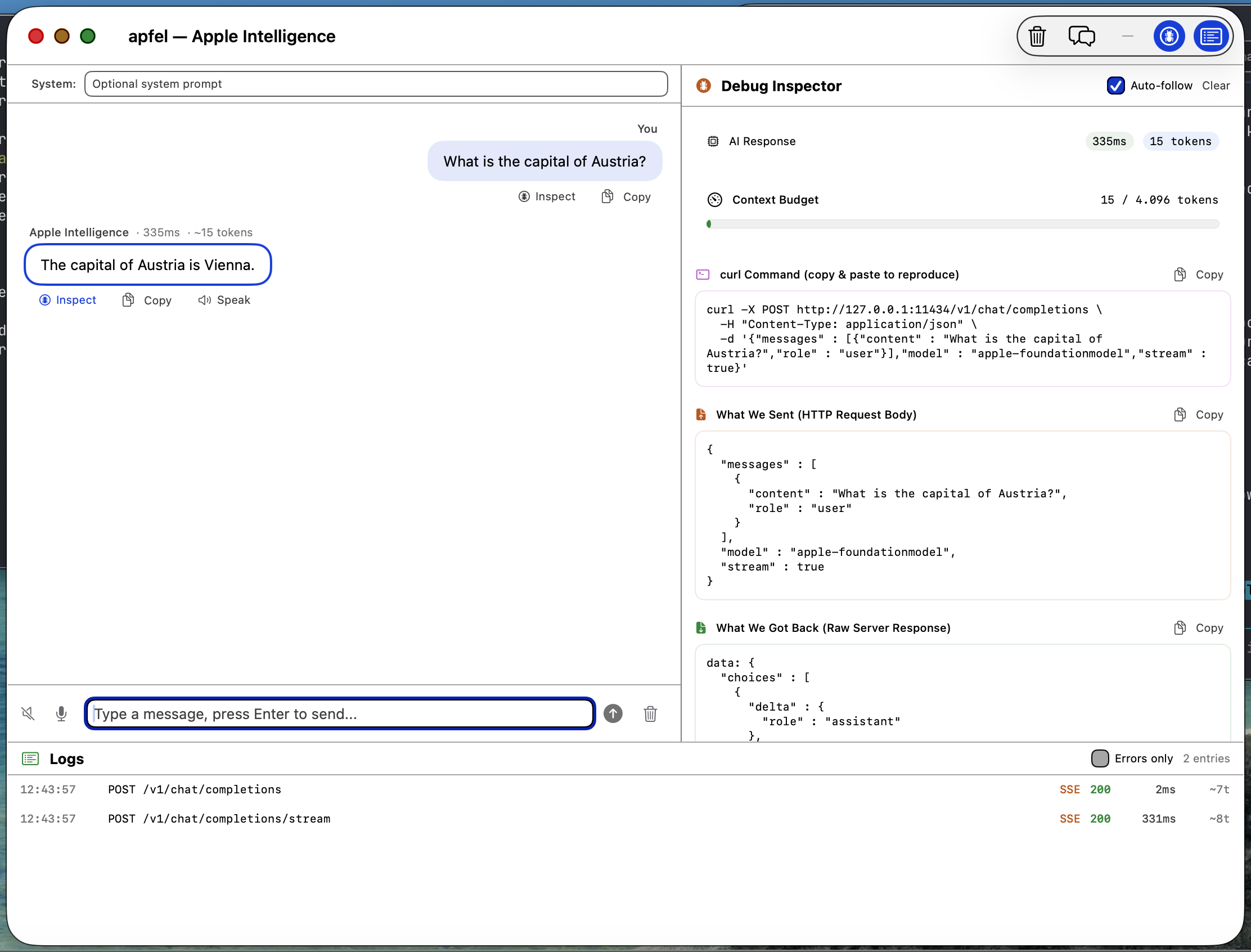
apfel-gui
Native macOS SwiftUI debug GUI. Apple Intelligenceతో chat చేయండి, requests, responses, logsను పరిశీలించండి, speech-to-text, text-to-speech - అంతా on-device.
SwiftUI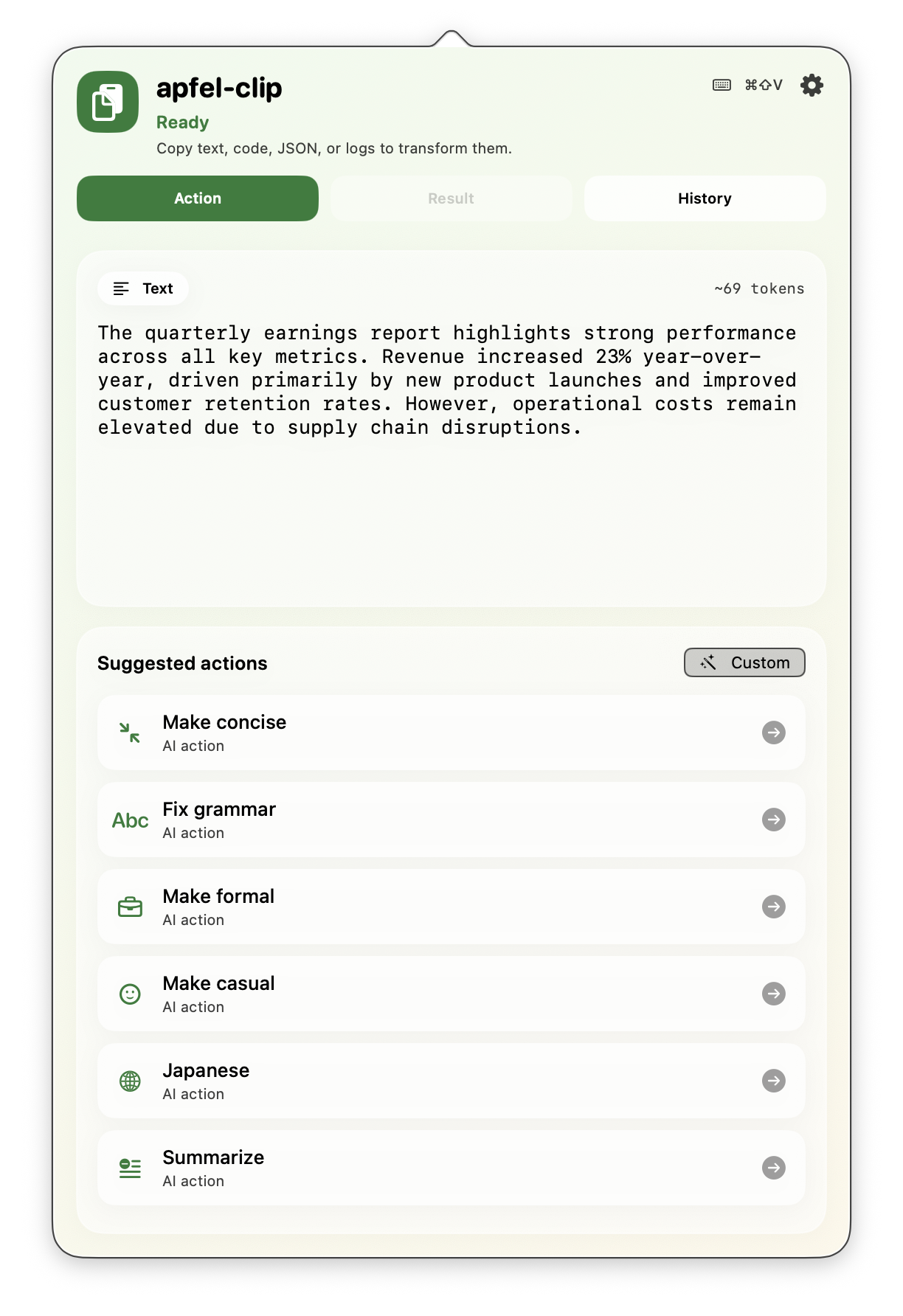
apfel-clip
Menu bar నుంచి AI clipboard actions. ఏ text పైనైనా cmd+shift+V నొక్కండి - grammar సరిచేయండి, translate చేయండి, code వివరించండి, summarize చేయండి. పూర్తిగా on-device, API keys లేవు.
SwiftUI Production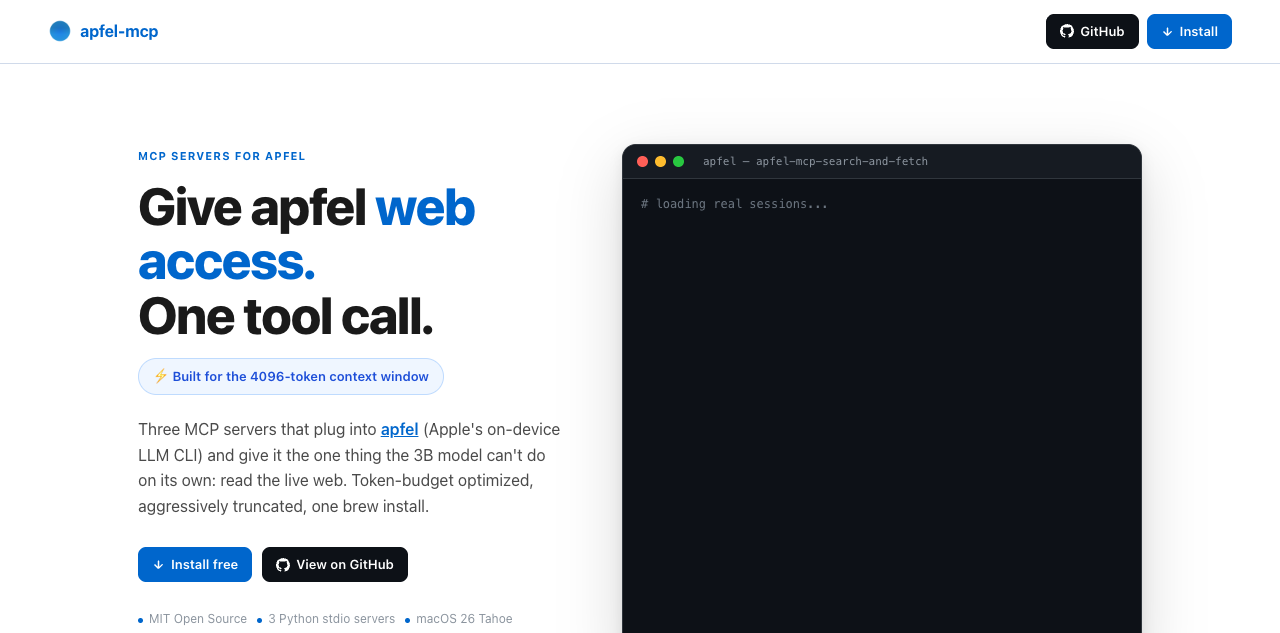
apfel-mcp
apfelకు web, మీ files ఇవ్వండి. నాలుగు చిన్న MCP tools - url-fetch, ddg-search, search-and-fetch, ఒక read-only file reader - ప్రతి ఒక్కటీ apfel చిన్న context windowకు సరిపోయేలా కుదించినది (చాలా Macsలో 4,096 tokens, macOS 27 ఉన్న M3 లేదా కొత్తవాటిలో 8,192).
Python కొత్తది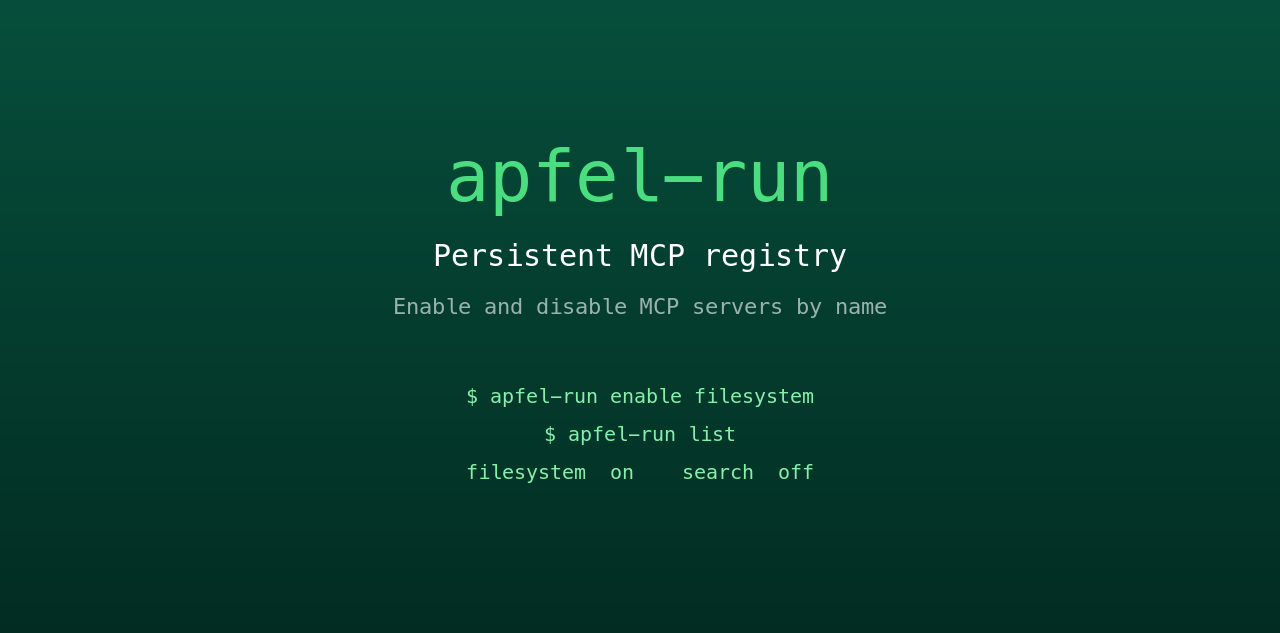
apfel-run
apfelకు persistent MCP registry ఇచ్చే చిన్న UNIX wrapper. ఒక plain text config file నుంచి MCP serversను పేరుతో enable, disable చేయండి. Restart తర్వాత కూడా నిలిచి ఉంటుంది, GUI లేదు, daemon లేదు.
Shell కొత్తది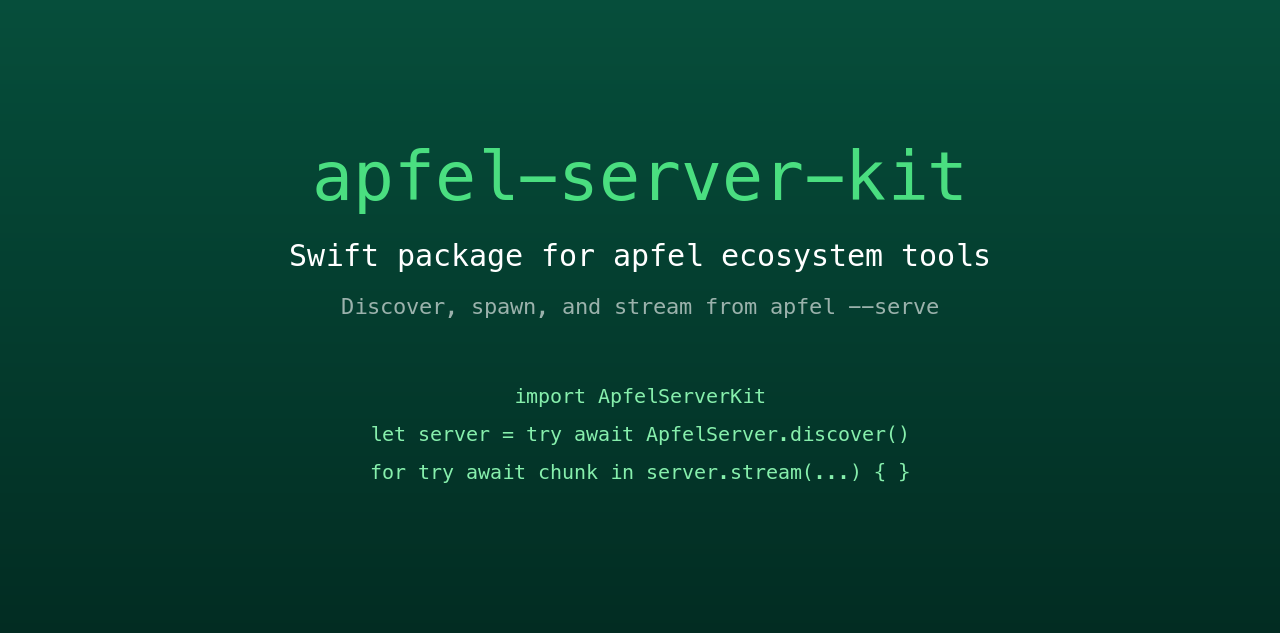
apfel-server-kit
Ecosystem మొత్తాన్ని నడిపించే shared Swift package. Local apfel --serve processను కనుగొనండి, spawn చేయండి, దాని నుంచి stream చేయండి. ప్రతి SwiftUI apfel app మాట్లాడే వెన్నెముక ఇదే.
Swift కొత్తది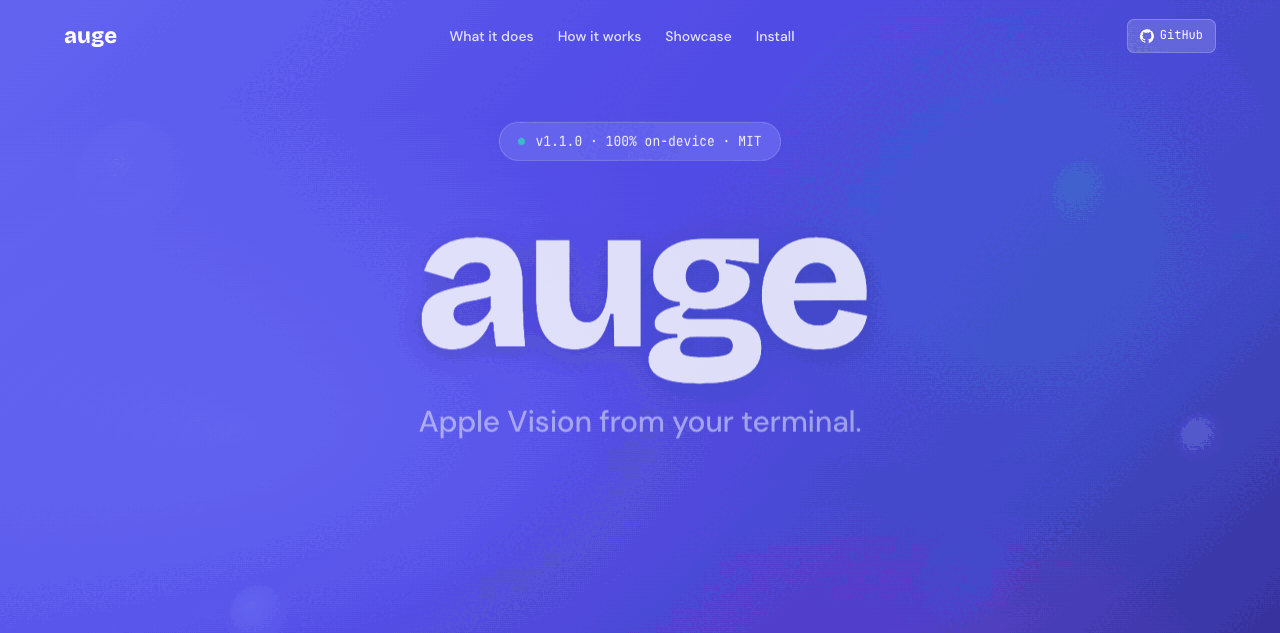
auge
Sister project. apfel భాషను చూసుకుంటుంది; auge దృష్టిని (vision) చూసుకుంటుంది. OCR, image classification, barcodes, face detection కోసం ఒకే CLI - Apple Vision framework ద్వారా 100% on-device. API keys లేవు, cloud లేదు.
Swift Sister project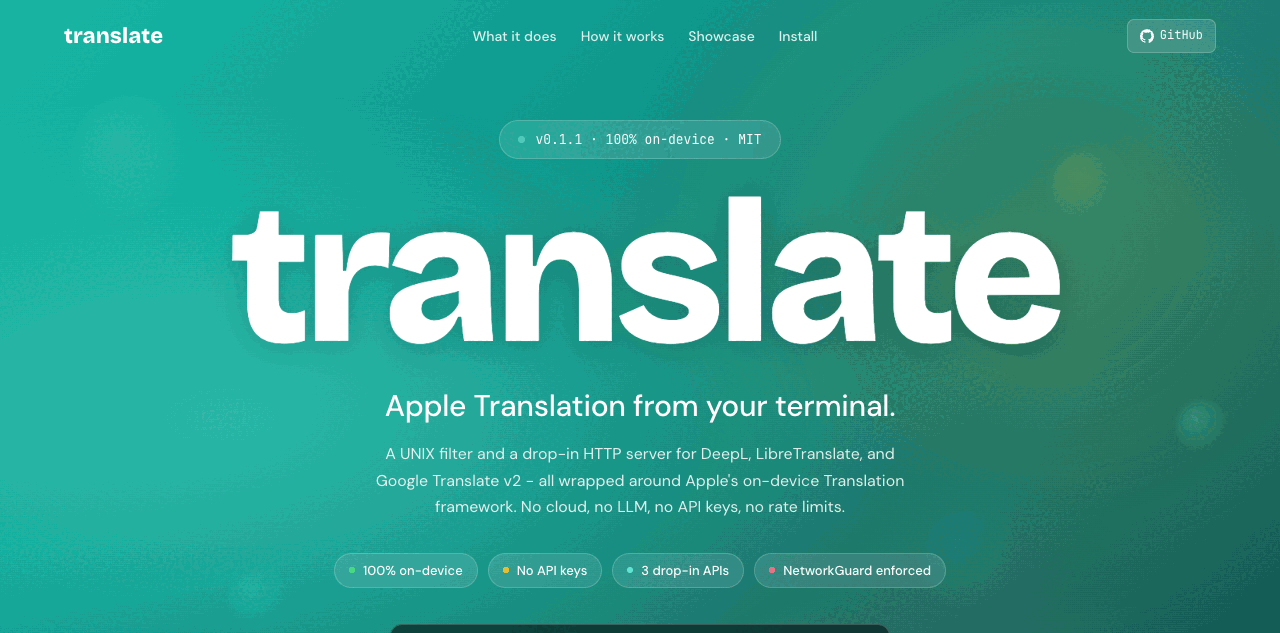
translate
Sister project. DeepL, LibreTranslate, Google v2 కోసం UNIX filter, దానితో పాటు drop-in HTTP server - Apple on-device Translation framework ఆధారంగా. 100% on-device, దీన్ని NetworkGuard కచ్చితంగా అమలు చేస్తుంది. API keys లేవు, cloud లేదు.
Swift Sister projectతరచుగా అడిగే ప్రశ్నలు.
Hacker News, Reddit నుంచి సేకరించిన ప్రశ్నలు.
నాకు ఏ macOS version కావాలి?
apfel నా personal dataను access చేస్తుందా?
నా Mac నుంచి ఏదైనా data బయటకు వెళ్తుందా?
Model: Apple FoundationModels framework internet connection లేకుండా పనిచేస్తుంది, పూర్తిగా Neural Engine పైనే నడుస్తుంది. మీ prompts, responses ఎప్పుడూ device దాటి వెళ్లవు. User dataను training కోసం ఎప్పుడూ వాడరు.
Tool: apfel దాన్ని అలాగే ఉంచుతుంది. Analytics లేవు, telemetry లేదు, tracking లేదు, automated update checks లేవు, crash reporting లేదు, calling home లేదు. Open source, ఎవరైనా audit చేయవచ్చు.
Context window ఎంత?
apfel --model-info చూపిస్తుంది. Shell scripts, summaries, text transformsకు చాలా బాగుంటుంది. పొడవైన సంభాషణలకు, పెద్ద documentsకు సరిపోదు.Model దేనిలో బాగా పనిచేస్తుంది? ఎక్కడ ఇబ్బంది పడుతుంది?
పరిమితులు: math, facts గుర్తుచేసుకోవడం, పొడవైన సంభాషణలు, complex code generation.
Hallucinate చేయడం కంటే తిరస్కరించడానికే model మొగ్గు చూపుతుంది. ఇది Apple ఉద్దేశపూర్వకంగా తీసుకున్న design నిర్ణయం.
Server mode secureగా ఉందా?
--token), origin checking, debug-only log endpoints. వివరాలు server-security.mdలో.Apple Intelligenceను enable చేయాలా?
apfelను ఎలా update చేయాలి?
apfel --update. Install methodను గుర్తించి, కొత్త version ఉందో check చేసి, upgrade చేసే ముందు మిమ్మల్ని అడుగుతుంది. Manualగా: brew upgrade apfel లేదా git pull && make install.ఇది ఏ model వాడుతుంది?
Ollama లేదా LM Studio కంటే apfel ఎలా భిన్నం?
apfel MCP, tool callingను support చేస్తుందా?
--mcp <server> ఇవ్వండి. Tool calling guide.macOS 27లోని Apple సొంత fm CLI కంటే apfel ఎలా భిన్నం?
fm వస్తుంది, ఇది అదే on-device model కోసం Apple command-line front end. apfel అదనంగా ఇచ్చేవి: tool calling, MCP, JSON Schema output, data URLsగా image input ఉన్న OpenAI-compatible server, నిజాయితీగల exit codes, macOS 26 support. పక్కపక్కనే కొలిచిన ఫలితాలు: apfel vs fm.apfelలో ఏదైనా telemetry లేదా calling-home functions ఉన్నాయా?
apfel --update నడిపినప్పుడు మాత్రమే network call జరుగుతుంది, అది కొత్త version కోసం Homebrewను check చేస్తుంది. Open source, ఎవరైనా audit చేయవచ్చు.దీన్ని ఎవరు తయారు చేశారు?
సహ-maintainer Arthur Ficial, Anthropic Claude Opus పై నడిచే ఒక OpenClaw instance. ఎక్కువ భాగం Claude Code, Codexతో develop చేశారు. ఎప్పుడూ high thinking / high effort modeలో.
మొదలైంది: 24 మార్చి 2026.