v1.18.0 · Zero config · MIT
apfel
મફત AI, જે તમારા Mac માં પહેલેથી જ છે.
macOS Tahoe માં 3B parameter નું એક LLM પહેલેથી જ આવે છે. apfel એક brew install થી તમને તેનો CLI access આપે છે. ન model download, ન API key, ન કોઈ configuration - બસ ચાલે છે.
$ brew install apfel
github.com/Arthur-Ficial/apfel પર 6.6k+ stars
જરૂરી: Apple Silicon · macOS Tahoe · Apple Intelligence ચાલુ હોવું જોઈએ
apfel માં નવા છો? 60 સેકન્ડનું ટ્યુટોરિયલ શરૂ કરો (અંગ્રેજીમાં)
બધું તમારા device પર જ ચાલે છે. કોઈ network call નહીં. કોઈ data તમારા Mac ની બહાર જતો નથી.
જુઓ, કેવી રીતે ચાલે છે.
brew install થી AI output સુધી 12 સેકન્ડમાં. કોઈ configuration ની જરૂર નથી.
ન config, ન LLM download, ન token નો ખર્ચ.
બીજા local AI tools સારા છે, પણ તેમાં model download અને configuration કરવું પડે છે. apfel ને કંઈ જ જોઈતું નથી - model પહેલેથી જ તમારા Mac માં છે. એક brew install. બસ, થઈ ગયું.
અંદર કયું model છે
Apple ML Researchત્રણ tools. એક install.
એક CLI, એક OpenAI-compatible server અને એક interactive chat. બધું એક જ brew install થી. કોઈ વધારાનું download નહીં.
UNIX tool
Pipe-friendly અને composable. jq, xargs અને તમારી shell scripts સાથે ચાલે છે. stdin, stdout, JSON output, --schema થી schema-valid JSON, --messages થી messages file દ્વારા multi-turn, file attachments, સાચા exit codes.
OpenAI server
localhost:11434 પર drop-in replacement. કોઈ પણ OpenAI SDK ને તેના તરફ point કરો અને શરૂ કરો. Chat Completions અને Responses API, streaming, tool calling, JSON Schema output, CORS.
Interactive chat
Automatic context management સાથે multi-turn વાતચીત. પાંચ trimming strategies. System prompt નો support. શરૂ કરવા માટે terminal માં બસ apfel લખો. બધું તમારા Mac પર.
MCP નો native support.
Apple ના on-device model ને tools આપો. કોઈ પણ tools.
--mcp થી tool servers જોડો
apfel Model Context Protocol સમજે છે. તેને કોઈ પણ MCP server તરફ point કરો અને on-device model ને tools મળી જાય છે - ગણિત, APIs, databases, જેના માટે પણ તમે server લખી શકો તે બધું.
- ત્રણેય modes માં ચાલે છે - CLI, server અને chat
- Startup વખતે MCP tools/list થી tools આપમેળે શોધી લે છે
- Tool calls ઓળખાય છે, execute થાય છે અને results આપમેળે પાછા model ને મળે છે
- --mcp flag નહીં, તો કોઈ overhead નહીં - zero વધારાના tokens, code path માં કોઈ ફેરફાર નહીં
- Proof-of-concept તરીકે calculator MCP server સાથે આવે છે
- URL દ્વારા remote MCP servers -
--mcp https://..., ઇચ્છો તો Bearer token auth સાથે
કેવી રીતે ચાલે છે.
Apple એ દરેક Mac માં એક LLM મૂક્યું છે. તે બસ એમ જ પડ્યું રહે છે. apfel તેને એક મુખ્ય દરવાજો આપે છે - zero configuration સાથે.
Apple એક on-device LLM આપે છે
macOS 26 (Tahoe) થી, દરેક Apple Silicon Mac માં Apple Intelligence ના ભાગ રૂપે એક language model હોય છે. Apple તેને FoundationModels framework દ્વારા ખુલ્લું મૂકે છે - એક Swift API, જે apps ને SystemLanguageModel નો access આપે છે. બધું inference Neural Engine અને GPU પર ચાલે છે. ન network calls, ન cloud, ન API keys. Model બસ ત્યાં જ છે.
પણ Apple તેને ફક્ત Siri માટે વાપરે છે
શરૂઆતથી જ on-device model Siri, Writing Tools અને system features ચલાવે છે. ન કોઈ terminal command, ન HTTP endpoint, ન text ને તેમાંથી pipe કરવાનો કોઈ રસ્તો. FoundationModels framework છે, પણ તેને વાપરવા માટે તમારે Swift app લખવી પડે. apfel એ જ કરે છે.
apfel શું ઉમેરે છે
apfel એક Swift 6.3 binary છે, જે LanguageModelSession ને wrap કરે છે અને તેને ત્રણ રીતે ઉપલબ્ધ કરે છે: stdin/stdout વાળા UNIX command-line tool તરીકે, OpenAI-compatible HTTP server તરીકે (Hummingbird પર બનેલું), અને context management વાળા interactive chat તરીકે.
Apple ની raw API જે નથી કરતી તે બધું તે સંભાળે છે: સાચા exit codes, JSON output, file attachments, નાની context window (4,096 tokens, macOS 27 વાળા M3 અને નવા Macs પર 8,192) માટે પાંચ context trimming strategies, SDK દ્વારા સાચી token counting, અને OpenAI tool schemas ને Apple ના native Transcript.ToolDefinition format માં બદલવાનું.
Design થી જ private.
apfel વાપરતી વખતે એક પણ HTTP call નહીં. નીચેનો દરેક દાવો Apple ના પોતાના documentation સાથે જોડાયેલો છે.
On-device. Offline પણ ચાલે છે.
FoundationModels framework સંપૂર્ણપણે તમારા Apple Silicon ના Neural Engine પર ચાલે છે. ન server, ન cloud, ન internet connection ની જરૂર.
તમારો data તમારો જ રહે છે.
Apple, on-device inference માંથી prompts, responses કે કોઈ usage data એકઠો કરતું નથી. કંઈ store થતું નથી, કંઈ મોકલાતું નથી.
Training માટે ક્યારેય વપરાતું નથી.
Apple પોતાના foundation models ને ફક્ત licensed અને public data પર train કરે છે. તમારી વાતચીત ક્યારેય training pipeline નો ભાગ નથી બનતી.
apfel કોઈ tracking ઉમેરતું નથી.
ન analytics, ન telemetry, ન automatic update checks, ન crash reporting, ન કોઈ calling home. apfel એક જ network call કરે છે, જ્યારે તમે જાતે apfel --update ચલાવો. આખો codebase open source છે.
Power tools સાથે જ મળે છે.
demo/ folder માં shell scripts. પહેલાં apfel install કરો, પછી જે જોઈએ તે લઈ લો.
cmd
સાદી ભાષામાંથી shell command. તમને શું જોઈએ છે તે કહો, command મેળવો.
oneliner
સાદા English માંથી pipe chains. awk, sed, sort, uniq - તમારા માટે તૈયાર.
mac-narrator
તમારા Mac ની system activity ને nature documentary ની જેમ વર્ણવે છે.
explain
કોઈ પણ command, error message કે code snippet ને સાદી ભાષામાં સમજાવે છે.
wtd
આ directory શું છે? કોઈ પણ codebase માં તરત ખબર પડે કે project શું છે.
gitsum
તાજેતરના git commits નો સાર થોડા વાક્યોમાં.
30 કામના અને મજેદાર one-liners.
દરેક command એક સાચા Mac પર test કરેલો છે. apfel ને ps, lsof, du, vm_stat, git, pbpaste, sleep, pgrep, curl, say સાથે જોડો - આવી composability cloud AIs આપી શકતા નથી, કારણ કે તેઓ તમારી processes, તમારું clipboard, તમારો git diff જોઈ શકતા નથી. apfel જોઈ શકે છે.
અત્યારે મારું CPU કોણ ખાઈ રહ્યું છે.
$ps aux | sort -k 3 -nr | head -5 | awk '{print $11, $3"%"}' | apfel "which app is using the most CPU"-> સૌથી વધુ CPU WindowServer વાપરી રહ્યું છે, 42.6%.
કઈ apps કયા ports પર listen કરી રહી છે.
$lsof -iTCP -sTCP:LISTEN -n -P | head -15 | apfel "list which apps own which ports as a table"-> 11434 fichten, 18789 node, 5000 ControlCenter ...
કયું volume ભરાવાની સૌથી નજીક છે.
$df -h | apfel "which volume is fullest, one sentence"-> /dev/disk3s1 સૌથી વધુ ભરેલું છે: 926Gi માંથી 263Gi.
vm_stat સાદી ભાષામાં સમજાવેલું.
$vm_stat | apfel "explain my memory usage in plain english, one sentence"-> 349k pages active, 266k wired - ઘણી memory વપરાઈ રહી છે.
અહીં કયા folders સૌથી વધુ disk ખાઈ રહ્યા છે.
$du -sh */ 2>/dev/null | sort -rh | head -5 | apfel "which folders are eating most disk, one sentence"-> Library 36G અને Downloads 604M સાથે સૌથી આગળ.
આ folder ની સૌથી મોટી files.
$ls -laS | head -10 | apfel "what are the biggest files here, just file names"-> apfel-quick-preview.png, og.png, translate-preview.png ...
અત્યારે કઈ apps internet સાથે વાત કરી રહી છે.
$lsof -i -nP 2>/dev/null | grep ESTABLISHED | awk '{print $1, $9}' | head -10 | apfel "which apps are talking to the internet right now, short answer"-> node → 157.240.253.60:443, claude.ex → 160.79.104.10:443, Google → 66.102.1.188:5228 ...
Battery health અને બાકી સમય, એક લાઇનમાં.
$pmset -g batt | apfel "battery health and percent, one line"-> પૂરી charge, health 100%, અત્યારે active.
તમારા તાજેતરના commits નો સાર સાદી ભાષામાં.
$git log --oneline -20 | apfel "summarize what I have been working on"-> v1.2.1 થી v1.3.2 સુધીના updates, sister projects ઉમેર્યા ...
તાજેતરના commits પરથી એક લાઇનની release note તૈયાર કરો.
$git log --oneline -5 | apfel "write a one-line release note based on these commits"-> v1.3.2 release: 5053 stars, 783 tests, updates.
Clipboard પર જે કંઈ છે તેનું grammar સુધારો, પછી સુધારેલું પાછું મૂકો.
$pbpaste | apfel "fix grammar" | pbcopy-> "i has went" બને છે "I went" - પાછું clipboard પર.
Clipboard ને Japanese માં translate કરો, પછી પાછું મૂકો.
$pbpaste | apfel "translate to japanese" | pbcopy-> હવે clipboard માં Japanese અનુવાદ છે.
Clipboard પરના લાંબા લખાણનો સાર 3 bullets માં.
$pbpaste | apfel "summarize in 3 bullets"-> તમારા terminal માં 3 ચોક્કસ bullets.
Clipboard પરની meeting notes માંથી સ્પષ્ટ action items કાઢો.
$pbpaste | apfel "extract just the action items as a clean bullet list, no other text" | pbcopy-> "Sarah Q3 budget નો draft બનાવશે", "design team ને email", ... પાછું clipboard પર.
લાંબું કામ પૂરું થાય ત્યારે બોલીને જાણ કરો (અહીં, 30 મિનિટમાં).
$sleep 1800 && apfel "tell me cheerfully my long task just finished, one short sentence" | say-> Mac બોલે છે: "તમારું લાંબું કામ હમણાં જ પૂરું થયું, શાબાશ!"
Downloads માં file આવે તેની રાહ જુઓ, પછી જાહેર કરો.
$until [ -e ~/Downloads/Report.pdf ]; do sleep 5; done; apfel "tell me my download just landed, one cheerful sentence" | say-> દર 5s એ તપાસે છે; Report.pdf દેખાય એટલે Mac સમાચાર બોલે છે.
લાંબી ચાલતી process પૂરી થાય તેની રાહ જુઓ, પછી જાહેર કરો.
$while pgrep -q ffmpeg; do sleep 5; done; apfel "tell me cheerfully that my video encoding is done, one short sentence" | say-> દર 5s એ તપાસે છે; ffmpeg બંધ થાય એટલે Mac સમાચાર બોલે છે.
દર 30 મિનિટે, તમે હમણાં શું ship કર્યું તેનો સાર બોલીને.
$while sleep 1800; do git log --since="30 min ago" --oneline | apfel "summarize my last 30 minutes of work in one cheerful sentence" | say; done-> દર અડધા કલાકે auto-standup મોટેથી વંચાય, અને તમે coding ચાલુ રાખો.
દર 15 મિનિટે, battery 20 ટકાથી નીચે જાય તો બોલીને ચેતવો.
$while sleep 900; do P=$(pmset -g batt | grep -oE "[0-9]+%" | head -1 | tr -d %); [ "$P" -lt 20 ] && apfel "battery just dropped to $P percent, write one short sentence that is friendly but super urgent telling me to plug in NOW" | say; done-> Battery ઘટે ત્યાં સુધી શાંત; પછી Mac મોટેથી મીઠી પણ તાકીદની ચેતવણી આપે છે.
URL 2xx આપે ત્યાં સુધી નજર રાખો, પછી deploy ની ઉજવણી બોલીને કરો.
$until curl -sf https://staging.example.com/health >/dev/null; do sleep 30; done; apfel "tell me cheerfully that my deploy is live and the URL is responding, one short sentence" | say-> Staging ચાલુ થાય ત્યાં સુધી દર 30s એ તપાસે છે; Mac બોલે છે "તમારો deploy live છે, URL જવાબ આપી રહ્યું છે!".
સામાન્ય લાઇનને નમ્ર ભાષામાં ફરી લખો.
$echo "hey can u send me docs asap" | apfel "rephrase politely"-> "કૃપા કરીને documents વહેલામાં વહેલી તકે share કરશો ..."
URL ખોલો અને ફક્ત headers પરથી પૂછો કે શું ચાલી રહ્યું છે.
$curl -sI https://github.com | apfel "explain what happens at this URL in one sentence, based on the HTTP headers"-> GitHub કડક caching અને security headers સાથે HTML page આપે છે.
આજનું Hacker News, એક વાક્યમાં સાર અને મોટેથી વાંચીને.
$curl -s https://news.ycombinator.com | grep titleline | sed "s/<[^>]*>//g" | apfel "summarize hacker news today in one cheerful sentence" | say-> Mac દિવસની ટોચની stories એક ચુસ્ત સારમાં બોલે છે.
JSON blob ને સાદી ભાષામાં સમજાવો.
$echo '{"name":"alice","plan":"pro","credits":42}' | apfel "explain this JSON in one sentence"-> pro plan પર Alice નામનો એક user, 42 credits સાથે.
Calculator ખોલ્યા વગર ગણિત.
$apfel "what is 15% tip on 87.50, just the number"-> 13.13
Terminal છોડ્યા વગર regex બનાવો.
$apfel "regex for a valid email address, just the regex"-> ^[a-zA-Z0-9._%+-]+@[a-zA-Z0-9.-]+\.[a-zA-Z]{2,}$
ભૂલી ગયેલો bash one-liner પૂછી લો.
$apfel "give me one find command that lists files larger than 100MB, just the bash command"-> find / -type f -size +100M
અનુમાન કરવાને બદલે અઘરો command સમજો.
$apfel "explain the command tar -xzvf file.tar.gz in one sentence"-> gzip કરેલા tarball ને uncompress કરીને cwd માં extract કરે છે.
ચોક્કસ git command ભૂલી ગયા? બસ પૂછો.
$apfel "git command to uncommit but not unedit my last commit, just the command"-> git reset --soft HEAD~1
બીજા કોઈનો regex એક વાક્યમાં સમજો.
$apfel "explain this regex in one sentence: ^\d{3}-\d{4}$"-> 3 અંકનો prefix, એક hyphen અને 4 અંક - US phone format.
સામાન્ય રીતે લખેલી તારીખને ISO 8601 માં બદલો.
$apfel "convert 'Sat Apr 27 2026 11:30' to ISO 8601 (YYYY-MM-DDTHH:MM:SS), reply only with the converted string"-> 2026-04-27T11:30:00+00:00
આખી file નો સાર 3 bullets માં.
$apfel -f README.md "summarize in 3 bullets"-> 3 bullets: scope, install, usage.
OpenAI સાથે compatible.
એક URL બદલો. તમારો code એ જ રાખો.
સીધો drop-in વિકલ્પ
apfel, OpenAI API બોલે છે. OpenAI સાથે વાત કરતી કોઈ પણ client library, framework કે tool તેના બદલે તમારા Mac ના AI સાથે વાત કરી શકે છે. બસ base URL બદલો.
- ✓ POST /v1/chat/completions
- ✓ POST /v1/responses (Responses API)
- ✓ Streaming (SSE)
- ✓ Tool calling / function calling
- ✓ GET /v1/models
- ✓ response_format: json_object, json_schema
- ✓ image_url parts, data URLs તરીકે (macOS 27)
- ✓ temperature, max_tokens, seed
- ✓ Browser clients માટે CORS
from openai import OpenAI

# Just change the base_url. That's it.
client = OpenAI(
    base_url="http://localhost:11434/v1",
    api_key="unused"  # no auth needed
)

resp = client.chat.completions.create(
    model="apple-foundationmodel",
    messages=[{
        "role": "user",
        "content": "What is 1+1?"
    }],
)
print(resp.choices[0].message.content)
Model એ જ જે Apple ના fm માં છે. કામ અલગ.
macOS 27 માં fm આવે છે, on-device model માટે Apple નું પોતાનું command-line front end. બંનેના રસ્તા ક્યાં અલગ પડે છે, તે અહીં જુઓ.
| apfel | Apple fm | |
|---|---|---|
| ક્યાં ચાલે છે | macOS 26 અને 27, એક જ binary | ફક્ત macOS 27 |
| ઇન્સ્ટોલ | brew install apfel | પહેલેથી જ છે (એક વાર sudo fm license) |
| OpenAI clients કોઈ ફેરફાર વગર ચાલે છે | હા: default માં JSON, usage, max_tokens નું પાલન, errors map કરેલી | ના કહો ત્યાં સુધી stream કરે છે, max_tokens ને અવગણે છે, guardrails પર 500 |
| Tool calling અને MCP | Native tool calls, local અને remote MCP servers | કંઈ નહીં (tools થી template tokens જવાબમાં આવી જાય છે) |
| Scripting માટે | --code, -o json, 9 exit codes, --count-tokens --strict | સાદું text, exit 0 અથવા 1 |
| Input files | Text, PDF, images: બંને OS પર OCR text, અને macOS 27 પર image પોતે પણ model ને | Images model ને, ઉપરાંત built-in OCR અને barcode tools |
| સચવાઈ રહે તેવા chat sessions | ના | નામવાળા transcripts, --resume |
| ઝડપ | એક જ Mac પર એક જ model, એક જ context window (આ M2 પર 4,096 tokens, M3 અને નવા પર 8,192), token counts બરાબર સરખા. One-shot prompt: 0.35 s vs 0.30 s. | |
ટૂંકો ઇતિહાસ. apfel પહેલું આવ્યું: પહેલો commit અને v0.1.0, 24 માર્ચ 2026 ના રોજ; પહેલી GitHub release 31 માર્ચ 2026 ના રોજ; એપ્રિલમાં Hacker News નું front page. Apple એ 8 જૂન 2026 ના રોજ WWDC માં fm ની જાહેરાત કરી અને 14 સપ્ટેમ્બર 2026 ના રોજ macOS 27 સાથે તેને ship કર્યું. બંને એક જ FoundationModels framework દ્વારા એક જ on-device model ચલાવે છે; apfel open-source છે, અને macOS 26 પર પણ ચાલે છે.
દરેક row macOS 27.0.1 (Apple M2, 24 GB) પર 2026-10-05 ના રોજ માપેલી છે અને દરેક apfel release વખતે ફરી માપવામાં આવે છે. પૂરા page પર server probes, token-count parity table અને તે બધું ફરી ચલાવવા માટેનો દરેક command છે.
GitHub પર લોકપ્રિય.
શૂન્યથી 6,610 stars સુધી, અને હજુ વધી રહ્યા છે.
Starred by engineers from Apple, Google, VMware, NVIDIA, and PlayStation.
GitHub પર star કરોData મુજબ
શરૂ કરો.
ન model download. ન sign-up. ન API key. બસ આટલું જ.
Homebrew
$ brew install apfel
$ apfel "Hello, Mac"
Source માંથી build કરો
$ git clone https://github.com/Arthur-Ficial/apfel.git
$ cd apfel && make install
apfel નું વૃક્ષ.
apfel પર બનેલા native macOS tools નો વધતો પરિવાર - અને sister projects, જે Apple ના બીજા frameworks ને terminal સુધી લાવે છે.
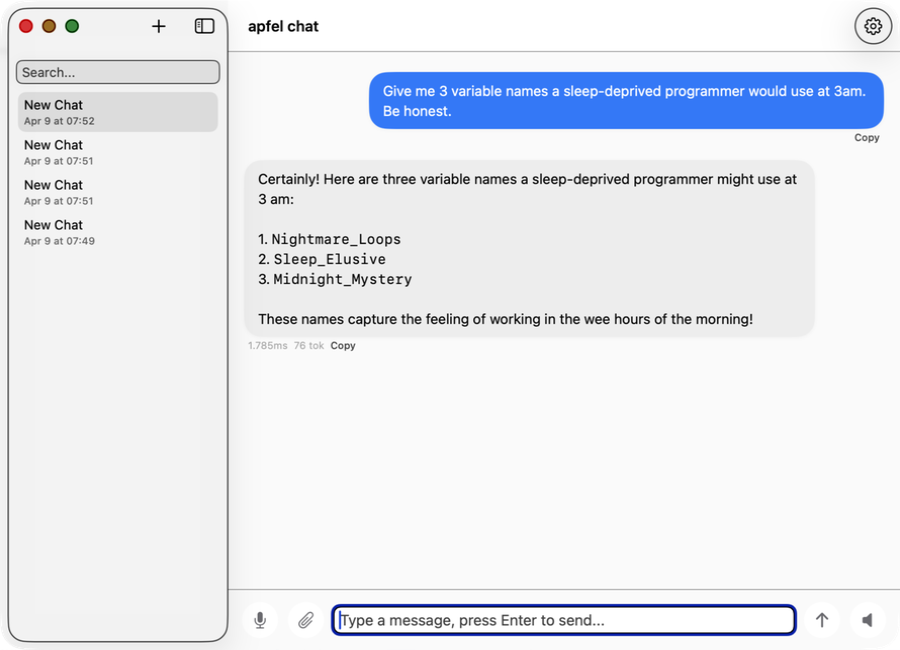
apfel-chat
અનેક વાતચીત એક સાથે ચલાવતું macOS chat client. Streaming markdown, બોલીને input અને output, image analysis - સંપૂર્ણ private, ન API keys, ન cloud.
SwiftUI Production માં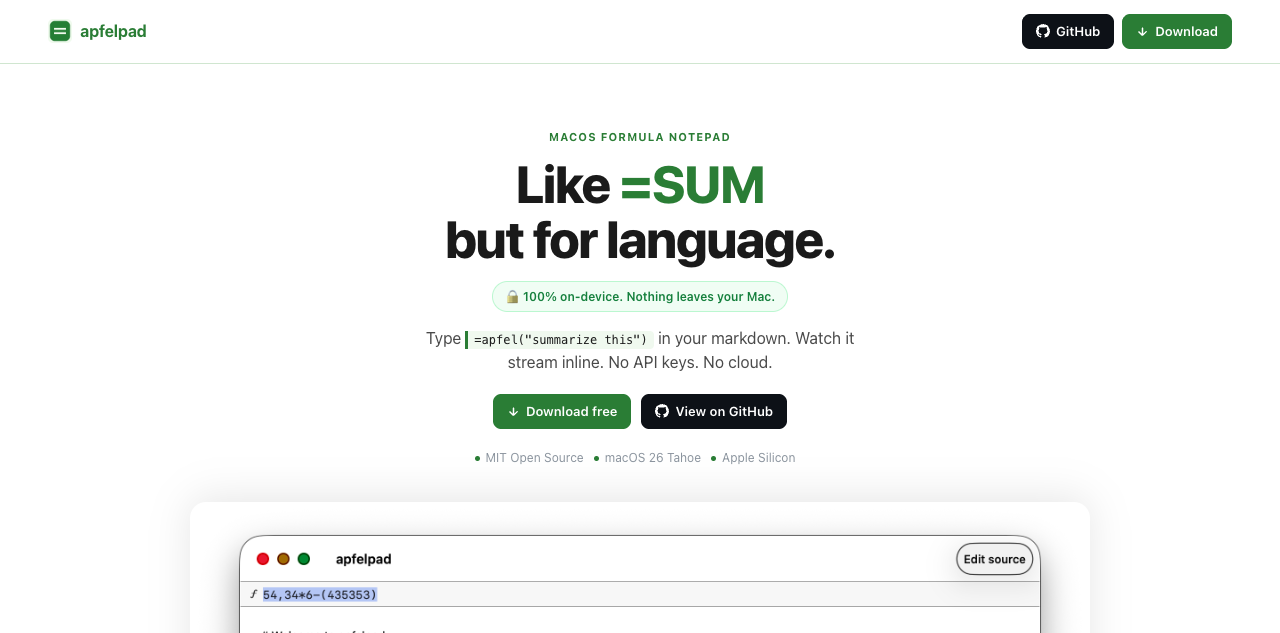
apfelpad
વિચારવા માટેનું formula notepad. તમારા markdown માં =apfel("summarize this") લખો અને તેને inline stream થતું જુઓ. =SUM જેવું, પણ ભાષા માટે.
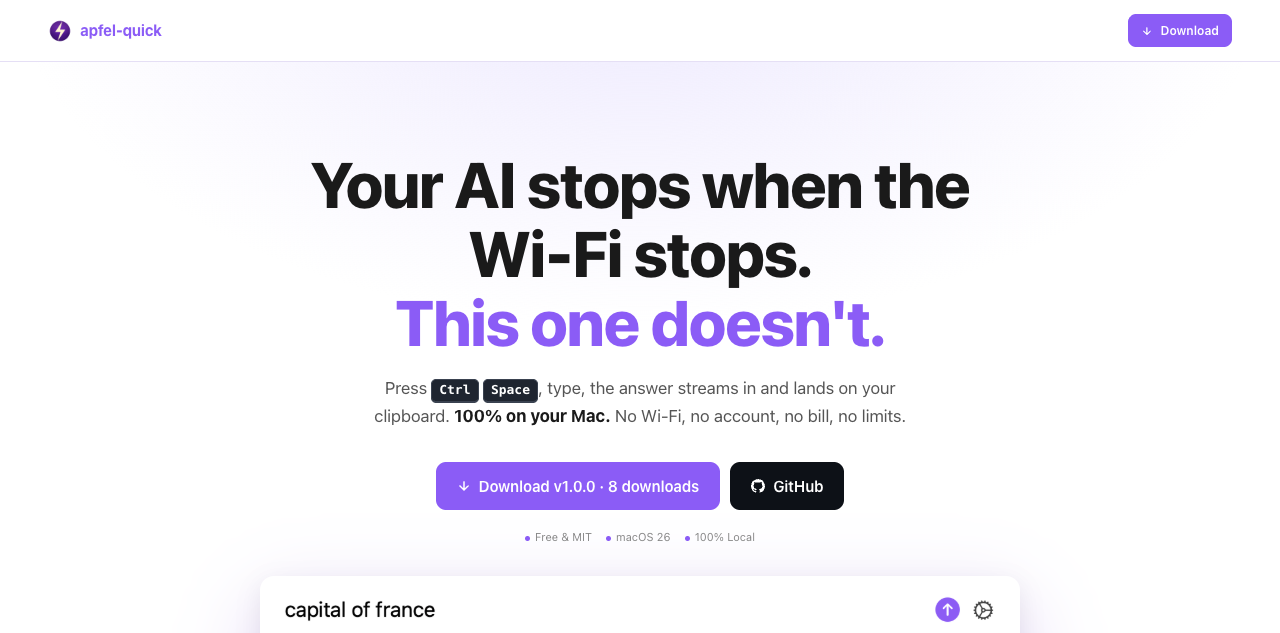
apfel-quick
Instant AI overlay. ક્યાંય પણ Ctrl+Space દબાવો, સવાલ લખો, અને જવાબ સીધો તમારા clipboard માં stream થાય છે. ન Wi-Fi, ન account, ન bill.
SwiftUI નવું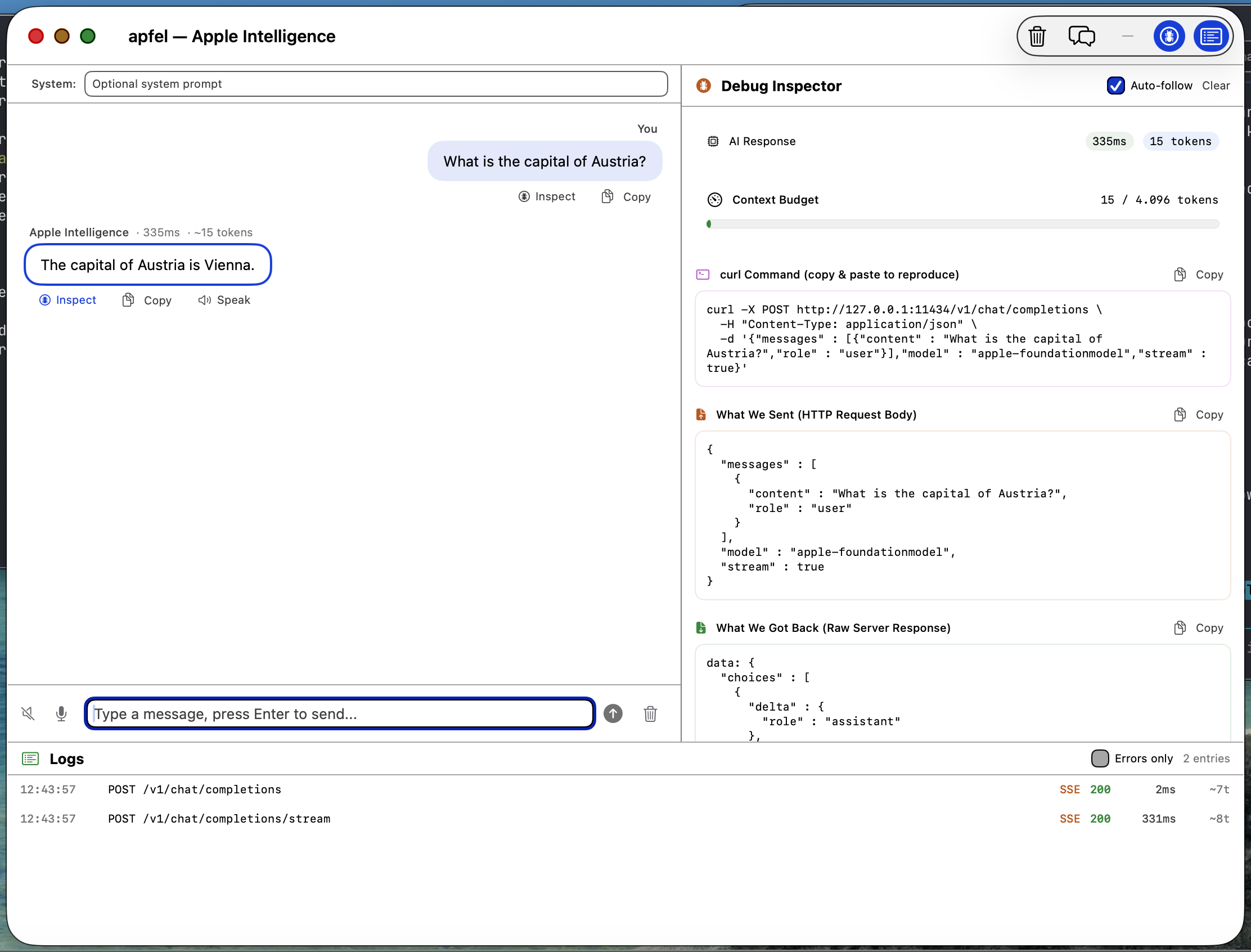
apfel-gui
Native macOS SwiftUI debug GUI. Apple Intelligence સાથે chat કરો, requests અને responses, logs તપાસો, speech-to-text, text-to-speech - બધું on-device.
SwiftUI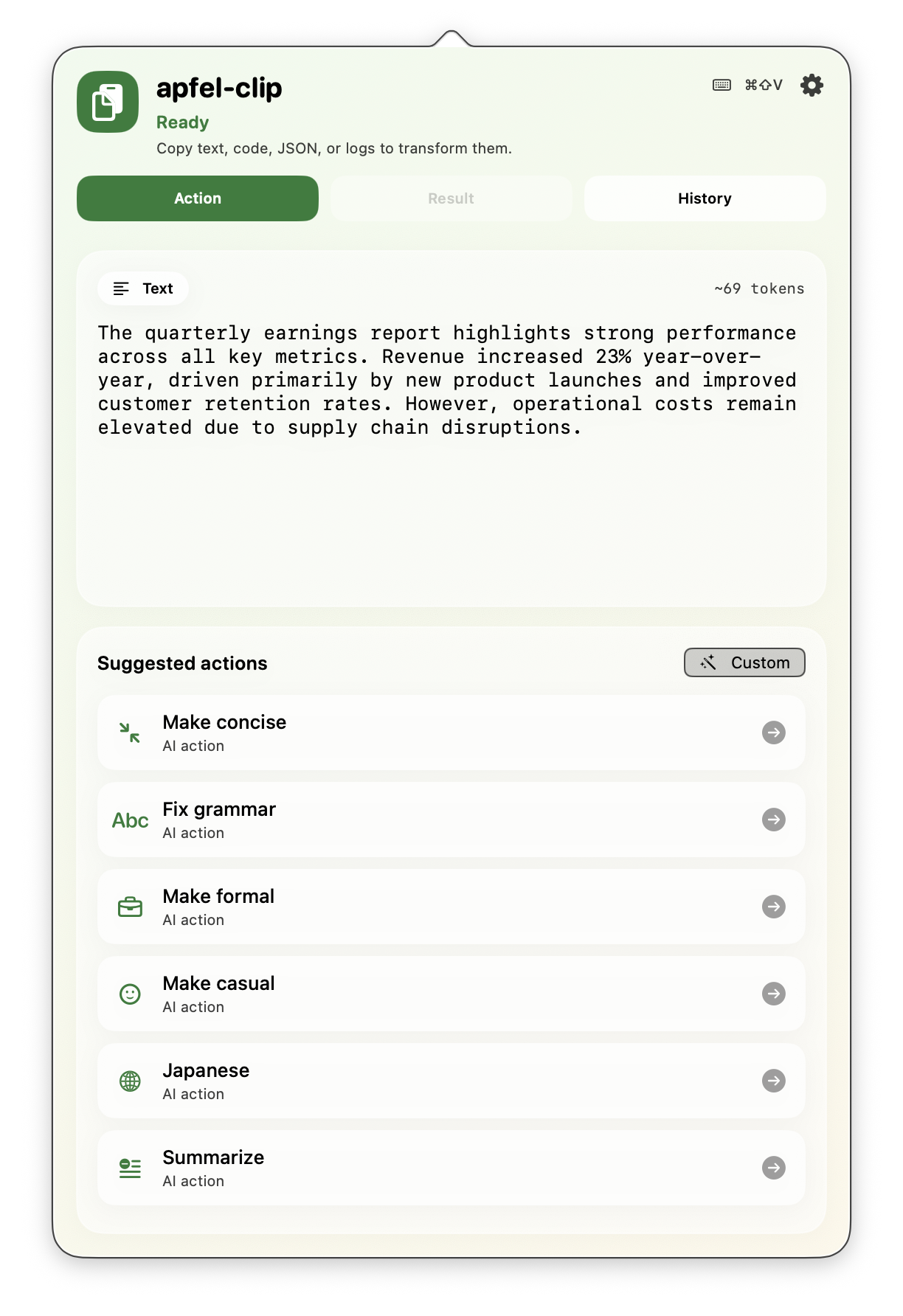
apfel-clip
Menu bar માંથી clipboard માટે AI actions. કોઈ પણ text પર cmd+shift+V દબાવો - grammar સુધારો, translate કરો, code સમજાવો, સાર કાઢો. સંપૂર્ણ on-device, ન API keys.
SwiftUI Production માં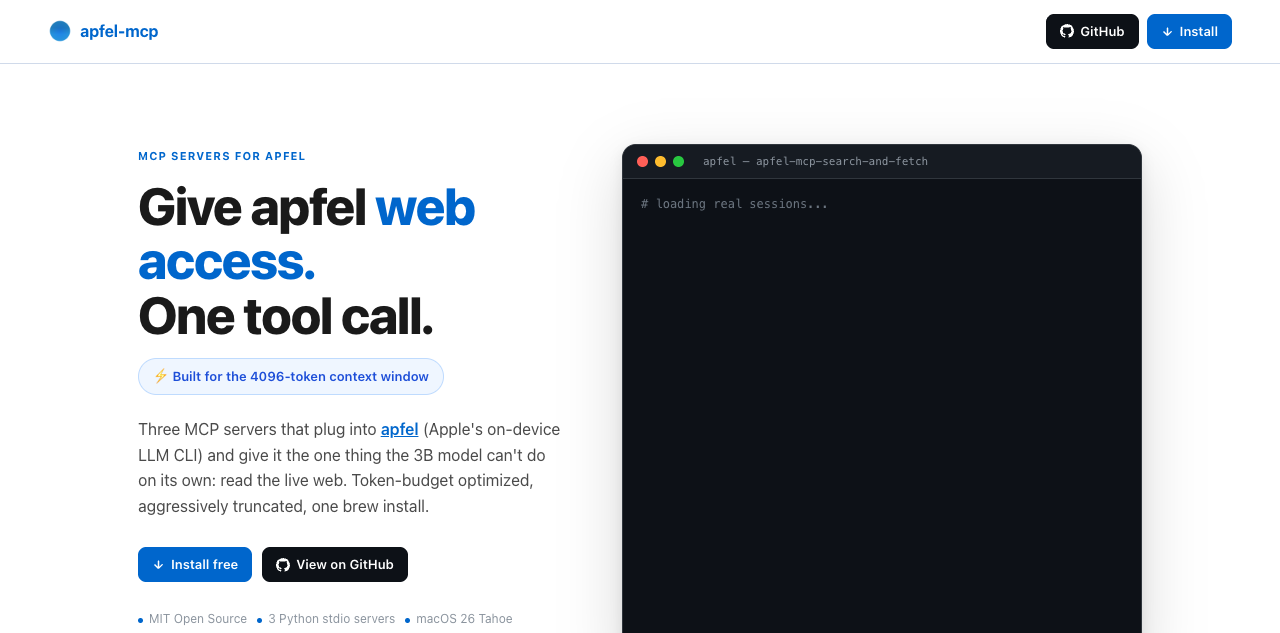
apfel-mcp
apfel ને web અને તમારી files આપો. ચાર નાના MCP tools - url-fetch, ddg-search, search-and-fetch, અને ફક્ત વાંચી શકે તેવું file reader - દરેક apfel ની નાની context window માં સમાય તે રીતે કાપેલું (મોટાભાગના Macs પર 4,096 tokens, macOS 27 વાળા M3 અને નવા પર 8,192).
Python નવું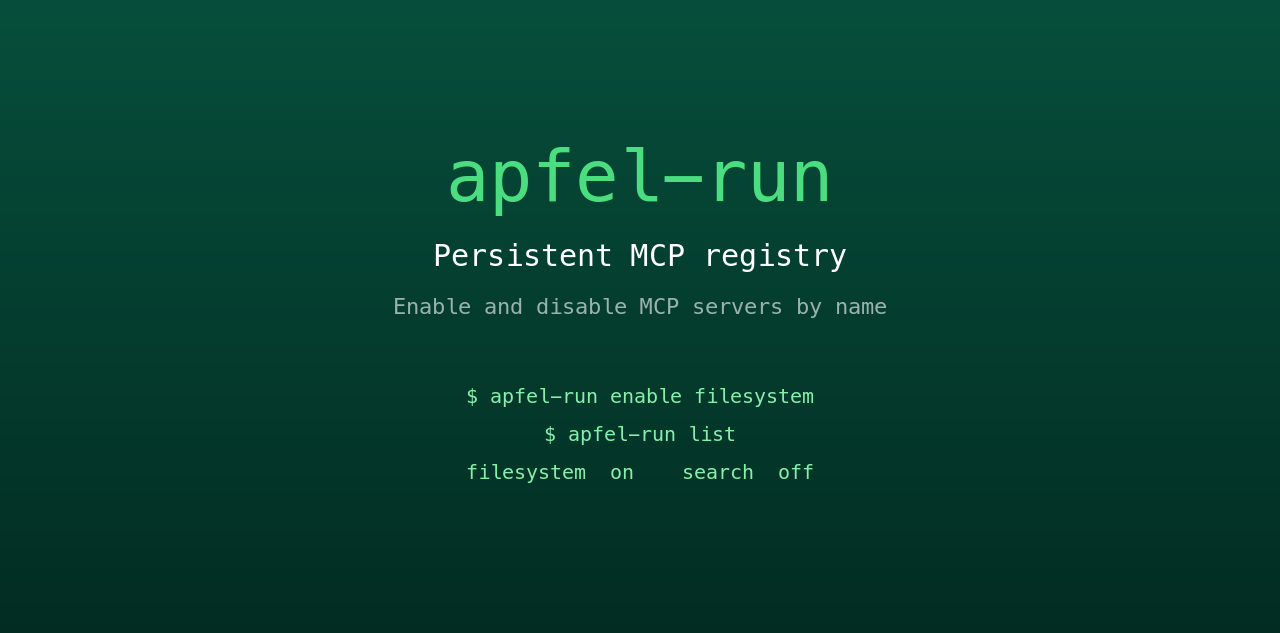
apfel-run
નાનું UNIX wrapper, જે apfel ને કાયમી MCP registry આપે છે. સાદી text config file માંથી MCP servers ને નામથી ચાલુ અને બંધ કરો. Restart પછી પણ ટકે છે, ન GUI, ન daemon.
Shell નવું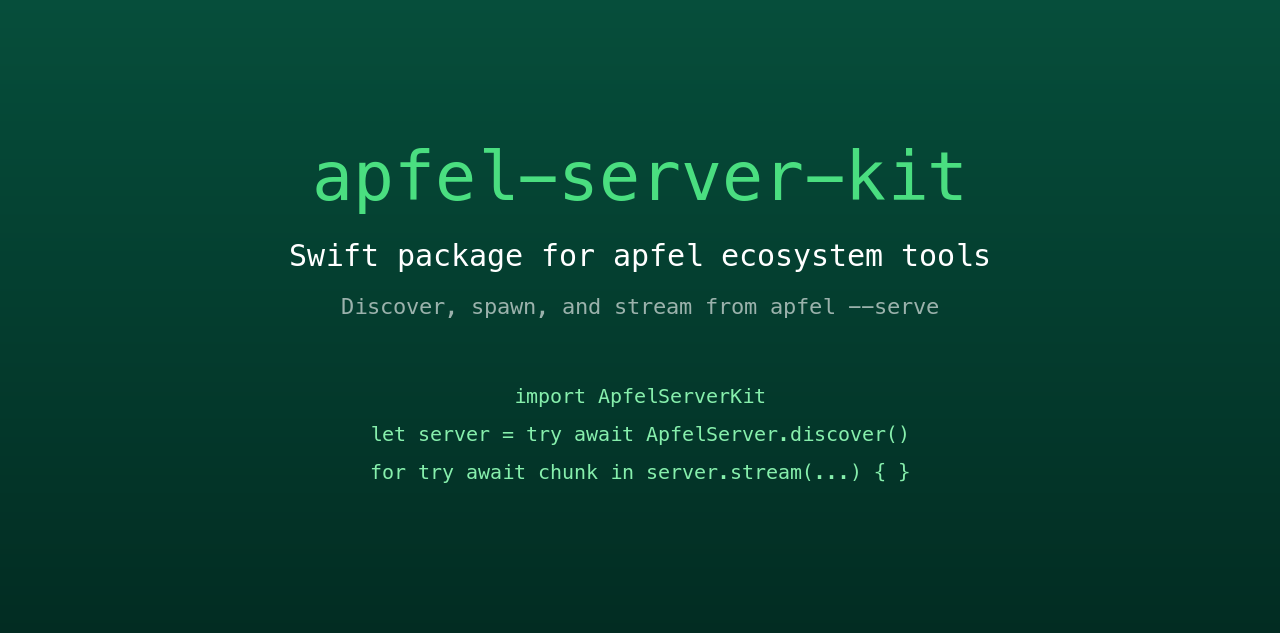
apfel-server-kit
આખા ecosystem ને ચલાવતું shared Swift package. Local apfel --serve process શોધો, શરૂ કરો અને તેમાંથી stream કરો. એ કરોડરજ્જુ, જેની સાથે દરેક SwiftUI apfel app વાત કરે છે.
Swift નવું
auge
Sister project. apfel ભાષા સંભાળે છે; auge દૃષ્ટિ. OCR, image classification, barcodes અને face detection માટે એક CLI - Apple ના Vision framework દ્વારા 100% on-device. ન API keys, ન cloud.
Swift સહયોગી project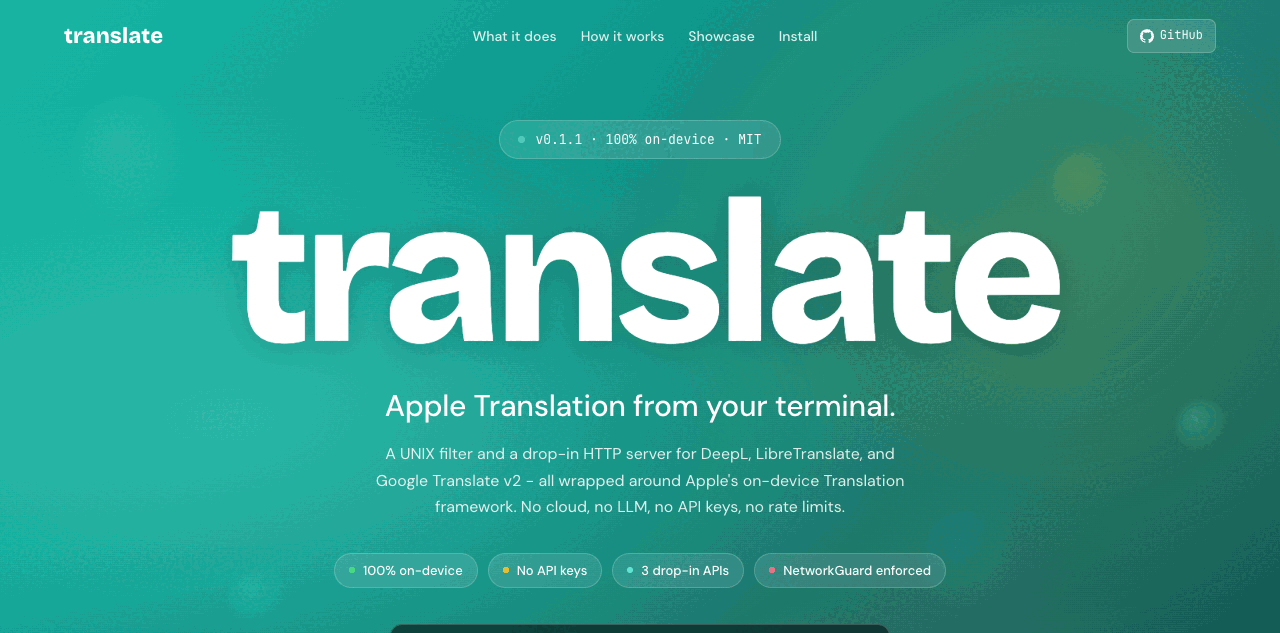
translate
Sister project. DeepL, LibreTranslate અને Google v2 માટે UNIX filter અને drop-in HTTP server - Apple ના on-device Translation framework થી ચાલે છે. 100% on-device, NetworkGuard થી સખત રીતે લાગુ. ન API keys, ન cloud.
Swift સહયોગી projectવારંવાર પૂછાતા પ્રશ્નો.
Hacker News અને Reddit પરથી ભેગા કરેલા પ્રશ્નો.
મને કયું macOS version જોઈએ?
શું apfel મારા personal data ને access કરે છે?
શું કોઈ data મારા Mac ની બહાર જાય છે?
Model: Apple નું FoundationModels framework internet connection વગર ચાલે છે અને સંપૂર્ણપણે Neural Engine પર ચાલે છે. તમારા prompts અને responses ક્યારેય device ની બહાર જતા નથી. User data ક્યારેય training માટે વપરાતો નથી.
Tool: apfel એ જ રીતે જાળવી રાખે છે. ન analytics, ન telemetry, ન tracking, ન automatic update checks, ન crash reporting, ન કોઈ calling home. Open source અને audit કરી શકાય તેવું.
Context window કેટલી છે?
apfel --model-info તમારા Mac પાસે ખરેખર જેટલી window છે તે બતાવે છે. Shell scripts, સાર અને text transforms માટે ઉત્તમ. લાંબી વાતચીત કે મોટા documents માટે યોગ્ય નથી.Model શેમાં સારું છે? ક્યાં તકલીફ પડે છે?
મર્યાદિત: ગણિત, તથ્યો યાદ રાખવા, લાંબી વાતચીત, જટિલ code generation.
Model hallucinate કરવા કરતાં ના પાડવાનું પસંદ કરે છે. આ Apple નો જાણી જોઈને લીધેલો design નિર્ણય છે.
શું server mode સુરક્ષિત છે?
--token), origin checking, ફક્ત debug માટેના log endpoints. વિગતો server-security.md માં.શું મારે Apple Intelligence ચાલુ કરવું પડશે?
apfel ને update કેવી રીતે કરું?
apfel --update. Install method ઓળખે છે, નવું version છે કે નહીં તે તપાસે છે, upgrade કરતાં પહેલાં પૂછે છે. જાતે કરવું હોય તો: brew upgrade apfel અથવા git pull && make install.તે કયું model વાપરે છે?
apfel, Ollama કે LM Studio થી કેવી રીતે અલગ છે?
શું apfel, MCP અને tool calling ને support કરે છે?
--mcp <server> આપો. Tool calling guide.macOS 27 પરના Apple ના પોતાના fm CLI થી apfel કેવી રીતે અલગ છે?
fm આવે છે, એ જ on-device model માટે Apple નું command-line front end. apfel ઉમેરે છે: tool calling વાળું OpenAI-compatible server, MCP, JSON Schema output, data URLs તરીકે image input, સાચા exit codes અને macOS 26 નો support. બાજુ બાજુમાં માપેલું: apfel vs fm.શું apfel માં કોઈ telemetry કે calling-home functions છે?
apfel --update ચલાવો; તે Homebrew પર નવું version તપાસે છે. Open source અને audit કરી શકાય તેવું.આ કોણે બનાવ્યું?
સહ-maintainer: Arthur Ficial, Anthropic ના Claude Opus પર ચાલતો એક OpenClaw instance. મોટાભાગનું development Claude Code અને Codex સાથે થયું છે. હંમેશા high thinking / high effort mode માં.
શરૂઆત: 24 માર્ચ 2026.