v1.18.0 · Zero config · MIT
apfel
സൗജന്യ AI, നിങ്ങളുടെ Mac-ൽ ഇതിനകം ഉണ്ട്.
macOS Tahoe-യിൽ 3B parameter ഉള്ള ഒരു LLM ഇതിനകം ഉണ്ട്. apfel ഒരൊറ്റ brew install കൊണ്ട് അതിലേക്ക് CLI access തരുന്നു. Model download ഇല്ല, API key ഇല്ല, configuration ഒന്നും വേണ്ട - നേരെ പ്രവർത്തിക്കും.
$ brew install apfel
github.com/Arthur-Ficial/apfel-ൽ 6.6k+ stars
ആവശ്യം: Apple Silicon · macOS Tahoe · Apple Intelligence ഓൺ ആയിരിക്കണം
apfel-ൽ പുതിയതാണോ? 60 സെക്കൻഡ് ട്യൂട്ടോറിയൽ ആരംഭിക്കൂ (ഇംഗ്ലീഷിൽ)
എല്ലാം നിങ്ങളുടെ device-ൽ തന്നെ പ്രവർത്തിക്കുന്നു. Network call ഇല്ല. ഒരു data-യും നിങ്ങളുടെ Mac വിട്ട് പുറത്തുപോകില്ല.
പ്രവർത്തിക്കുന്നത് കാണൂ.
brew install മുതൽ AI output വരെ 12 സെക്കൻഡിൽ. Configuration ഒന്നും വേണ്ട.
Config ഇല്ല. LLM download ഇല്ല. Token ചെലവ് ഇല്ല.
മറ്റ് local AI tools നല്ലതാണ്, പക്ഷേ അവയ്ക്ക് model download-ഉം configuration-ഉം വേണം. apfel-ന് ഒന്നും വേണ്ട - model ഇതിനകം നിങ്ങളുടെ Mac-ൽ ഉണ്ട്. ഒരൊറ്റ brew install. കഴിഞ്ഞു.
ഉള്ളിലുള്ള model
Apple ML Researchമൂന്ന് tools. ഒരൊറ്റ install.
ഒരു CLI, ഒരു OpenAI-compatible server, ഒരു interactive chat. എല്ലാം ഒരൊറ്റ brew install-ൽ. അധിക download ഇല്ല.
UNIX tool
Pipe-friendly-ഉം composable-ഉം. jq, xargs, നിങ്ങളുടെ shell scripts എന്നിവയ്ക്കൊപ്പം പ്രവർത്തിക്കുന്നു. stdin, stdout, JSON output, --schema വഴി schema-valid JSON, --messages വഴി messages file-ൽ നിന്ന് multi-turn, file attachments, കൃത്യമായ exit codes.
OpenAI server
localhost:11434-ൽ drop-in replacement. ഏത് OpenAI SDK-യും അതിലേക്ക് point ചെയ്ത് തുടങ്ങൂ. Chat Completions, Responses API, streaming, tool calling, JSON Schema output, CORS.
Interactive chat
Automatic context management ഉള്ള multi-turn സംഭാഷണങ്ങൾ. അഞ്ച് trimming strategies. System prompt support. തുടങ്ങാൻ terminal-ൽ apfel എന്ന് type ചെയ്താൽ മതി. എല്ലാം നിങ്ങളുടെ Mac-ൽ.
MCP-ക്ക് native support.
Apple-ന്റെ on-device model-ന് tools നൽകൂ. ഏത് tools-ഉം.
--mcp വഴി tool servers ഘടിപ്പിക്കൂ
apfel Model Context Protocol സംസാരിക്കുന്നു. ഏത് MCP server-ലേക്കും point ചെയ്താൽ on-device model-ന് tools ലഭിക്കും - കണക്ക്, APIs, databases, നിങ്ങൾക്ക് server എഴുതാൻ കഴിയുന്ന എന്തും.
- മൂന്ന് modes-ലും പ്രവർത്തിക്കുന്നു - CLI, server, chat
- Startup-ൽ MCP tools/list വഴി tools സ്വയം കണ്ടെത്തുന്നു
- Tool calls കണ്ടെത്തി, execute ചെയ്ത്, results സ്വയം model-ലേക്ക് തിരികെ നൽകുന്നു
- --mcp flag ഇല്ലെങ്കിൽ overhead ഇല്ല - അധിക tokens പൂജ്യം, code path-ൽ ഒരു മാറ്റവുമില്ല
- Proof-of-concept ആയി ഒരു calculator MCP server കൂടെ വരുന്നു
- URL വഴി remote MCP servers -
--mcp https://..., വേണമെങ്കിൽ Bearer token auth-ഓടെ
ഇത് എങ്ങനെ പ്രവർത്തിക്കുന്നു.
Apple എല്ലാ Mac-ലും ഒരു LLM വെച്ചിട്ടുണ്ട്. അത് വെറുതെ ഇരിക്കുകയാണ്. apfel അതിന് ഒരു മുൻവാതിൽ നൽകുന്നു - zero configuration-ഓടെ.
Apple ഒരു on-device LLM നൽകുന്നു
macOS 26 (Tahoe) മുതൽ, എല്ലാ Apple Silicon Mac-ലും Apple Intelligence-ന്റെ ഭാഗമായി ഒരു language model ഉണ്ട്. Apple അത് FoundationModels framework വഴി ലഭ്യമാക്കുന്നു - apps-ന് SystemLanguageModel-ലേക്ക് access നൽകുന്ന ഒരു Swift API. എല്ലാ inference-ഉം Neural Engine-ലും GPU-വിലും നടക്കുന്നു. Network calls ഇല്ല, cloud ഇല്ല, API keys ഇല്ല. Model അവിടെത്തന്നെ ഉണ്ട്.
പക്ഷേ Apple അത് Siri-ക്ക് മാത്രം ഉപയോഗിക്കുന്നു
സ്വതവേ, on-device model Siri, Writing Tools, system features എന്നിവയെ പ്രവർത്തിപ്പിക്കുന്നു. Terminal command ഇല്ല, HTTP endpoint ഇല്ല, text അതിലൂടെ pipe ചെയ്യാൻ ഒരു വഴിയുമില്ല. FoundationModels framework ഉണ്ട്, പക്ഷേ അത് ഉപയോഗിക്കാൻ നിങ്ങൾ ഒരു Swift app എഴുതണം. apfel ചെയ്യുന്നത് അതാണ്.
apfel എന്താണ് ചേർക്കുന്നത്
apfel ഒരു Swift 6.3 binary ആണ്. അത് LanguageModelSession-നെ wrap ചെയ്ത് മൂന്ന് രീതിയിൽ ലഭ്യമാക്കുന്നു: stdin/stdout ഉള്ള UNIX command-line tool ആയി, OpenAI-compatible HTTP server ആയി (Hummingbird-ൽ നിർമ്മിച്ചത്), context management ഉള്ള interactive chat ആയി.
Apple-ന്റെ raw API ചെയ്യാത്ത കാര്യങ്ങൾ ഇത് കൈകാര്യം ചെയ്യുന്നു: കൃത്യമായ exit codes, JSON output, file attachments, ചെറിയ context window-ന് (4,096 tokens, macOS 27 ഉള്ള M3-ലും പുതിയ Macs-ലും 8,192) അഞ്ച് context trimming strategies, SDK വഴി യഥാർത്ഥ token counting, OpenAI tool schemas-നെ Apple-ന്റെ native Transcript.ToolDefinition format-ലേക്ക് മാറ്റൽ.
രൂപകൽപ്പനയിൽ തന്നെ private.
apfel ഉപയോഗിക്കുമ്പോൾ ഒരൊറ്റ HTTP call പോലുമില്ല. താഴെയുള്ള ഓരോ അവകാശവാദവും Apple-ന്റെ സ്വന്തം documentation-ലേക്ക് link ചെയ്യുന്നു.
On-device. Offline-ലും പ്രവർത്തിക്കും.
FoundationModels framework പൂർണ്ണമായും നിങ്ങളുടെ Apple Silicon-ന്റെ Neural Engine-ൽ പ്രവർത്തിക്കുന്നു. Server ഇല്ല, cloud ഇല്ല, internet connection വേണ്ട.
നിങ്ങളുടെ data നിങ്ങളുടേത് മാത്രം.
On-device inference-ൽ നിന്ന് Apple prompts, responses, usage data ഒന്നും ശേഖരിക്കുന്നില്ല. ഒന്നും store ചെയ്യുന്നില്ല, ഒന്നും അയയ്ക്കുന്നില്ല.
Training-ന് ഒരിക്കലും ഉപയോഗിക്കില്ല.
Apple അതിന്റെ foundation models-നെ licensed, public data-യിൽ മാത്രമാണ് train ചെയ്യുന്നത്. നിങ്ങളുടെ ഇടപെടലുകൾ ഒരിക്കലും training pipeline-ന്റെ ഭാഗമാകില്ല.
apfel ഒരു tracking-ഉം ചേർക്കുന്നില്ല.
Analytics ഇല്ല, telemetry ഇല്ല, automatic update checks ഇല്ല, crash reporting ഇല്ല, calling home ഇല്ല. നിങ്ങൾ സ്വയം apfel --update run ചെയ്യുമ്പോൾ മാത്രമാണ് apfel ഒരു network call നടത്തുന്നത്. മുഴുവൻ codebase-ഉം open source ആണ്.
Power tools കൂടെയുണ്ട്.
demo/ folder-ൽ shell scripts. ആദ്യം apfel install ചെയ്യൂ, പിന്നെ വേണ്ടവ എടുക്കൂ.
cmd
സാധാരണ ഭാഷയിൽ നിന്ന് shell command. എന്ത് വേണമെന്ന് പറയൂ, command നേടൂ.
oneliner
ലളിതമായ English-ൽ നിന്ന് pipe chains. awk, sed, sort, uniq - നിങ്ങൾക്കായി തയ്യാറാക്കുന്നു.
mac-narrator
നിങ്ങളുടെ Mac-ന്റെ system activity ഒരു nature documentary പോലെ വിവരിക്കുന്നു.
explain
ഏത് command-ഉം error message-ഉം code snippet-ഉം ലളിതമായ ഭാഷയിൽ വിശദീകരിക്കുന്നു.
wtd
ഈ directory എന്താണ്? ഏത് codebase-ലും project എന്താണെന്ന് ഉടനടി മനസ്സിലാക്കാം.
gitsum
അടുത്തിടെയുള്ള git commits-ന്റെ ചുരുക്കം ഏതാനും വാക്യങ്ങളിൽ.
ഉപകാരപ്രദവും രസകരവുമായ 30 one-liners.
ഓരോ command-ഉം ഒരു യഥാർത്ഥ Mac-ൽ test ചെയ്തതാണ്. apfel-നെ ps, lsof, du, vm_stat, git, pbpaste, sleep, pgrep, curl, say എന്നിവയുമായി ബന്ധിപ്പിക്കൂ - cloud AIs-ന് നൽകാനാവാത്ത composability, കാരണം അവയ്ക്ക് നിങ്ങളുടെ processes-ഉം clipboard-ഉം git diff-ഉം കാണാനാകില്ല. apfel-ന് കഴിയും.
ഇപ്പോൾ എന്റെ CPU തിന്നുന്നത് ആരാണ്.
$ps aux | sort -k 3 -nr | head -5 | awk '{print $11, $3"%"}' | apfel "which app is using the most CPU"-> ഏറ്റവും കൂടുതൽ CPU ഉപയോഗിക്കുന്നത് WindowServer ആണ്, 42.6%.
ഏത് apps ഏത് ports-ൽ listen ചെയ്യുന്നു.
$lsof -iTCP -sTCP:LISTEN -n -P | head -15 | apfel "list which apps own which ports as a table"-> 11434 fichten, 18789 node, 5000 ControlCenter ...
ഏത് volume ആണ് നിറയാൻ ഏറ്റവും അടുത്തത്.
$df -h | apfel "which volume is fullest, one sentence"-> /dev/disk3s1 ആണ് ഏറ്റവും നിറഞ്ഞത്: 926Gi-ൽ 263Gi.
vm_stat ലളിതമായ ഭാഷയിൽ.
$vm_stat | apfel "explain my memory usage in plain english, one sentence"-> 349k pages active, 266k wired - ഗണ്യമായ memory ഉപയോഗത്തിലാണ്.
ഇവിടെ ഏത് folders ആണ് ഏറ്റവും കൂടുതൽ disk തിന്നുന്നത്.
$du -sh */ 2>/dev/null | sort -rh | head -5 | apfel "which folders are eating most disk, one sentence"-> 36G-ഉമായി Library-യും 604M-ഉമായി Downloads-ഉം മുന്നിൽ.
ഈ folder-ലെ ഏറ്റവും വലിയ files.
$ls -laS | head -10 | apfel "what are the biggest files here, just file names"-> apfel-quick-preview.png, og.png, translate-preview.png ...
ഇപ്പോൾ ഏത് apps ആണ് internet-നോട് സംസാരിക്കുന്നത്.
$lsof -i -nP 2>/dev/null | grep ESTABLISHED | awk '{print $1, $9}' | head -10 | apfel "which apps are talking to the internet right now, short answer"-> node → 157.240.253.60:443, claude.ex → 160.79.104.10:443, Google → 66.102.1.188:5228 ...
Battery health-ഉം ബാക്കി സമയവും ഒറ്റ വരിയിൽ.
$pmset -g batt | apfel "battery health and percent, one line"-> പൂർണ്ണമായി charge ആയി, health 100%, ഇപ്പോൾ active.
നിങ്ങളുടെ അടുത്തിടെയുള്ള commits ലളിതമായ ഭാഷയിൽ ചുരുക്കി.
$git log --oneline -20 | apfel "summarize what I have been working on"-> v1.2.1 മുതൽ v1.3.2 വരെയുള്ള updates, sister projects ചേർത്തു ...
അടുത്തിടെയുള്ള commits-ൽ നിന്ന് ഒറ്റ വരി release note തയ്യാറാക്കൂ.
$git log --oneline -5 | apfel "write a one-line release note based on these commits"-> v1.3.2 release: 5053 stars, 783 tests, updates.
Clipboard-ൽ ഉള്ളതിന്റെ grammar ശരിയാക്കി, ശരിയാക്കിയത് തിരികെ വെക്കൂ.
$pbpaste | apfel "fix grammar" | pbcopy-> "i has went" മാറി "I went" ആകുന്നു - തിരികെ clipboard-ൽ.
Clipboard Japanese-ലേക്ക് translate ചെയ്ത് തിരികെ വെക്കൂ.
$pbpaste | apfel "translate to japanese" | pbcopy-> ഇപ്പോൾ clipboard-ൽ Japanese പരിഭാഷയുണ്ട്.
Clipboard-ലെ നീണ്ട എഴുത്ത് 3 bullets-ൽ ചുരുക്കൂ.
$pbpaste | apfel "summarize in 3 bullets"-> നിങ്ങളുടെ terminal-ൽ 3 കൃത്യമായ bullets.
Clipboard-ലെ meeting notes-ൽ നിന്ന് വ്യക്തമായ action items പുറത്തെടുക്കൂ.
$pbpaste | apfel "extract just the action items as a clean bullet list, no other text" | pbcopy-> "Sarah Q3 budget-ന്റെ draft തയ്യാറാക്കും", "design team-ന് email", ... തിരികെ clipboard-ൽ.
നീണ്ട ഒരു ജോലി കഴിയുമ്പോൾ ഉറക്കെ അറിയിക്കൂ (ഇവിടെ, 30 മിനിറ്റിൽ).
$sleep 1800 && apfel "tell me cheerfully my long task just finished, one short sentence" | say-> Mac പറയുന്നു: "നിങ്ങളുടെ നീണ്ട ജോലി ഇപ്പോൾ കഴിഞ്ഞു, അഭിനന്ദനങ്ങൾ!"
Downloads-ൽ ഒരു file എത്തുന്നത് വരെ കാത്തിരുന്ന് അറിയിക്കൂ.
$until [ -e ~/Downloads/Report.pdf ]; do sleep 5; done; apfel "tell me my download just landed, one cheerful sentence" | say-> ഓരോ 5s-ലും പരിശോധിക്കുന്നു; Report.pdf വന്നാൽ Mac വാർത്ത പറയുന്നു.
ദീർഘനേരം ഓടുന്ന ഒരു process അവസാനിക്കുന്നത് വരെ കാത്തിരുന്ന് അറിയിക്കൂ.
$while pgrep -q ffmpeg; do sleep 5; done; apfel "tell me cheerfully that my video encoding is done, one short sentence" | say-> ഓരോ 5s-ലും പരിശോധിക്കുന്നു; ffmpeg നിന്നാൽ Mac വാർത്ത പറയുന്നു.
ഓരോ 30 മിനിറ്റിലും, നിങ്ങൾ ഇപ്പോൾ ship ചെയ്തതിന്റെ ചുരുക്കം ഉറക്കെ.
$while sleep 1800; do git log --since="30 min ago" --oneline | apfel "summarize my last 30 minutes of work in one cheerful sentence" | say; done-> അര മണിക്കൂർ കൂടുമ്പോൾ auto-standup ഉറക്കെ വായിക്കുന്നു, നിങ്ങൾ coding തുടരുന്നു.
ഓരോ 15 മിനിറ്റിലും, battery 20 ശതമാനത്തിൽ താഴെ പോയാൽ ഉറക്കെ മുന്നറിയിപ്പ് നൽകൂ.
$while sleep 900; do P=$(pmset -g batt | grep -oE "[0-9]+%" | head -1 | tr -d %); [ "$P" -lt 20 ] && apfel "battery just dropped to $P percent, write one short sentence that is friendly but super urgent telling me to plug in NOW" | say; done-> Battery കുറയുന്നത് വരെ നിശ്ശബ്ദം; പിന്നെ Mac സൗഹൃദപരവും എന്നാൽ അടിയന്തരവുമായ മുന്നറിയിപ്പ് ഉറക്കെ വിളിച്ചുപറയുന്നു.
ഒരു URL 2xx തരുന്നത് വരെ നിരീക്ഷിച്ച്, deploy ഉറക്കെ ആഘോഷിക്കൂ.
$until curl -sf https://staging.example.com/health >/dev/null; do sleep 30; done; apfel "tell me cheerfully that my deploy is live and the URL is responding, one short sentence" | say-> Staging live ആകുന്നത് വരെ ഓരോ 30s-ലും പരിശോധിക്കുന്നു; Mac പറയുന്നു "നിങ്ങളുടെ deploy live ആണ്, URL പ്രതികരിക്കുന്നു!".
സാധാരണ ഒരു വരി മര്യാദയുള്ള ഭാഷയിലേക്ക് മാറ്റിയെഴുതൂ.
$echo "hey can u send me docs asap" | apfel "rephrase politely"-> "ദയവായി documents എത്രയും വേഗം share ചെയ്യാമോ ..."
ഒരു URL തുറന്ന്, headers മാത്രം നോക്കി എന്താണ് സംഭവിക്കുന്നതെന്ന് ചോദിക്കൂ.
$curl -sI https://github.com | apfel "explain what happens at this URL in one sentence, based on the HTTP headers"-> GitHub കർശനമായ caching, security headers എന്നിവയോടെ ഒരു HTML page നൽകുന്നു.
ഇന്നത്തെ Hacker News, ഒറ്റ വാക്യത്തിൽ ചുരുക്കി ഉറക്കെ വായിക്കുന്നു.
$curl -s https://news.ycombinator.com | grep titleline | sed "s/<[^>]*>//g" | apfel "summarize hacker news today in one cheerful sentence" | say-> Mac ദിവസത്തെ പ്രധാന stories ഒരു ചെറിയ ചുരുക്കത്തിൽ പറയുന്നു.
ഒരു JSON blob ലളിതമായ ഭാഷയിൽ വിശദീകരിക്കൂ.
$echo '{"name":"alice","plan":"pro","credits":42}' | apfel "explain this JSON in one sentence"-> pro plan-ലുള്ള Alice എന്ന ഒരു user, 42 credits-ഓടെ.
Calculator തുറക്കാതെ കണക്ക്.
$apfel "what is 15% tip on 87.50, just the number"-> 13.13
Terminal വിടാതെ ഒരു regex ഉണ്ടാക്കൂ.
$apfel "regex for a valid email address, just the regex"-> ^[a-zA-Z0-9._%+-]+@[a-zA-Z0-9.-]+\.[a-zA-Z]{2,}$
മറന്നുപോയ bash one-liner ചോദിക്കൂ.
$apfel "give me one find command that lists files larger than 100MB, just the bash command"-> find / -type f -size +100M
ഊഹിക്കുന്നതിന് പകരം ദുരൂഹമായ command മനസ്സിലാക്കൂ.
$apfel "explain the command tar -xzvf file.tar.gz in one sentence"-> gzip ചെയ്ത tarball uncompress ചെയ്ത് cwd-ലേക്ക് extract ചെയ്യുന്നു.
കൃത്യമായ git command മറന്നോ? ചോദിച്ചാൽ മതി.
$apfel "git command to uncommit but not unedit my last commit, just the command"-> git reset --soft HEAD~1
മറ്റൊരാളുടെ regex ഒറ്റ വാക്യത്തിൽ മനസ്സിലാക്കൂ.
$apfel "explain this regex in one sentence: ^\d{3}-\d{4}$"-> 3 അക്ക prefix, ഒരു hyphen, 4 അക്കങ്ങൾ - US phone format.
സാധാരണ രീതിയിൽ എഴുതിയ തീയതി ISO 8601-ലേക്ക് മാറ്റൂ.
$apfel "convert 'Sat Apr 27 2026 11:30' to ISO 8601 (YYYY-MM-DDTHH:MM:SS), reply only with the converted string"-> 2026-04-27T11:30:00+00:00
ഒരു file മുഴുവൻ 3 bullets-ൽ ചുരുക്കൂ.
$apfel -f README.md "summarize in 3 bullets"-> 3 bullets: scope, install, usage.
OpenAI-യുമായി compatible.
ഒരു URL മാറ്റൂ. നിങ്ങളുടെ code അതേപടി നിലനിർത്തൂ.
നേരിട്ടുള്ള drop-in പകരക്കാരൻ
apfel OpenAI API സംസാരിക്കുന്നു. OpenAI-യോട് സംസാരിക്കുന്ന ഏത് client library-ക്കും framework-നും tool-നും പകരം നിങ്ങളുടെ Mac-ലെ AI-യോട് സംസാരിക്കാം. base URL മാറ്റിയാൽ മതി.
- ✓ POST /v1/chat/completions
- ✓ POST /v1/responses (Responses API)
- ✓ Streaming (SSE)
- ✓ Tool calling / function calling
- ✓ GET /v1/models
- ✓ response_format: json_object, json_schema
- ✓ image_url parts, data URLs ആയി (macOS 27)
- ✓ temperature, max_tokens, seed
- ✓ Browser clients-ന് CORS
from openai import OpenAI

# Just change the base_url. That's it.
client = OpenAI(
    base_url="http://localhost:11434/v1",
    api_key="unused"  # no auth needed
)

resp = client.chat.completions.create(
    model="apple-foundationmodel",
    messages=[{
        "role": "user",
        "content": "What is 1+1?"
    }],
)
print(resp.choices[0].message.content)
Apple-ന്റെ fm-ന്റെ അതേ model. ജോലി വേറെ.
macOS 27-ൽ fm വരുന്നു, on-device model-നുള്ള Apple-ന്റെ സ്വന്തം command-line front end. രണ്ടും വഴിപിരിയുന്നത് എവിടെയെന്ന് ഇതാ.
| apfel | Apple fm | |
|---|---|---|
| എവിടെ പ്രവർത്തിക്കും | macOS 26-ഉം 27-ഉം, ഒരൊറ്റ binary | macOS 27 മാത്രം |
| ഇൻസ്റ്റാൾ | brew install apfel | ഇതിനകം ഉണ്ട് (ഒരിക്കൽ sudo fm license) |
| OpenAI clients മാറ്റമില്ലാതെ പ്രവർത്തിക്കും | അതെ: default ആയി JSON, usage, max_tokens പാലിക്കുന്നു, errors map ചെയ്തിരിക്കുന്നു | വേണ്ടെന്ന് പറയുന്നത് വരെ stream ചെയ്യുന്നു, max_tokens അവഗണിക്കുന്നു, guardrails-ൽ 500 |
| Tool calling-ഉം MCP-യും | Native tool calls, local, remote MCP servers | ഒന്നുമില്ല (tools മറുപടിയിലേക്ക് template tokens ചോർത്തുന്നു) |
| Scripting-ന് | --code, -o json, 9 exit codes, --count-tokens --strict | വെറും text, exit 0 അല്ലെങ്കിൽ 1 |
| Input files | Text, PDF, images: രണ്ട് OS-ലും OCR text, കൂടാതെ macOS 27-ൽ image തന്നെയും model-ലേക്ക് | Images model-ലേക്ക്, കൂടാതെ built-in OCR, barcode tools |
| നിലനിൽക്കുന്ന chat sessions | ഇല്ല | പേരുള്ള transcripts, --resume |
| വേഗത | ഒരേ Mac-ൽ ഒരേ model, ഒരേ context window (ഈ M2-ൽ 4,096 tokens, M3-ലും പുതിയവയിലും 8,192), token counts ഒരുപോലെ. One-shot prompt: 0.35 s vs 0.30 s. | |
ഒരു ചെറിയ ചരിത്രം. apfel ആദ്യം എത്തി: ആദ്യ commit-ഉം v0.1.0-ഉം 2026 മാർച്ച് 24-ന്; ആദ്യ GitHub release 2026 മാർച്ച് 31-ന്; ഏപ്രിലിൽ Hacker News front page. Apple 2026 ജൂൺ 8-ന് WWDC-യിൽ fm പ്രഖ്യാപിച്ചു, 2026 സെപ്റ്റംബർ 14-ന് macOS 27-നൊപ്പം ship ചെയ്തു. രണ്ടും ഒരേ FoundationModels framework വഴി ഒരേ on-device model പ്രവർത്തിപ്പിക്കുന്നു; apfel ആണ് open-source ആയത്, macOS 26-ലും പ്രവർത്തിക്കുന്നതും അതുതന്നെ.
ഓരോ row-ഉം macOS 27.0.1-ൽ (Apple M2, 24 GB) 2026-10-05-ന് അളന്നതാണ്, ഓരോ apfel release-നും വീണ്ടും അളക്കുന്നു. പൂർണ്ണ page-ൽ server probes, token-count parity table, അവ വീണ്ടും ചെയ്യാനുള്ള എല്ലാ commands-ഉം ഉണ്ട്.
GitHub-ൽ ജനപ്രിയം.
പൂജ്യത്തിൽ നിന്ന് 6,610 stars വരെ, ഇപ്പോഴും കൂടുന്നു.
Starred by engineers from Apple, Google, VMware, NVIDIA, and PlayStation.
GitHub-ൽ star ചെയ്യൂപ്രകാരമുള്ള data
തുടങ്ങാം.
Model download ഇല്ല. Sign-up ഇല്ല. API key ഇല്ല. ഇത് മാത്രം.
Homebrew
$ brew install apfel
$ apfel "Hello, Mac"
Source-ൽ നിന്ന് build ചെയ്യൂ
$ git clone https://github.com/Arthur-Ficial/apfel.git
$ cd apfel && make install
apfel വൃക്ഷം.
apfel-ൽ നിർമ്മിച്ച native macOS tools-ന്റെ വളരുന്ന കുടുംബം - കൂടാതെ Apple-ന്റെ മറ്റ് frameworks terminal-ലേക്ക് കൊണ്ടുവരുന്ന sister projects.
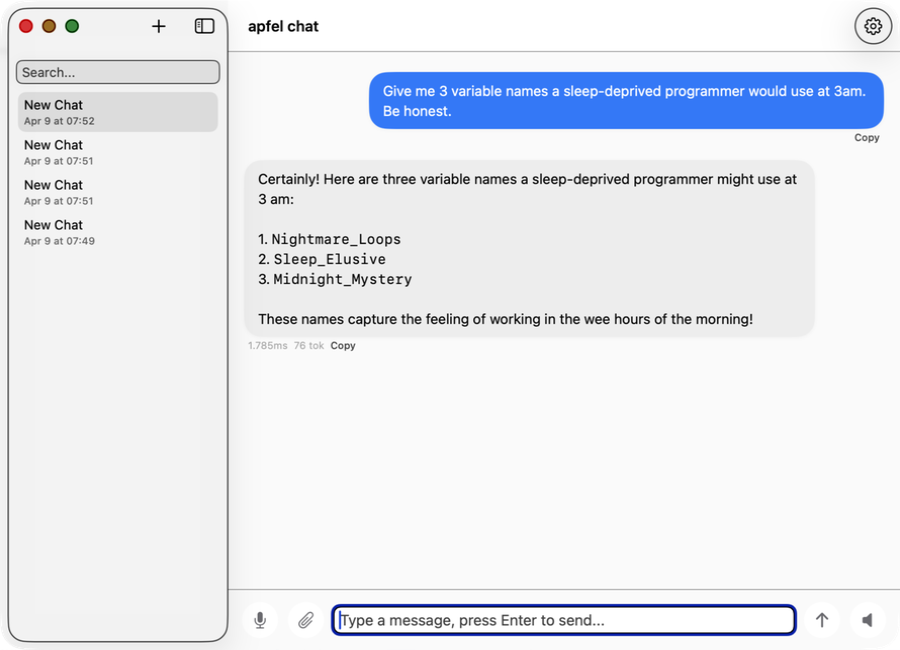
apfel-chat
ഒന്നിലധികം സംഭാഷണങ്ങളുള്ള macOS chat client. Streaming markdown, ശബ്ദ input-ഉം output-ഉം, image analysis - പൂർണ്ണമായും private, API keys ഇല്ല, cloud ഇല്ല.
SwiftUI Production-ൽ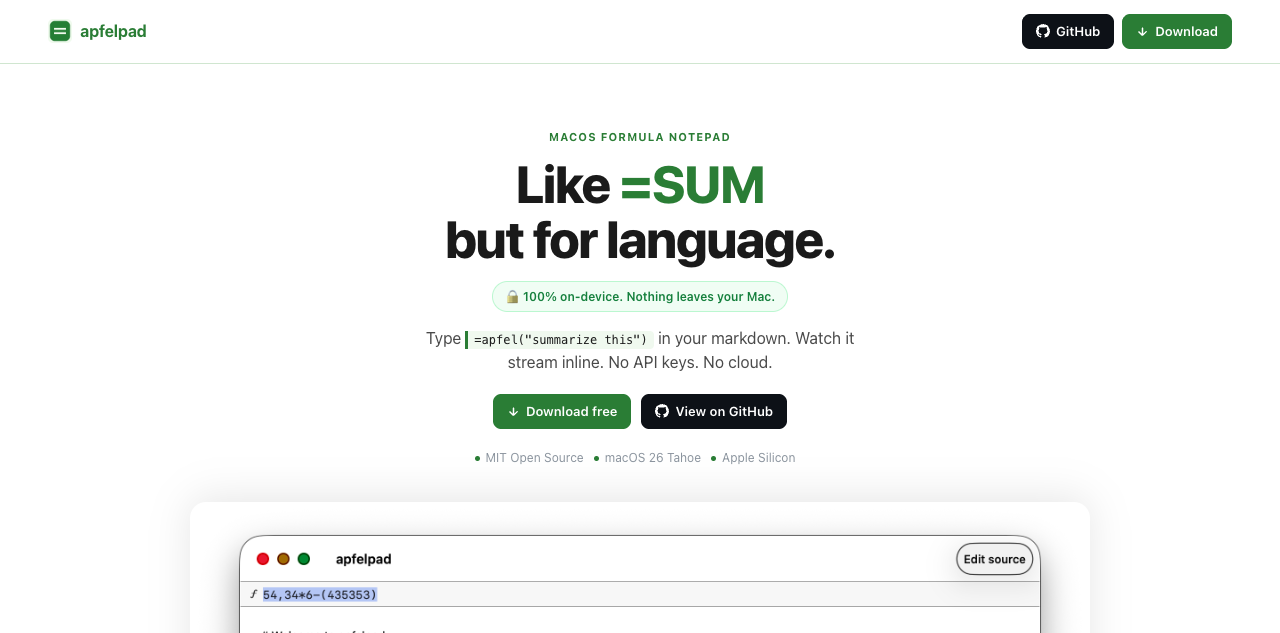
apfelpad
ചിന്തിക്കാനുള്ള ഒരു formula notepad. നിങ്ങളുടെ markdown-ൽ =apfel("summarize this") എന്ന് type ചെയ്യൂ, അത് inline ആയി stream ചെയ്യുന്നത് കാണൂ. =SUM പോലെ, പക്ഷേ ഭാഷയ്ക്ക്.
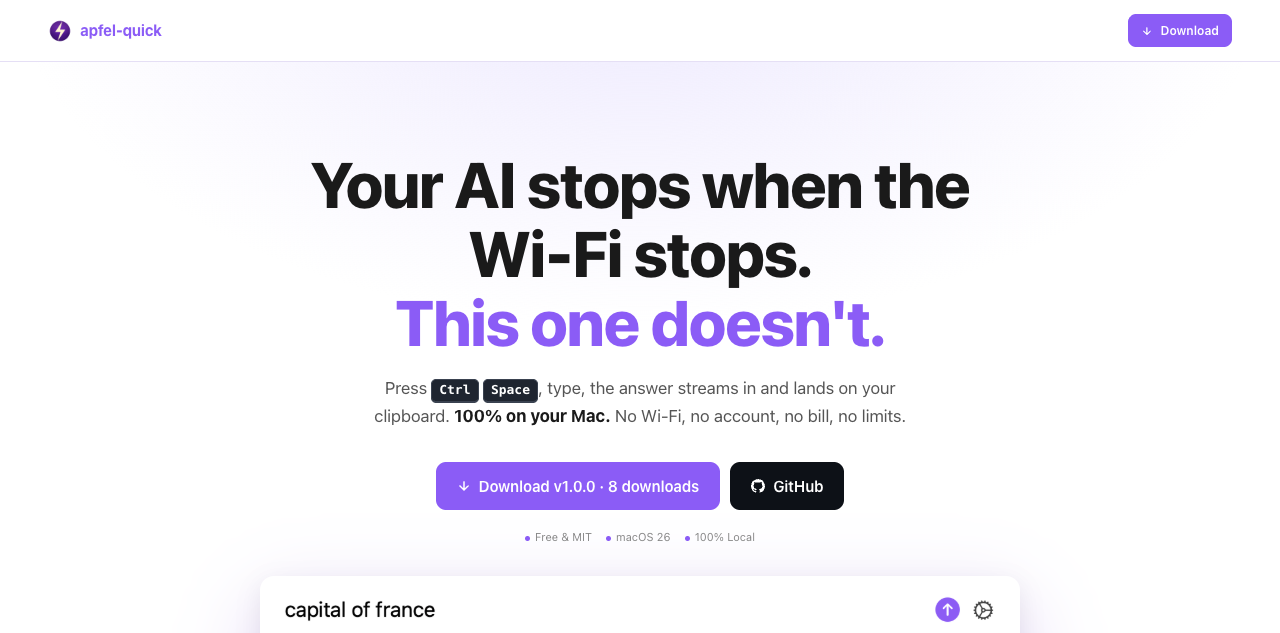
apfel-quick
Instant AI overlay. എവിടെയും Ctrl+Space അമർത്തി, ചോദ്യം type ചെയ്യൂ, ഉത്തരം നേരെ നിങ്ങളുടെ clipboard-ലേക്ക് stream ചെയ്യും. Wi-Fi വേണ്ട, account വേണ്ട, bill ഇല്ല.
SwiftUI പുതിയത്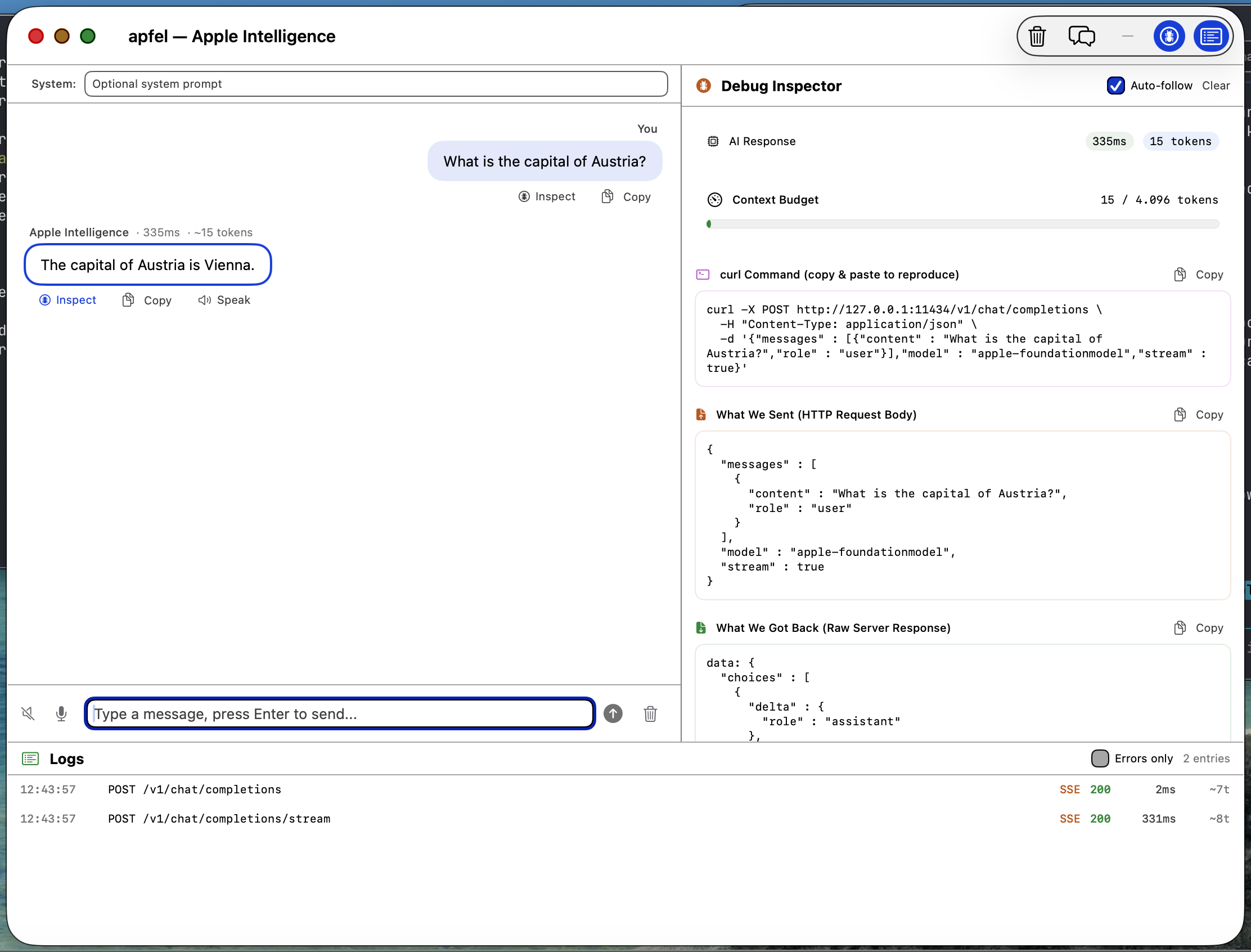
apfel-gui
Native macOS SwiftUI debug GUI. Apple Intelligence-നോട് chat ചെയ്യൂ, requests, responses, logs പരിശോധിക്കൂ, speech-to-text, text-to-speech - എല്ലാം on-device.
SwiftUI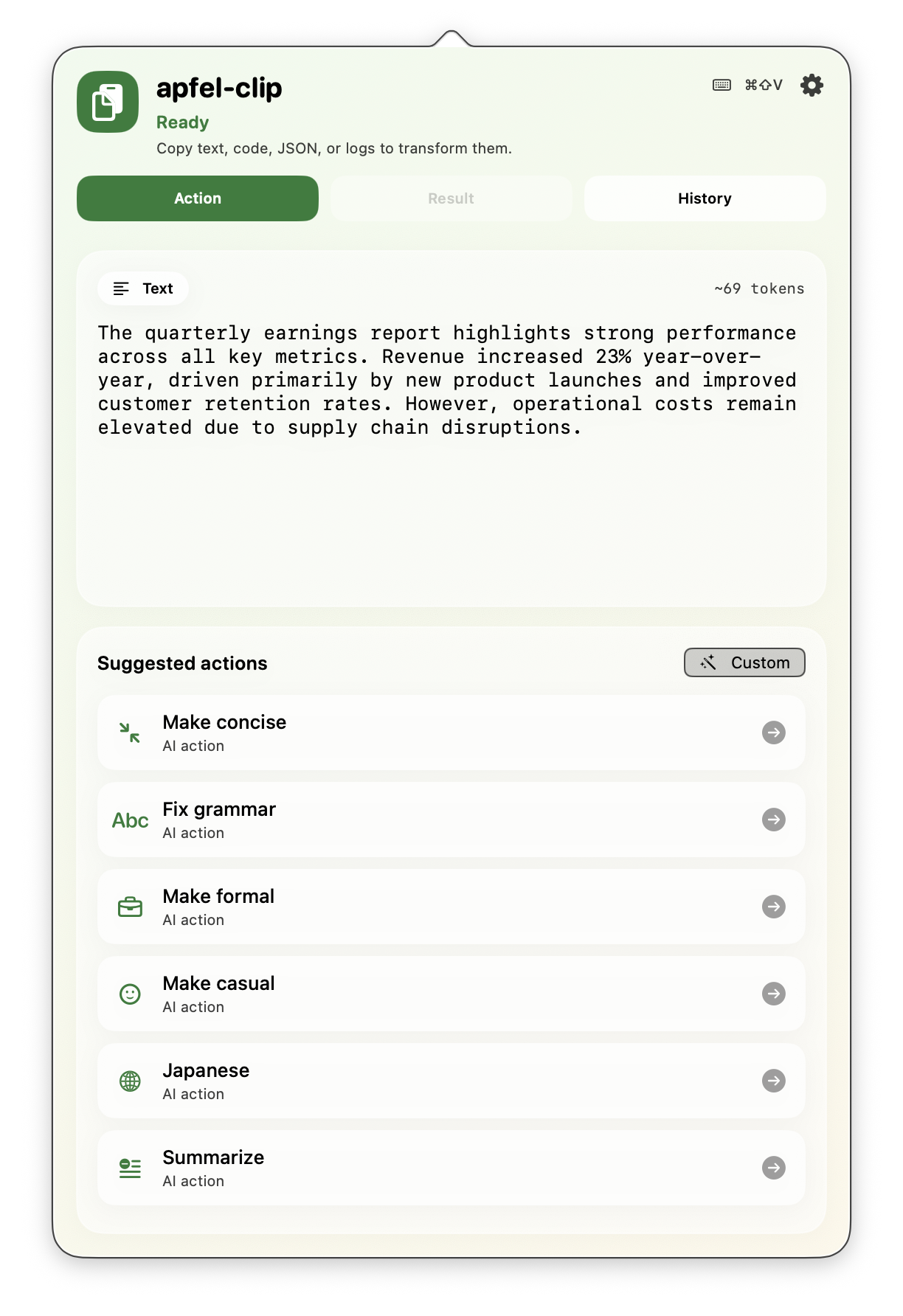
apfel-clip
Menu bar-ൽ നിന്ന് clipboard-നുള്ള AI actions. ഏത് text-ലും cmd+shift+V അമർത്തൂ - grammar ശരിയാക്കൂ, translate ചെയ്യൂ, code വിശദീകരിക്കൂ, ചുരുക്കൂ. പൂർണ്ണമായും on-device, API keys ഇല്ല.
SwiftUI Production-ൽ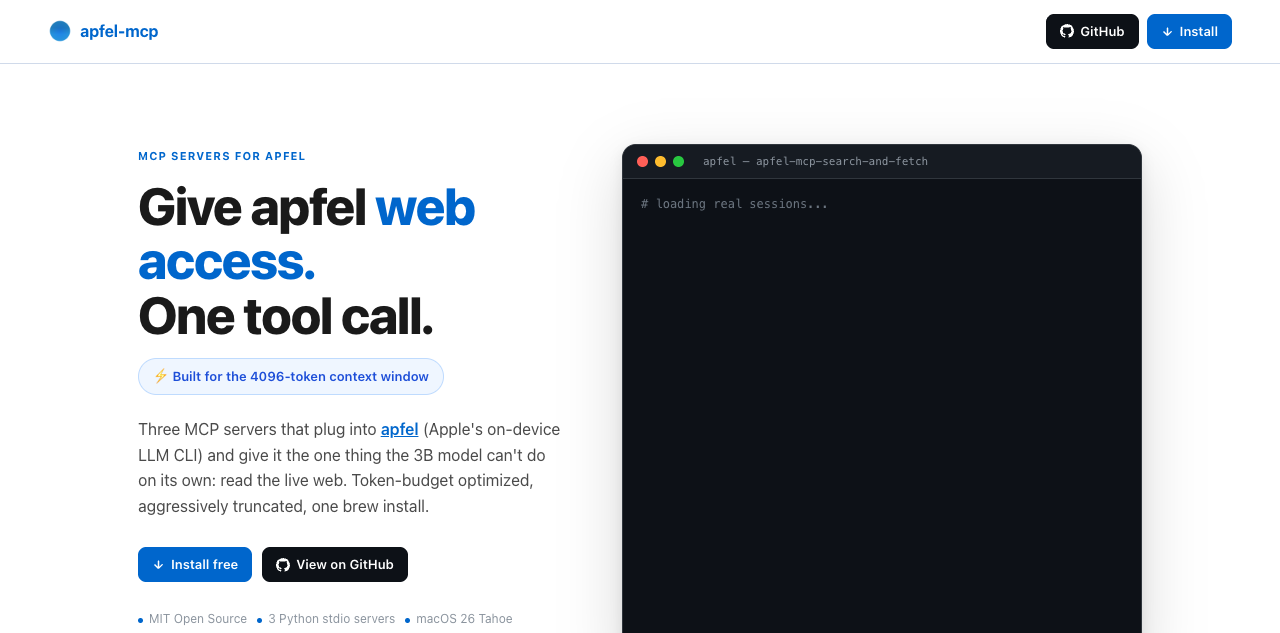
apfel-mcp
apfel-ന് web-ഉം നിങ്ങളുടെ files-ഉം നൽകൂ. നാല് ചെറിയ MCP tools - url-fetch, ddg-search, search-and-fetch, വായിക്കാൻ മാത്രമുള്ള ഒരു file reader - ഓരോന്നും apfel-ന്റെ ചെറിയ context window-ൽ ഒതുങ്ങുന്ന വിധം ചുരുക്കിയത് (മിക്ക Macs-ലും 4,096 tokens, macOS 27 ഉള്ള M3-ലും പുതിയവയിലും 8,192).
Python പുതിയത്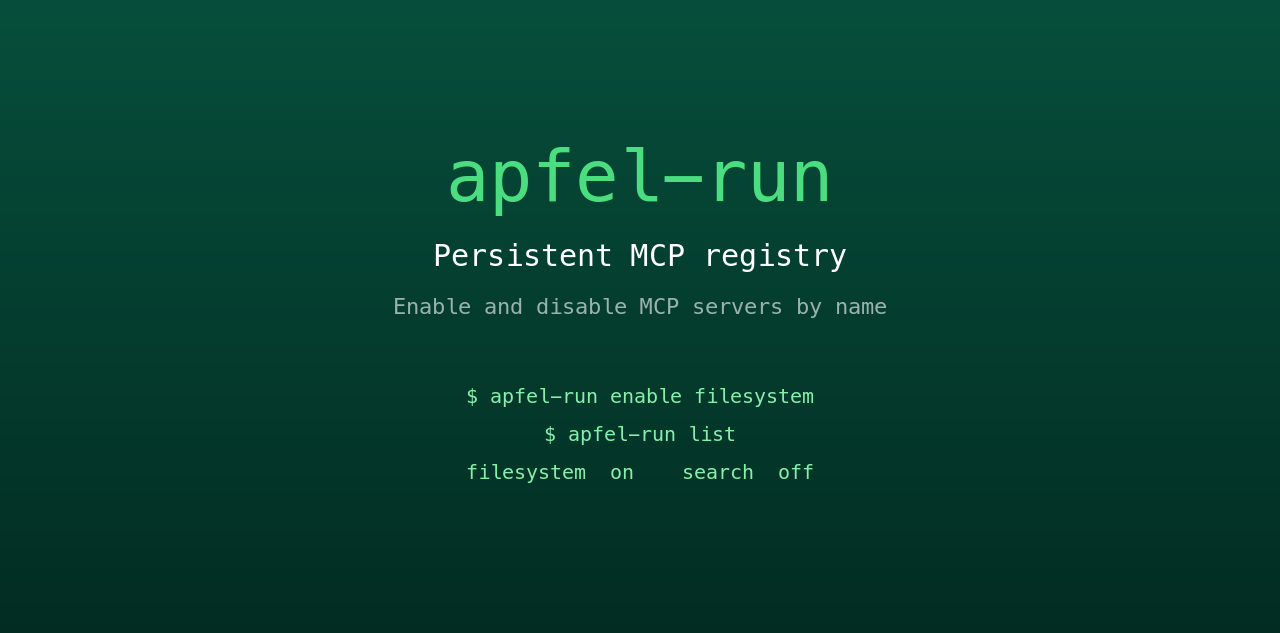
apfel-run
apfel-ന് സ്ഥിരമായ ഒരു MCP registry നൽകുന്ന ചെറിയ UNIX wrapper. ഒരു plain text config file-ൽ നിന്ന് MCP servers പേര് വഴി enable-ഉം disable-ഉം ചെയ്യൂ. Restart കഴിഞ്ഞാലും നിലനിൽക്കും, GUI ഇല്ല, daemon ഇല്ല.
Shell പുതിയത്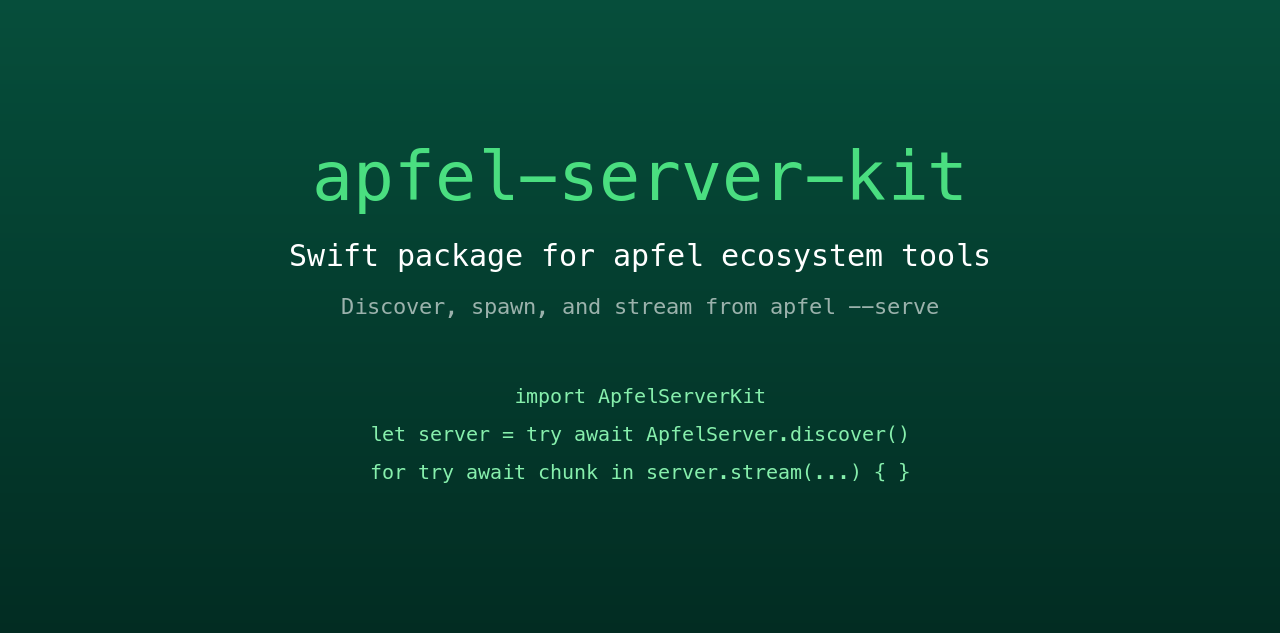
apfel-server-kit
മുഴുവൻ ecosystem-നെയും പ്രവർത്തിപ്പിക്കുന്ന shared Swift package. ഒരു local apfel --serve process കണ്ടെത്താനും തുടങ്ങാനും അതിൽ നിന്ന് stream ചെയ്യാനും. എല്ലാ SwiftUI apfel app-ഉം സംസാരിക്കുന്ന നട്ടെല്ല്.
Swift പുതിയത്
auge
Sister project. apfel ഭാഷ കൈകാര്യം ചെയ്യുന്നു; auge കാഴ്ചയും. OCR, image classification, barcodes, face detection എന്നിവയ്ക്ക് ഒരൊറ്റ CLI - Apple-ന്റെ Vision framework വഴി 100% on-device. API keys ഇല്ല, cloud ഇല്ല.
Swift സഹോദര project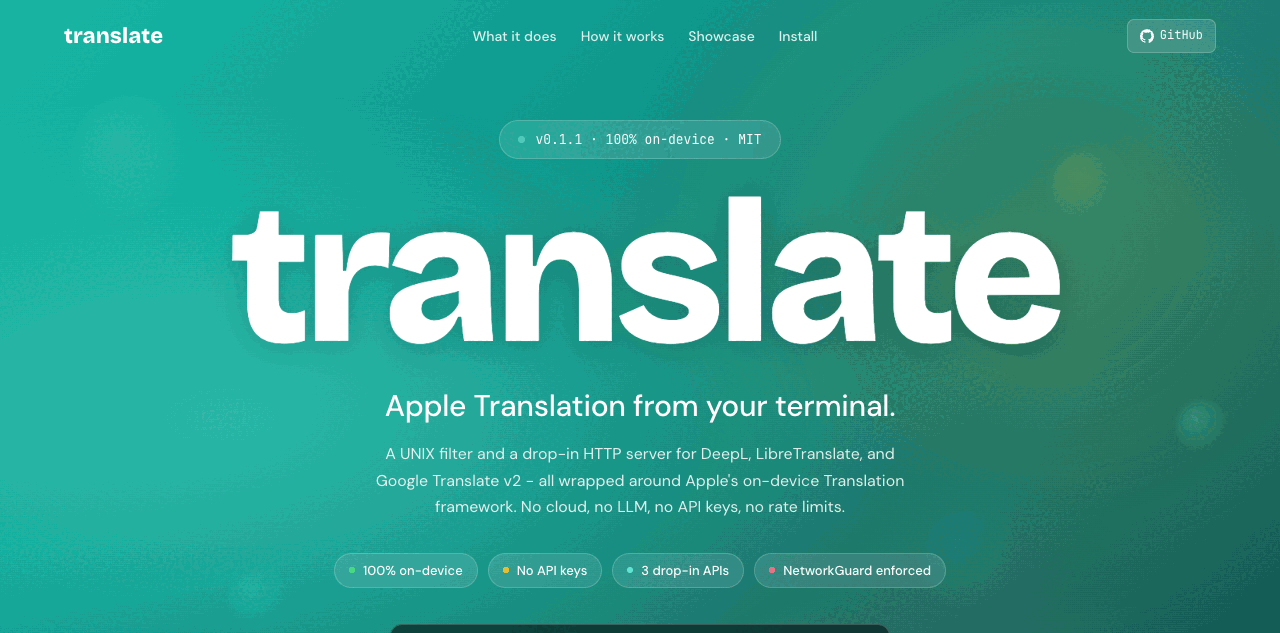
translate
Sister project. DeepL, LibreTranslate, Google v2 എന്നിവയ്ക്കായി UNIX filter-ഉം drop-in HTTP server-ഉം - Apple-ന്റെ on-device Translation framework-ൽ പ്രവർത്തിക്കുന്നു. 100% on-device, NetworkGuard കർശനമായി ഉറപ്പാക്കുന്നു. API keys ഇല്ല, cloud ഇല്ല.
Swift സഹോദര projectപതിവ് ചോദ്യങ്ങൾ.
Hacker News-ൽ നിന്നും Reddit-ൽ നിന്നും ശേഖരിച്ച ചോദ്യങ്ങൾ.
എനിക്ക് ഏത് macOS version വേണം?
apfel എന്റെ personal data access ചെയ്യുമോ?
ഏതെങ്കിലും data എന്റെ Mac വിട്ടുപോകുമോ?
Model: Apple-ന്റെ FoundationModels framework internet connection ഇല്ലാതെ പ്രവർത്തിക്കുന്നു, പൂർണ്ണമായും Neural Engine-ൽ ഓടുന്നു. നിങ്ങളുടെ prompts-ഉം responses-ഉം ഒരിക്കലും device വിട്ടുപോകില്ല. User data ഒരിക്കലും training-ന് ഉപയോഗിക്കില്ല.
Tool: apfel അത് അങ്ങനെതന്നെ നിലനിർത്തുന്നു. Analytics ഇല്ല, telemetry ഇല്ല, tracking ഇല്ല, automatic update checks ഇല്ല, crash reporting ഇല്ല, calling home ഇല്ല. Open source, audit ചെയ്യാവുന്നത്.
Context window എത്രയാണ്?
apfel --model-info നിങ്ങളുടെ Mac-ൽ യഥാർത്ഥത്തിലുള്ള window കാണിക്കുന്നു. Shell scripts, ചുരുക്കങ്ങൾ, text transforms എന്നിവയ്ക്ക് മികച്ചത്. നീണ്ട സംഭാഷണങ്ങൾക്കോ വലിയ documents-നോ അനുയോജ്യമല്ല.Model എന്തിലാണ് മികച്ചത്? എവിടെയാണ് ബുദ്ധിമുട്ടുന്നത്?
പരിമിതം: കണക്ക്, വസ്തുതകൾ ഓർത്തെടുക്കൽ, നീണ്ട സംഭാഷണങ്ങൾ, സങ്കീർണ്ണമായ code generation.
Hallucinate ചെയ്യുന്നതിനേക്കാൾ നിരസിക്കാനാണ് model-ന് താൽപ്പര്യം. Apple ബോധപൂർവ്വം എടുത്ത design തീരുമാനം.
Server mode സുരക്ഷിതമാണോ?
--token), origin checking, debug-ന് മാത്രമുള്ള log endpoints. വിശദാംശങ്ങൾ server-security.md-ൽ.ഞാൻ Apple Intelligence ഓൺ ചെയ്യണോ?
apfel എങ്ങനെ update ചെയ്യാം?
apfel --update. Install രീതി കണ്ടെത്തുന്നു, പുതിയ version ഉണ്ടോയെന്ന് പരിശോധിക്കുന്നു, upgrade ചെയ്യുന്നതിന് മുമ്പ് ചോദിക്കുന്നു. സ്വയം ചെയ്യാൻ: brew upgrade apfel അല്ലെങ്കിൽ git pull && make install.ഇത് ഏത് model ആണ് ഉപയോഗിക്കുന്നത്?
apfel, Ollama-യിൽ നിന്നോ LM Studio-യിൽ നിന്നോ എങ്ങനെ വ്യത്യസ്തമാണ്?
apfel MCP-യും tool calling-ഉം support ചെയ്യുമോ?
--mcp <server> നൽകൂ. Tool calling guide.macOS 27-ലെ Apple-ന്റെ സ്വന്തം fm CLI-യിൽ നിന്ന് apfel എങ്ങനെ വ്യത്യസ്തമാണ്?
fm വരുന്നു, അതേ on-device model-നുള്ള Apple-ന്റെ command-line front end. apfel ചേർക്കുന്നത്: tool calling ഉള്ള OpenAI-compatible server, MCP, JSON Schema output, data URLs ആയി image input, സത്യസന്ധമായ exit codes, macOS 26 support. അടുത്തടുത്ത് വെച്ച് അളന്നത്: apfel vs fm.apfel-ൽ ഏതെങ്കിലും telemetry അല്ലെങ്കിൽ calling-home functions ഉണ്ടോ?
apfel --update run ചെയ്യുമ്പോൾ മാത്രമാണ് ഒരു network call ഉണ്ടാകുന്നത്, അത് Homebrew-ൽ പുതിയ version പരിശോധിക്കുന്നു. Open source, audit ചെയ്യാവുന്നത്.ഇത് ആരാണ് ഉണ്ടാക്കിയത്?
സഹ-maintainer: Arthur Ficial, Anthropic-ന്റെ Claude Opus-ൽ പ്രവർത്തിക്കുന്ന ഒരു OpenClaw instance. Development ഏറെയും Claude Code, Codex എന്നിവയോടൊപ്പം. എപ്പോഴും high thinking / high effort mode-ൽ.
തുടക്കം: 2026 മാർച്ച് 24.